

Building a simple LLM chain is easy; versioning it is trivial. But building a complex, stateful, multi-agent system using LangGraph introduces a new paradigm of software engineering.
When you move from simple scripts to production-grade LangGraph workflows, you are no longer just managing code. You are managing graph topologies, state schemas, prompt configurations, and runtime checkpoints. Standard Git is necessary, but it is no longer sufficient.
This article provides an end-to-end guide on how to version control and track changes in complex LangGraph workflows, culminating in a real-world enterprise use case.
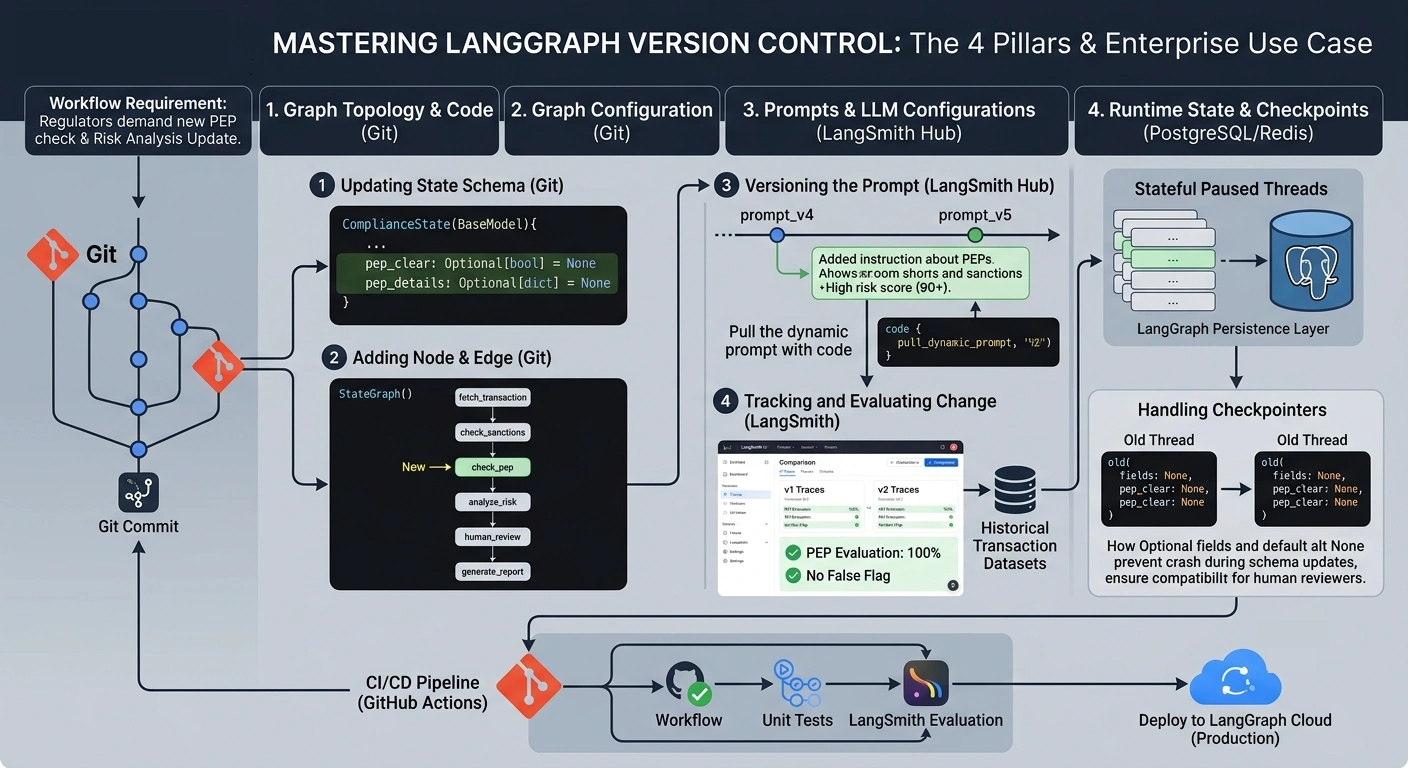
The 4 Pillars of LangGraph Version Control
To effectively track changes in LangGraph, you must separate your workflow into four distinct layers, each requiring a specific versioning strategy:
1. Graph Topology & Code (Git)
This includes your Python node functions, edge routing logic, and the StateGraph definition.
Tool: Git / GitHub / GitLab.
Best Practice: Treat your graph definition like infrastructure-as-code. Use Pydantic models or strict
TypedDictfor your Graph State to ensure schema changes are caught at compile-time.
2. Graph Configuration (langgraph.json)
LangGraph uses a configuration file to define assistants, environment variables, and dependencies for deployment (especially via LangGraph Cloud).
Tool: Git.
Best Practice: Keep environment-specific variables (like API keys or DB URLs) out of this file. Use
.envfiles mapped to your CI/CD pipeline.
3. Prompts & LLM Configurations (LangSmith Hub / Code)
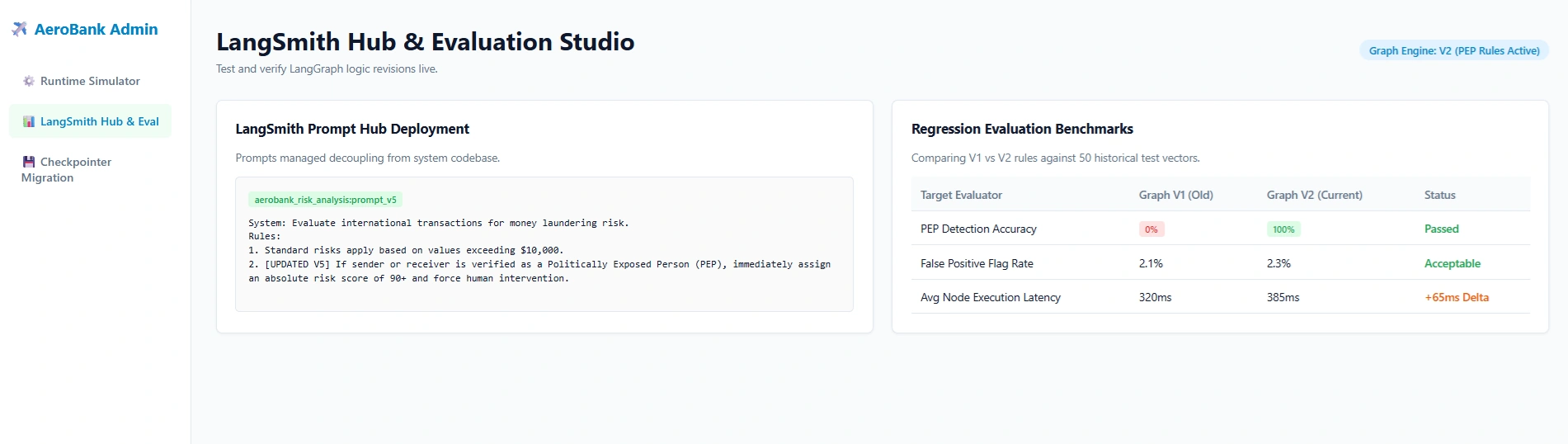
Prompts change frequently. Hardcoding them in Python makes A/B testing and version tracking a nightmare.
Tool: LangSmith Prompt Hub or versioned YAML/JSON files in Git.
Best Practice: Fetch prompts dynamically using the LangSmith client (
client.pull_prompt_commit("my_prompt:v3")). This allows you to change the prompt without changing the Python code or redeploying the graph.
4. Runtime State & Checkpoints (PostgreSQL / Redis)
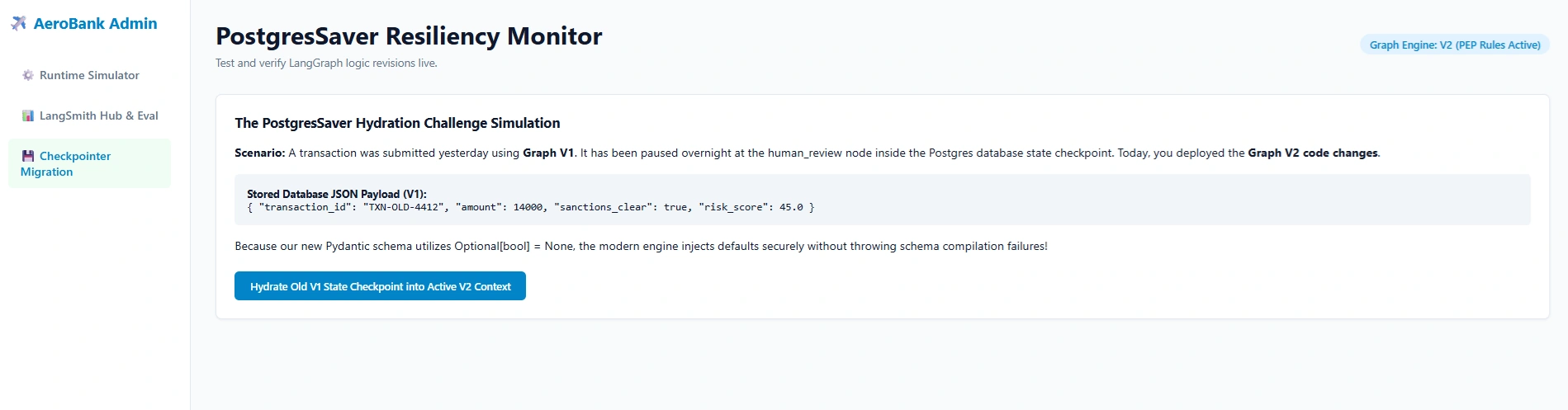
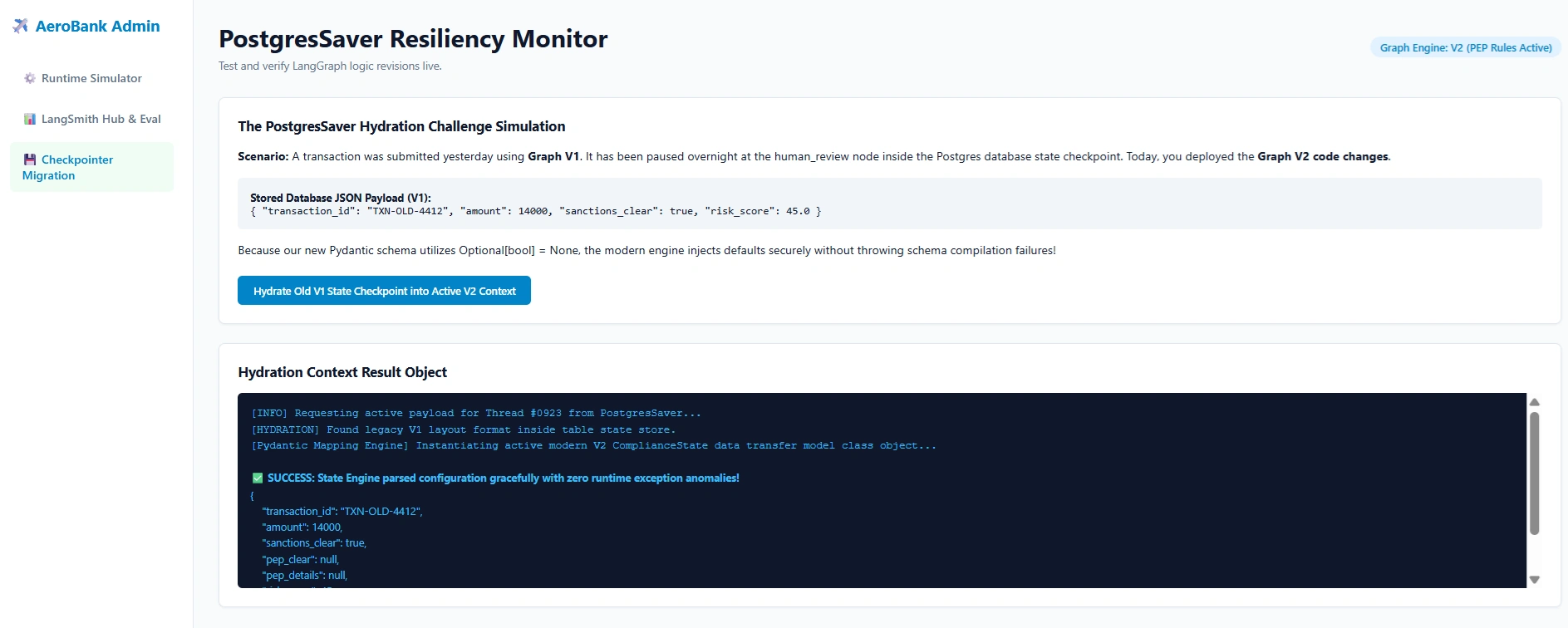
LangGraph uses "Checkpointers" to save the state of a graph at every node. This enables Human-in-the-Loop (HITL) and time-travel debugging.
Tool: LangGraph Persistence Layer (Postgres/SQLite).
Best Practice: Never manually alter the production database. If you change the Graph State schema, you must write a database migration script to handle existing threads, or archive old threads.
Real-World Use Case: The "FinServ Compliance & Audit Agent"
Let’s look at a real-world scenario. AeroBank uses a LangGraph workflow to process international wire transfers over $10,000.
The Architecture
The graph consists of the following nodes:
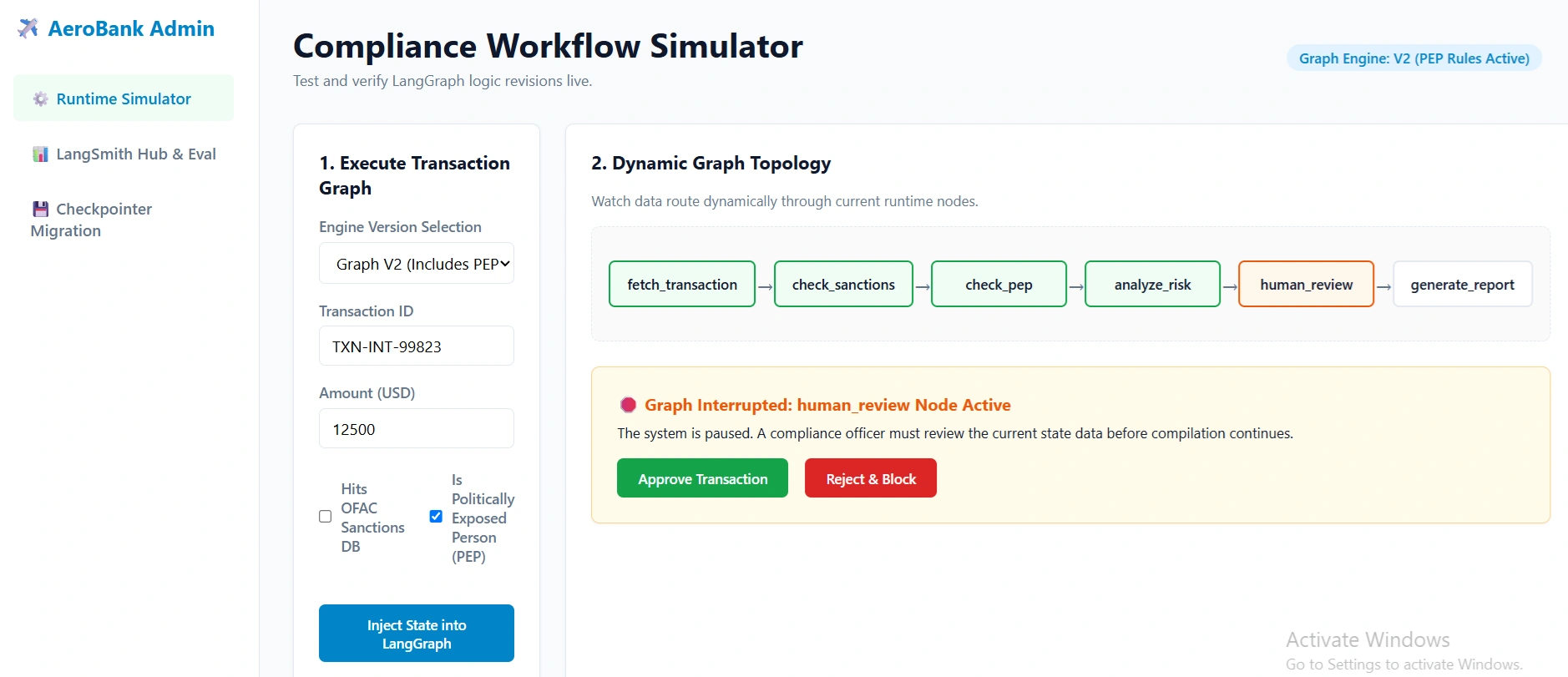
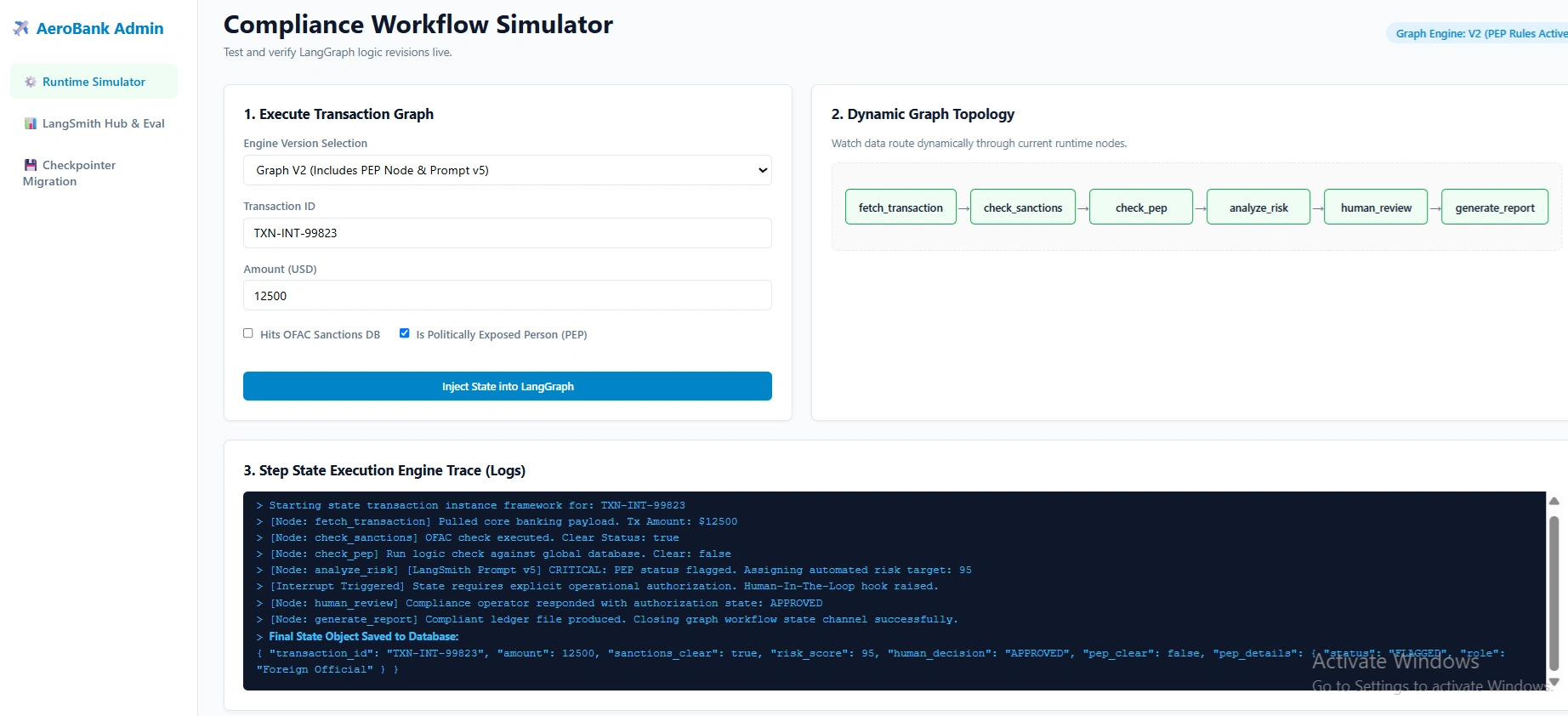
fetch_transaction: Pulls data from the core banking API.check_sanctions: Queries an external OFAC sanctions database.analyze_risk: An LLM node that evaluates the transaction context.human_review: Aninterruptnode where a compliance officer approves/rejects.generate_report: Creates the final audit trail.
The Challenge: Evolving the Graph
Three months into production, regulators mandate a new rule: All transactions must now be checked against a Politically Exposed Persons (PEP) database.
Furthermore, the risk analysis prompt needs to be updated to weigh PEP status heavily. Here is how the engineering team versions and tracks this change end-to-end.
Step-by-Step Implementation: Versioning the Change
Step 1: Updating the State Schema (Git)
First, the team updates the Pydantic state model to include the new PEP data.
# state.py
from pydantic import BaseModel, Field
from typing import Optional, List

class ComplianceState(BaseModel):
    transaction_id: str
    amount: float
    sanctions_clear: bool = False
    # --- NEW SCHEMA ADDITION ---
    pep_clear: Optional[bool] = None
    pep_details: Optional[dict] = None
    risk_score: float = 0.0
    # ---------------------------
    human_decision: Optional[str] = None
Tracking: This is committed to the main branch via a Pull Request. Git tracks the exact schema change.
Step 2: Adding the Node and Edge (Git)
The team adds the check_pep node and routes the graph.
# graph.py
from langgraph.graph import StateGraph, START, END
from state import ComplianceState

def check_pep(state: ComplianceState):
    # Logic to query PEP database
    return {"pep_clear": True, "pep_details": {"status": "clear"}}

# Graph definition
workflow = StateGraph(ComplianceState)
workflow.add_node("fetch_transaction", fetch_transaction)
workflow.add_node("check_sanctions", check_sanctions)
workflow.add_node("check_pep", check_pep) # NEW NODE
workflow.add_node("analyze_risk", analyze_risk)

# Routing logic updated
workflow.add_edge(START, "fetch_transaction")
workflow.add_edge("fetch_transaction", "check_sanctions")
workflow.add_edge("check_sanctions", "check_pep") # NEW EDGE
workflow.add_edge("check_pep", "analyze_risk")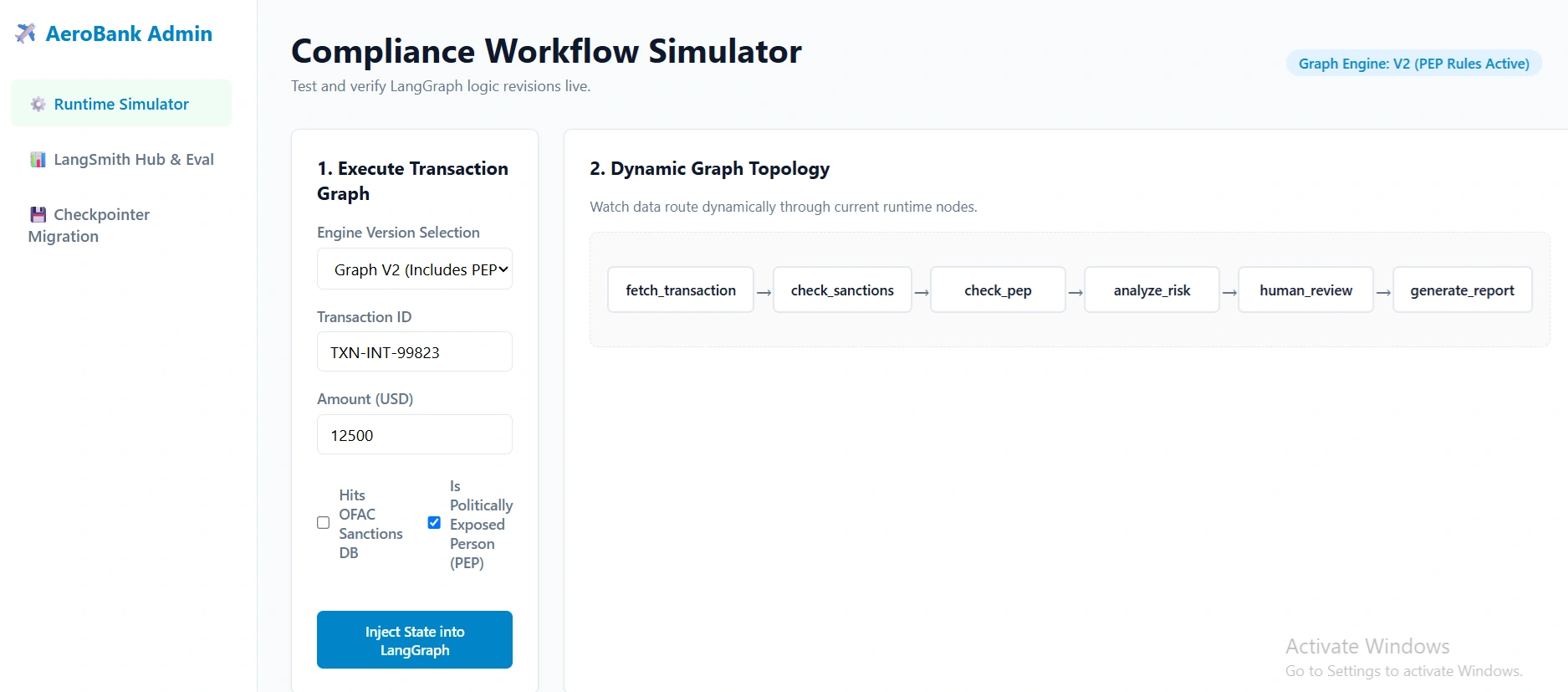
Join the conversation! Your thoughts help the community grow.