

Peek Definition
Peek Definition is a cool new feature of the Visual Studio 2013 IDE. It works a little differently from "Go To Definition". If we use "Go To Definition" then we just simply jump to the definition page of the code.
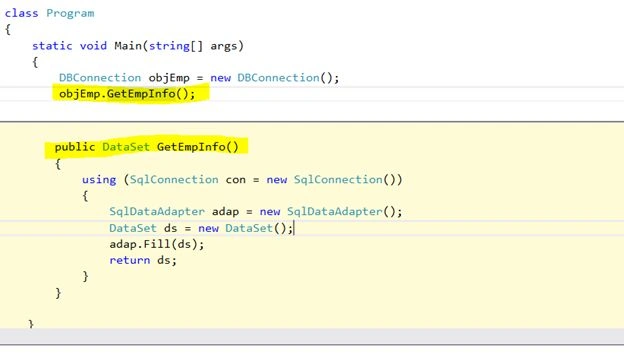
But Peek Definition will remain on the same page and a small window will appear to view the definition of the code and the code can be modified in it. If we want to deep mean for the nested code definition then these peek windows can be pinned and unpinned on the code behind page. 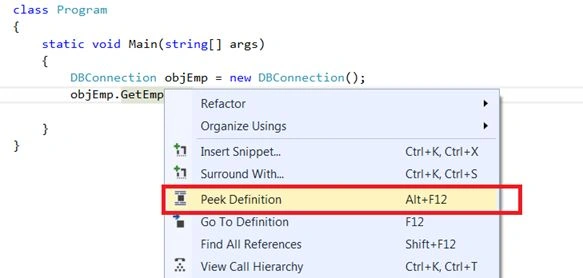
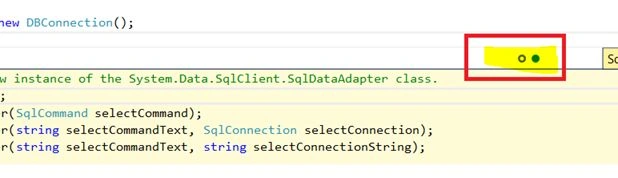
The highlighted button can help to jump between multiple peek definition windows.
Browsers Refresh Feature for web
A new feature added to help web development when the programmer needs to update the CSS of any page and he/she wants to check the results in a browser and needs to refresh the page Now it can be done using the "Refresh button of the Visual Studio 2013 IDE".
The following image shows the change in <h1> tag but not refreshed in the browser: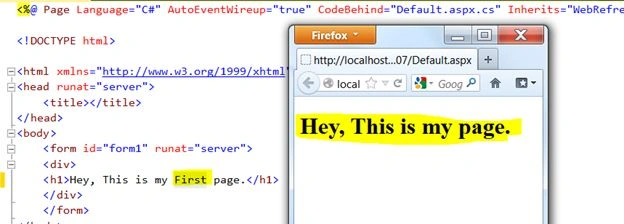
Now in the next image we will see a new refresh button for helping to refresh the new updated content in the browsers.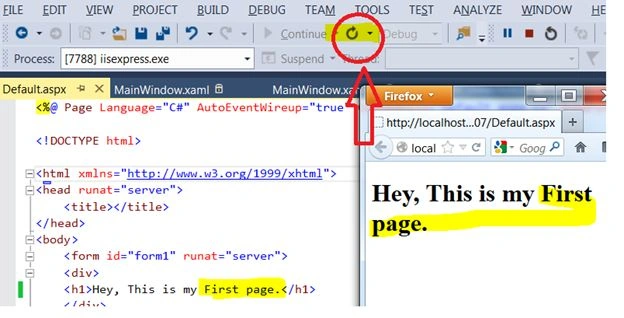
It also shows the multiple browser capabilities in the Browser Link Dashboard. If we go to the browser dashboard then we can also see the problem with the application. 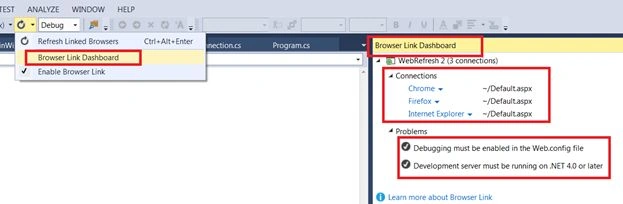
XAML features
Go To Definition:
Now Visual Studio 2013 has the Go To definition feature for the XAML.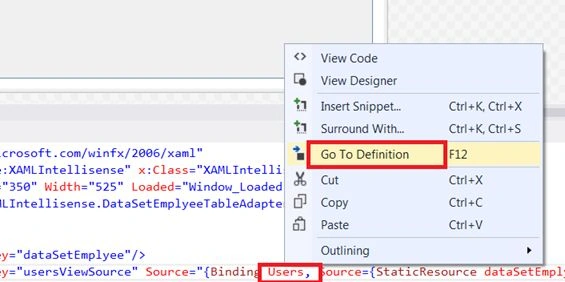
Control will transfer to the code where the user resides.
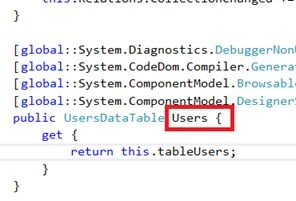
Intellisense with Data binging in XAML
If we let the editor know where the data is, then we enjoy the features of intellisense as in the following:
<Window.Resources>
<local:DataSetEmplyee x:Key="dataSetEmplyee"/>
<CollectionViewSource x:Key="usersViewSource" Source="{Binding Users, Source={StaticResource dataSetEmplyee}}"/>
</Window.Resources>
<Grid DataContext="{StaticResource usersViewSource}">
In following we can see the LastName is appearing just because of the cool feature of XAML intellisense.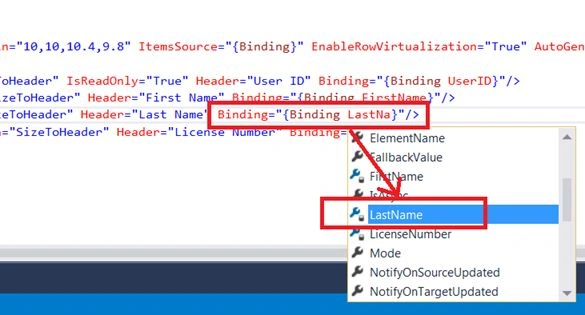
Intellisense for Resources
Now XAML has intellisense features for resources also. In the following we can see how to set the style using intellisense. It is a pretty good feature that allows less typing and more selection and saves time for developers.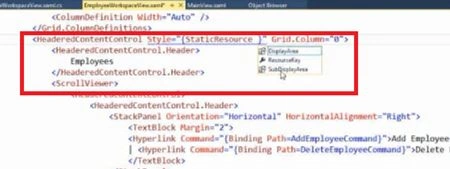
Insert Snippet Feature for XAML
Now XAML has another cool feature, an Insert snippet option for XAML. Now the developer can have XAML snippets to quickly write XAML for fast development by reusability of other XAML code. 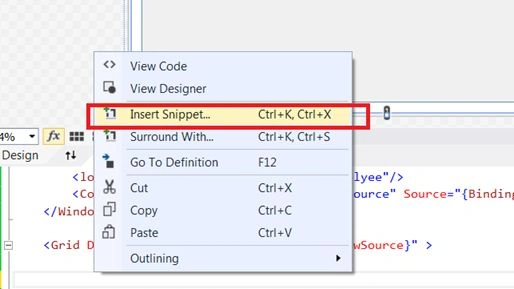
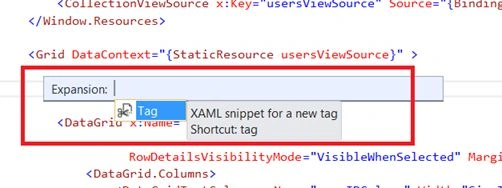
Intellisense Matching and Substring matching for XAML
Now there is much more improvement for entering XAML. If we type the incorrect spelling then the IDE will auto correct it as in the following:
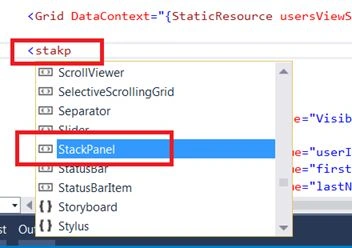
Sub string intellisense matching
Also XAML intellisense has the feature that of substring matching capabilities. This allows the auto-suggest spelling of incorrect words. 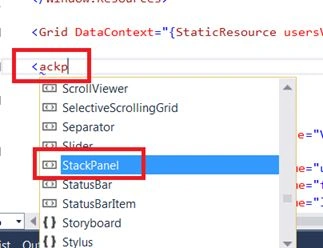
Refactoring of Start and End Tags
Another cool feature of XAML in VS2013 is if I added a StackPanel as in the following:
<StackPanel>
</StackPanel>
And then change the opening tag to <DockPanel> then the Ending tag will be automatically changed to </DockPanel>.
TypeScript
No need to download the tool for TypeScript to add it to the project. Now Visual Studio 2103 has the template to add in.
We can also see the Intellisense with TypeScript when we write the TypeScript code.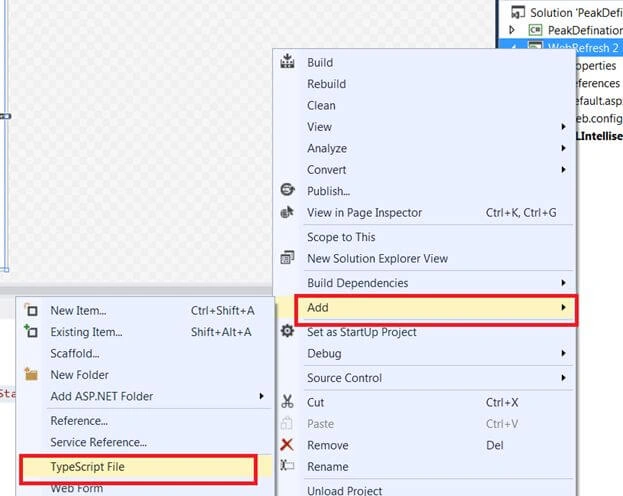
No need to run the TypeScript command to manually convert the TypeScript into JavaScript, now VS2013 will automatically create a JavaScript file for our project when the project is built.
Hemant SrivastavaPosted Feb 5, 2016, 2:22 PM
Do you know how to see all available code snippets in Visual Studio? Please let me know
Hemant SrivastavaPosted Feb 5, 2016, 2:21 PM
Good information!