

Visual Studio 2103 has some IDE enhancements in Visual Studio 2013 RC that saves time for developers. Let's have a look.
Quick Launch
Quick launch is one of them; Here we can just simply type the text for quick search around Visual Studio.
Have a look below showing a search for a scroll bar and in the result we can see the list of all scroll bars in Visual Studio 2013.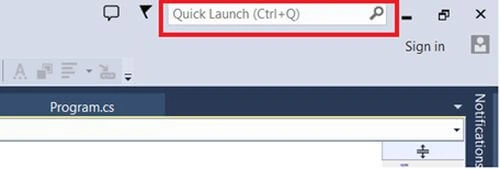
The result shown by quick launch: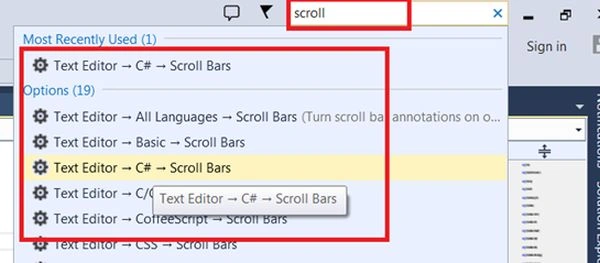
Enhanced scroll bar (Map Mode Scroll bar)
Another new feature in the new scroll bar in Visual Studio 2013 enables this feature, just go to the traditional scroll bar and right-click over it.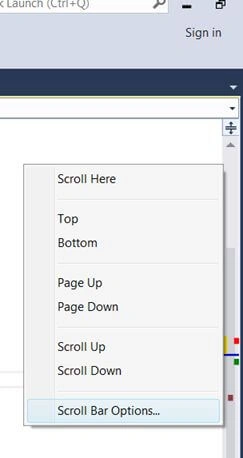
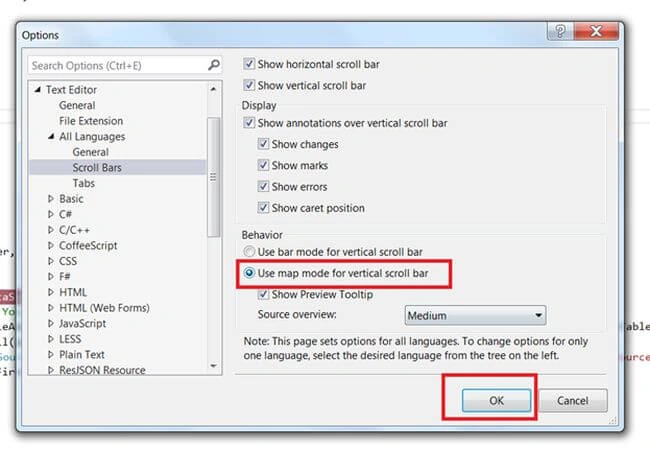
Now the new enhanced scroll bar will come up.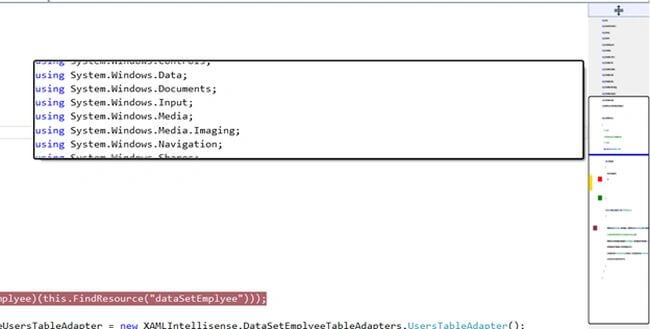
You will notice that now the traditional scroll bar has changed into map mode.
In the map scroll bar you will notice that the :
- Blue line: indicates the current cursor control positions
- Red Dot: indicates the error in the code
- Green Dot: indicates the warnings
- Purple Dot: indicates the breakpoints
This feature is pretty nice when we have a pretty large code file. This feature will help me a lot to navigate the code lines.
Signing into the IDE to synchronize your settings
Using this feature, you will be able to synchronize all your settings of Visual Studio (Themes, Fonts, Colors, Keyboard Shortcuts, Text Editor and so on.) in the cloud.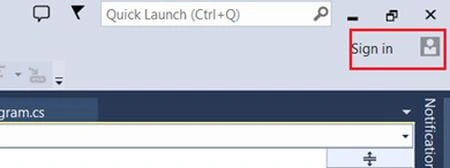
For this you must have a Microsoft account, log in and use this feature as in the following.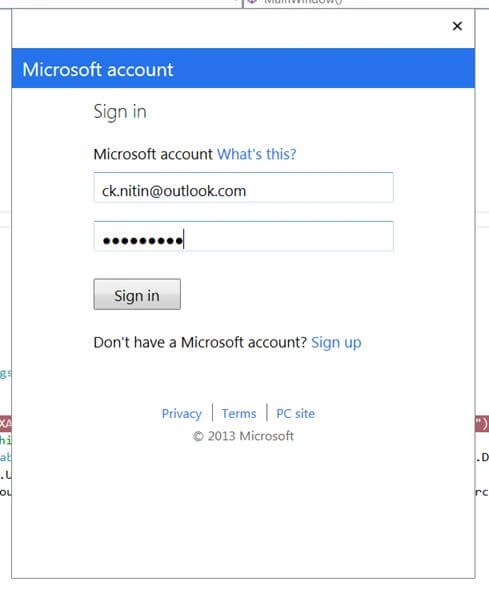
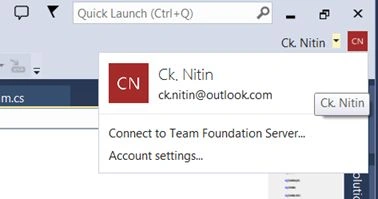
Here you can update you IDE settings and synchronize as in the following:
"Menu" -> "Tools" -> "Options"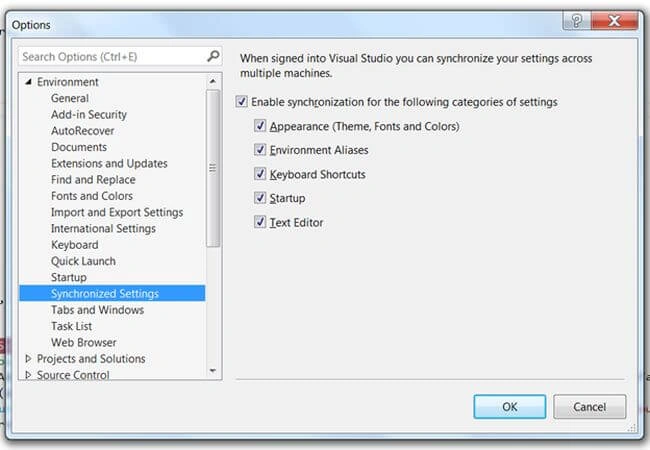
Notifications center
This is also a new enhancement in the Visual Studio 2013 IDE.
A flag sign is shown above. When we click on it we will move to the Notification tab.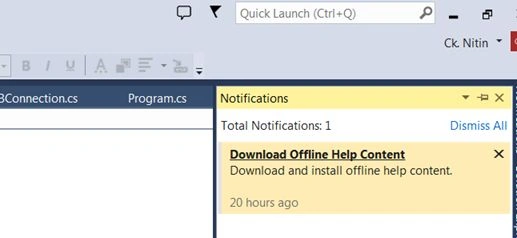
This shows the VS 2013 update and notifications, we can just simply double-click on it and we can decide whether we want to install the update or cancel. In the previous version a balloon popped up and if we start the update then all updates start wether we need it or not. Now we have control of decisions and here we can cancel it or we can dismiss all.
Auto brace completion
I really like this feature because it will save lots of time when writing the code and will help to write cleaner code.
How does it work?
if (!string.IsNullOrEmpty(matchingName)) {
If I write the preceding line and then type the opening brace then the closing brace will automatically be inserted by the IDE as in the following.
if (!string.IsNullOrEmpty(matchingName)) { }
In the following closing double quotes will be inserted automatically:
string matchingName="";
And it works to format the code when we type the semicolon:
int result = 1+2;
Like
int result = 1 + 2;
Join the conversation! Your thoughts help the community grow.