

Introduction to VSO
VSO (Visual Studio Online) is a cloud based collaboration tool (can be considered as TFS online) and provides a set of tools that work with Visual Studio to effectively manage your application.
VSO Capabilities
VSO offers various capabilities which various teams can utilize to build great software and really depend upon.
- Version control.

- Tools for Agile Software Development teams

- Continuous Integration

- Support for even Non-Microsoft Languages and Tools

- Integration support for various 3rd Party Tools

- Infrastructure Grade SLA

Note: All above images are taken from here.
Back in 2008
I do remember the earlier days when Microsoft 1st started this concept of VSTS (Visual Studio Team System).
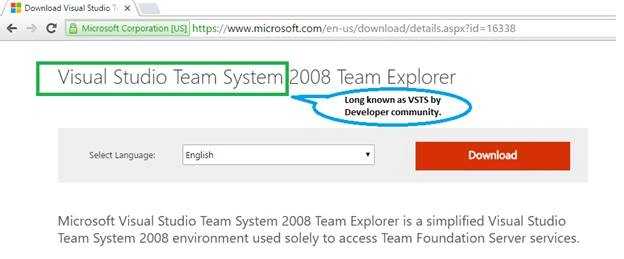
You can click here to visit the page as shown in image above.
On-Premise VS Azure
Many work places have applications which they want to have access to anytime, anywhere and continue to build the applications using integrated, powerful, cross-platform, enterprise-level Agile tools ; so team(s) can share source code, build often, test early, and ship faster with less time to market.
Like many software companies “on premise” source control in form on TFS on their own servers has served the business need. Whereas for many cloud was the choice to set up a Team Services account, connect their dev tools, share code, invite team members, and start working.
In these business scenarios TFS and VSO has been an answer respectively.
Rebranding made meaningful
Recently, Microsoft re-visited the Branding idea of VSO and renamed/re-branded it back to VSTS. But now “S” is not System instead it’s “Services” as this is Azure based solution hence, Services make complete sense. I.e. VSTS (Visual Studio Team Services) which is Software-as-a-Service offered by Microsoft for organization’s ALM needs.
This image is taken from here.
Summary
In my view VSTS provides better value to development team(s) and better ROI to management; as it enables and empowers the developers to collaborate anytime from anywhere. In addition it helps the organizations to reduce / cut-down the DevOps cost and needless to mention Zero investment into serves/disk spaces. Whether you are a dev using VSTS or on-Premise TFS you are not missing any features and capabilities from any of the flavor, VSTS is just a preferred/better way (in my view).
Dinesh GabhanePosted Nov 8, 2019, 1:11 AM
Nice Article. Thanks
Vignesh ManiPosted May 21, 2016, 9:27 AM
Good one sir
Debasis SahaPosted May 20, 2016, 10:50 AM
Nice One..
Prakash TripathiPosted May 19, 2016, 11:56 PM
It's good and I hope people start embracing new acronym of VSTS. Just to add I still find some people who assumes "Outlook.com" to be some kind of Exchange client and not the rebranding of "Hotmail".
Nataraj Gandhi ArunachalamPosted May 19, 2016, 1:44 PM
What is the pricing structure for using this service among a medium sized team of say around 15-20 members?
Sonu ChaudharyPosted May 19, 2016, 11:32 AM
good one
Mahesh ChandPosted May 19, 2016, 9:21 AM
Services makes sense because it now provides so many other features and Microsoft is probably planning to extend those services.
Thiruppathi RPosted May 19, 2016, 8:05 AM
Nice Info..
Neeraj KumarPosted May 19, 2016, 7:14 AM
Nice one
Debasis SahaPosted May 19, 2016, 6:27 AM
Good One..