

Introduction
In this article, we will learn how to fix the errors of Unobtrusive Validation Mode.
In my last article "How to enable Unobtrusive Validation in ASP.NET 4.5" you learned how to Enable Unobtrusive Validation in three ways. While you were reading that article you must have noticed that in every step I had made value=None, there was a reason for making value=None. If you simply run this code:
- <asp:TextBox runat="server" ID="txt" />
- <asp:RequiredFieldValidator ID="RequiredFieldValidator1" ErrorMessage="txt is required" ControlToValidate="txt" runat="server" Text="Text is Required" Display="Dynamic" />
- <asp:Button ID="Button1" Text="Send info" runat="server" />
Then you will get an error message like this:
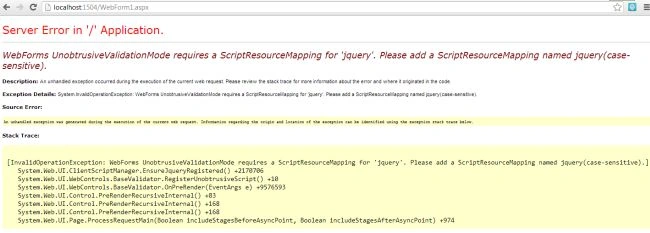
Instead of fixing this error, I disable the Unobtrusive Validation by making it's Value=None after which the code shown above runs successfully without giving the error. But we must fix the error shown above so let's do that now.
Step 1
Re-enable the Unobtrusive Validation
Now we must install the Nuget Packages using:
- jQuery
- AspNet.ScriptManager.jQuery-Version 1.9.1
- Microsoft.AspNet.ScriptManger.MSAjax
- Microsoft.AspNet.ScriptManager.WebForms
Step 2
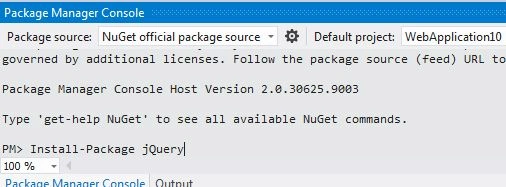
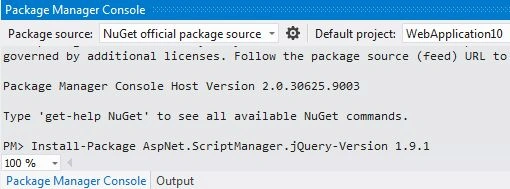
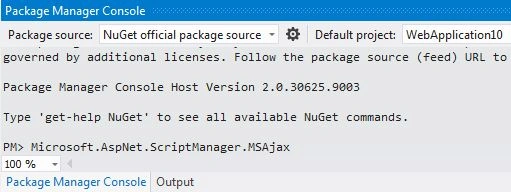
To install these Nuget Packages you must run the following code in the "Package Manager Console".
For jQuery:
For AspNet.ScriptManger.jQuery-Version 1.9.1:
For Microsoft.AspNet.ScriptManager.MSAjax:
For Microsoft.AspNet.ScriptManager.WegForms:
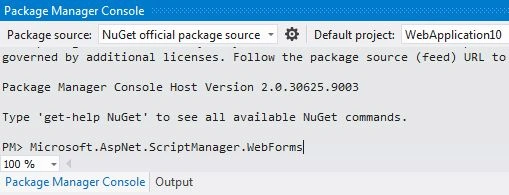
Step 3
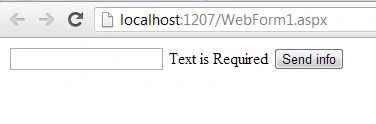
Now if you run the application you will see that the exception is gone, this is because these Nuget Packages automatically register the script needed with the ScriptManager control.
Join the conversation! Your thoughts help the community grow.