

Google API
To include weather information, Google API is one of the well known options.
<script type="text/javascript" src="https://maps.googleapis.com/maps/api/js?sensor=false"></script>
Step 1: Login into the SharePoint Environment and click Build Apps. Then the following screen appears.
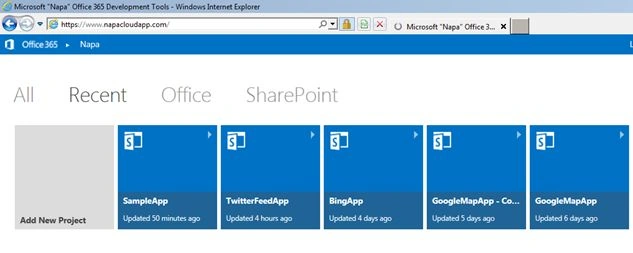
Step 2: Select Apps for SharePoint and name the app “WeatherApp”.

Step 3: There are two aspx files generated automatically.
-
ClientWebPart
-
Default
And you have a JavaScript file, App.js in the Scripts section.

Step 4: Code snippet to integrate the Google API. This code must be placed in Default.aspx.
*TemperatureUnit can be either Celcius or fahrenheit
*LatLng specifies your latitude and Longitude
Step 5: Once you deploy the app, weather information is displayed .

Daniel KPosted May 14, 2017, 11:24 PM
Hi Lakshmanan....“Napa” Office 365 Development Tool was deprecated...right ?