

This article is the second in the series of WCSF. For installing WCSF please refer to http://www.c-sharpcorner.com/UploadFile/40e97e/4402/
MVP
One of the remarkable point of WCSF framework is the support for Model View Presenter (MVP). MVP was quite popular and it is really flexible provided with a little learning curve involved.
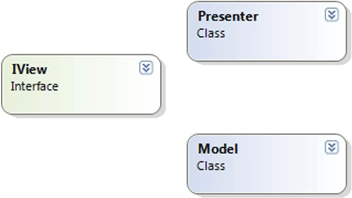
Model constitutes the application specific Logic.
View would be basically the web page we are dealing with.
Presenter is the code that wires the view and model
Advantages
Decoupling: MVP and MVC provides the decoupling of user interface from the application logic. This makes the code more manageable and flexible for unit testing.
Multiple Views: Another advantage would be support for multiple views. Suppose you have a model of account transactions. Depending on the user type, you can show it in a chart page view or a table view.
Easier Replace: We can easily replace one portion of code without affecting the other. Suppose there is a change in the html page, we can do the massive change with less impact on the model and presenter code. Similarly if there is a change in data fetch service we can do that in the presenter, without even touching the view/model.
Implementation
In reality, the View would be an interface that is implemented by a web page. Model and Presenter should be actual classes which are tied to the View interface.
Example
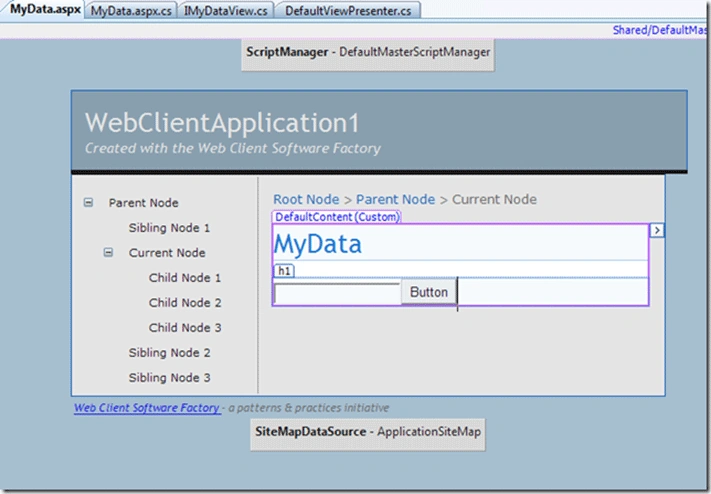
After setting up the IDE correctly using previous article, we can try to create a web page having one textbox and button. Here the textbox provides the Name of model.
On clicking the button the data will be saved to session. Let us see what is the infrastructure needed for that.
Step 1: Create new Page
Right click on our previous WCSF project and use the context menu "Web Client Factory"> Add Page with Presenter
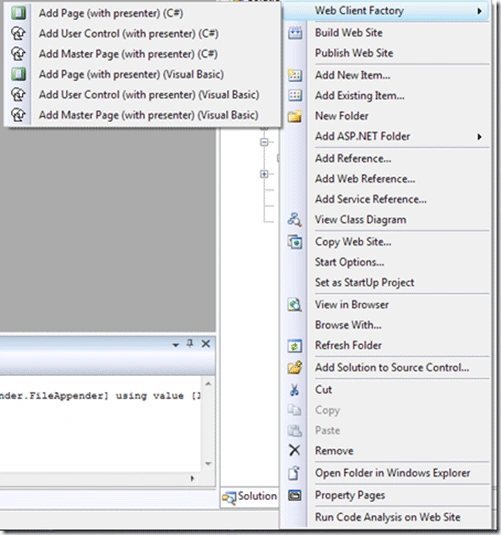
The following wizard will appear:
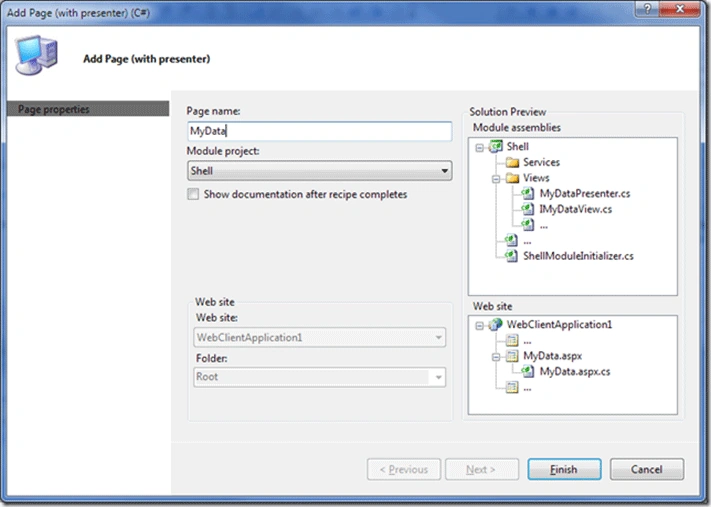
Enter the view name as "MyData" and click Finish.
Right click on the MyData.aspx and make it Default page.
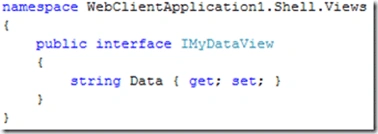
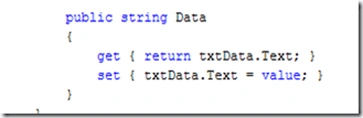
Step 2: Add Data property to IDefaultView
RajasekarPosted Nov 21, 2011, 4:24 PM
When I create module in WCSF 2010, it sets target framework as .net3.5. Why?
Lotte MaePosted Feb 25, 2011, 11:42 AM
Good article, thanks. There's some excellent information on this website (very well written and informative): http://www.xosoftware.co.uk/Articles/WCSFDesignPatterns/