

When we organize large events such as conferences or hackathons, we often need to manage speaker data, sessions or presentations within the event, sponsors, or general event data. For this purpose, we may create an administrative web portal that allows us to handle all this data.
With these considerations in mind, in this article, we'll learn in a practical way how to design a dashboard to handle data for an in-person or virtual event. This portal can help us a lot in terms of time to manage the information in a database and subsequently manage all this data in another web portal for the users/participants of the event (this second portal we will analyze in a second article).
The web portal for managing events will be done ASP.NET 5 with the MVVM pattern (Model, View, Model View) with DotVVM. Where,
- The model. - will be responsible for all application data and related business logic.
- View. - shall correspond to representations for the end-user of the application model. The view will be responsible for displaying the data to the user and for allowing manipulation of application data.
- Model-View or View-Model. - one or more per view; the view-model will be responsible for implementing view behavior to respond to user actions and exposing model data easily.
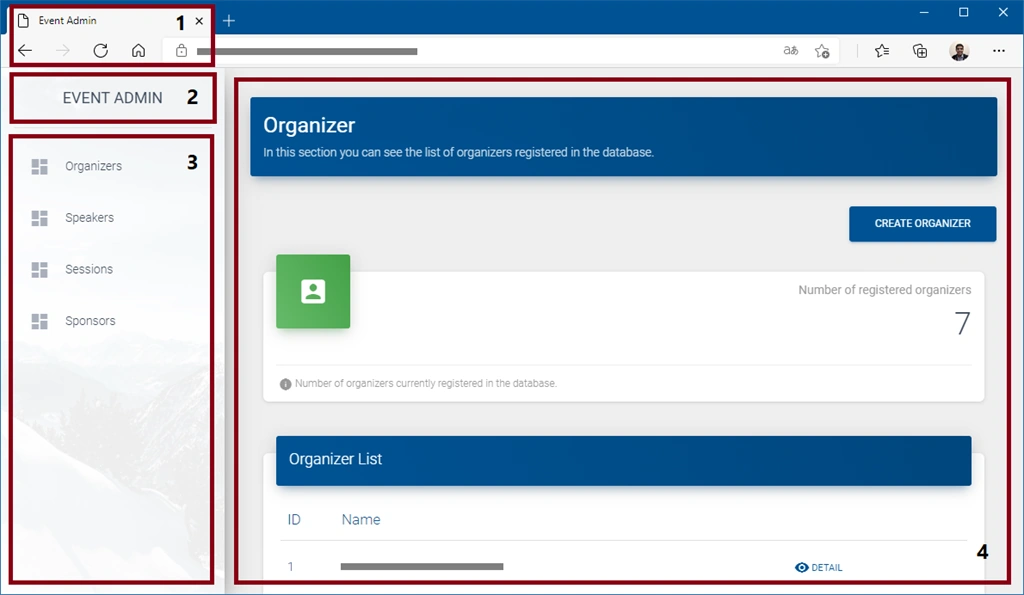
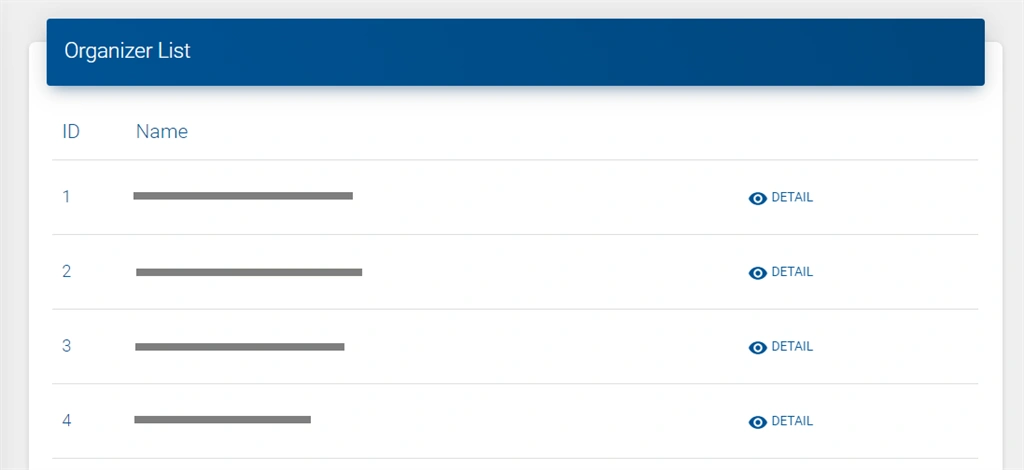
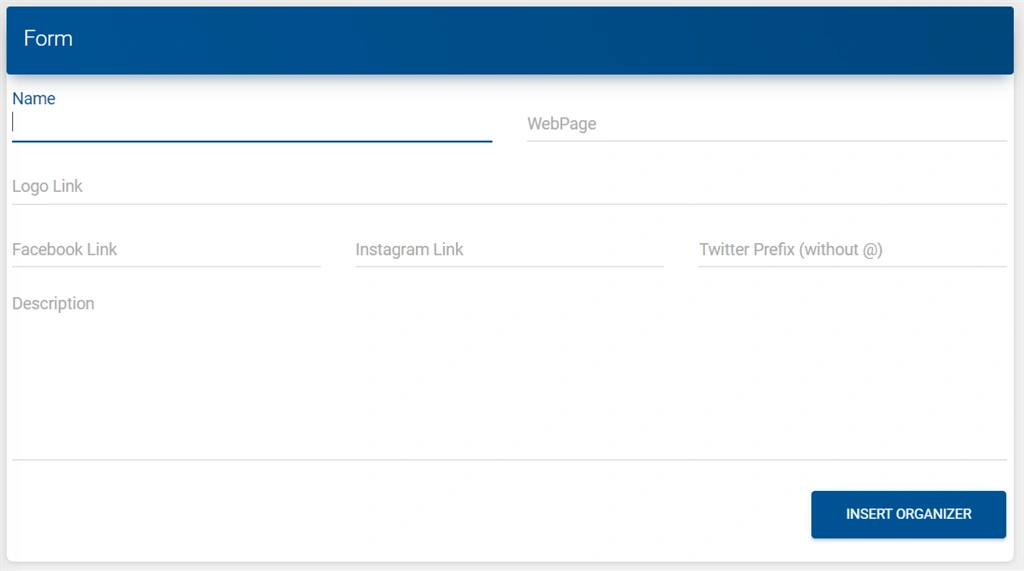
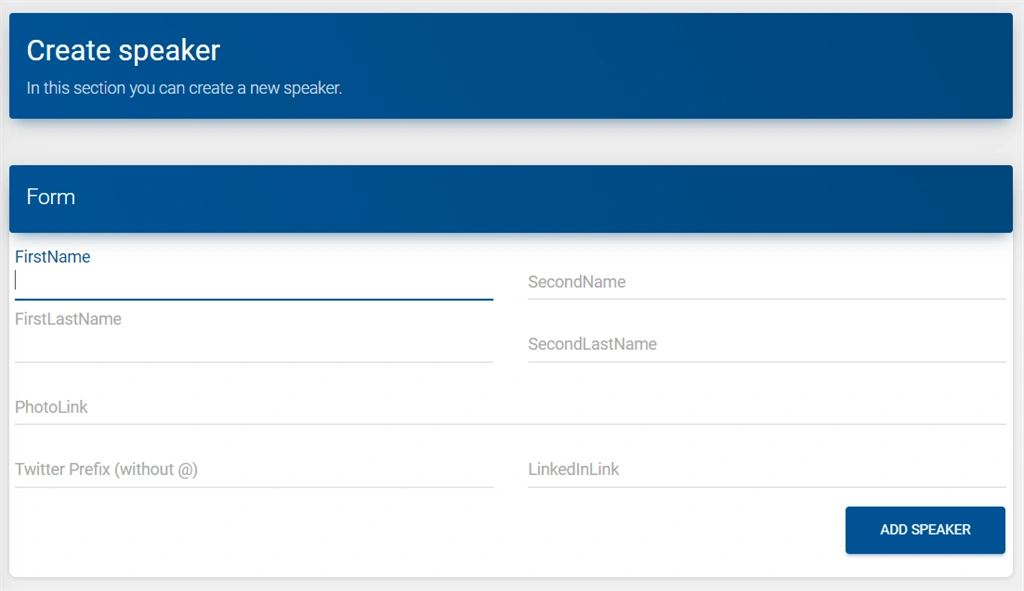
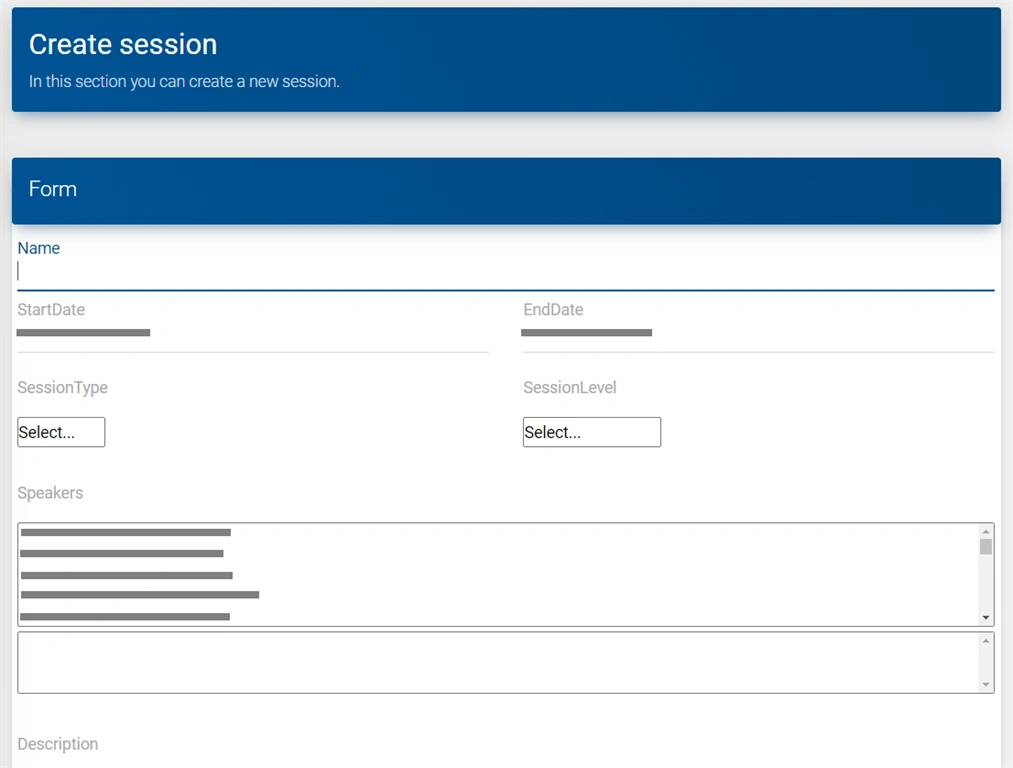
The final result of the web portal will be as follows,
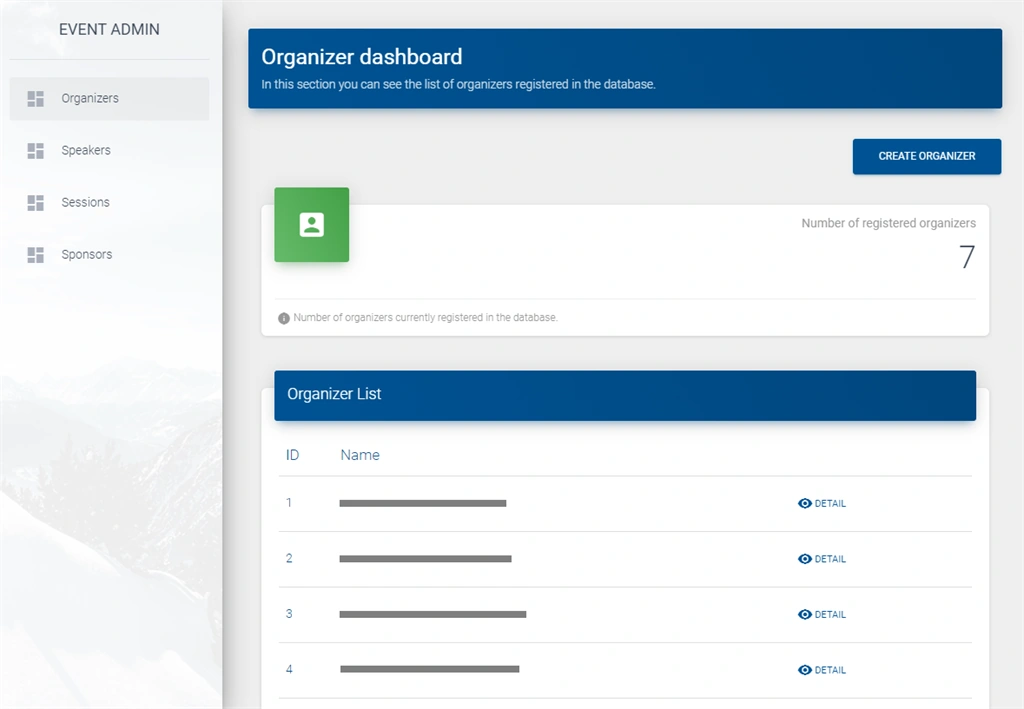
Note
The source code for this project can be found in the following GitHub repository: Event Admin.
Basic functionalities of the administrative web portal
For the management of event data, the base options and functionality that are considered within the dashboard are described below,
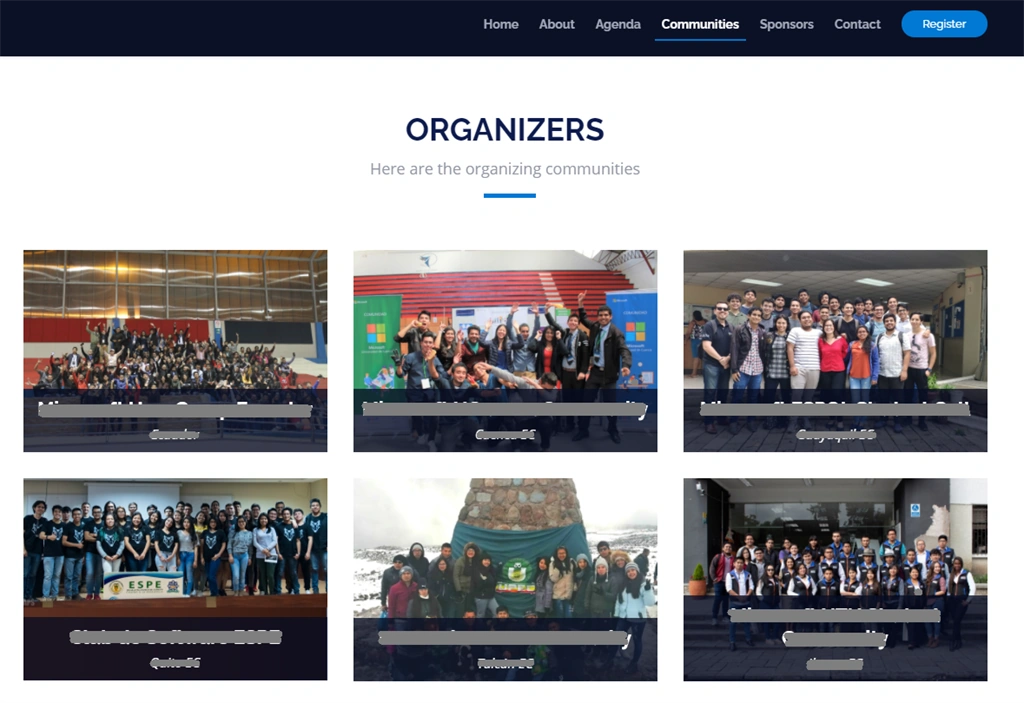
- Organizers, which indicates the name of the communities and/or institutions that are organizing the event. Here you can put the social networks of the organizing group and also a description.
- Speakers, to have a list of those people who will present a session within the event.
- Sessions, where the event presentations are recorded, with their respective associated speakers. Here you can also specify the type of the session (e.g. Keynote, workshop, talk, etc.), the start date, the end date, a description, and the level of difficulty of the session (basic, intermediate, advanced).
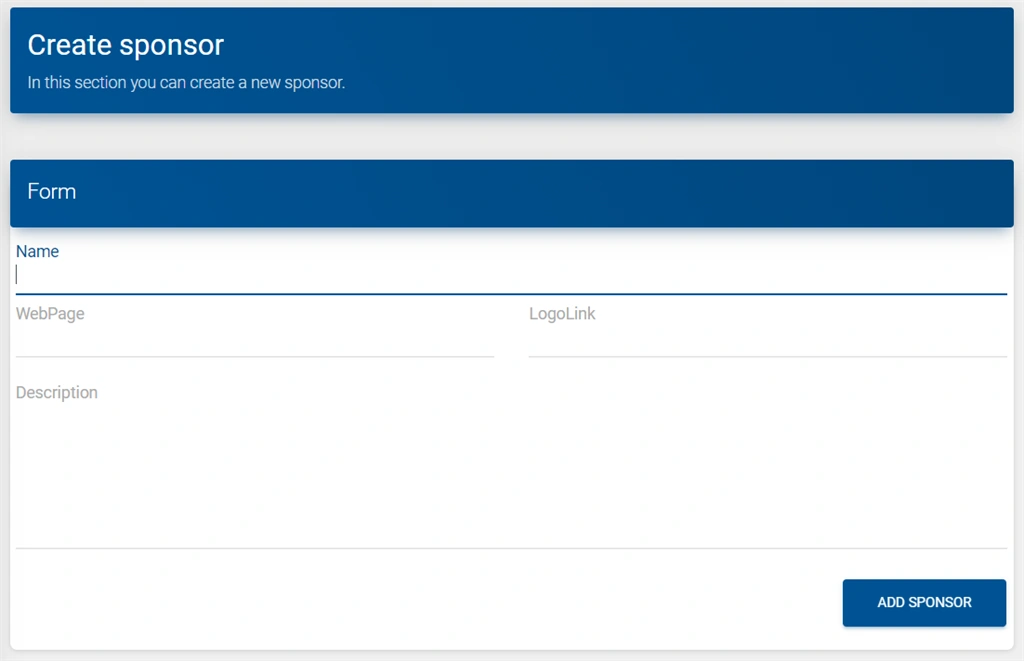
- Sponsors, since most events can be held thanks to their sponsors, each collaborator can be registered here by specifying the company name, website, logo, and description.
Now that we are aware of the options that will be included, let's start building our web portal.
Resources and tools needed
As initially mentioned, for the construction of the portal we will use ASP.NET 5 & DotVVM. In this sense, the resources and tools needed to establish our work environment are as follows,
- Visual Studio 2019.
- The workload in Visual Studio 2019: Developing ASP.NET web.
- DotVVM Extension for Visual Studio 2019.
The database schema
Considering the base functionalities of the administrative web portal, the dashboard has been considered a SQL database, with entities: Organizer, Sponsor, Event, Speaker, Session, Speaker_has_Session, SessionLevel, and SessionType.
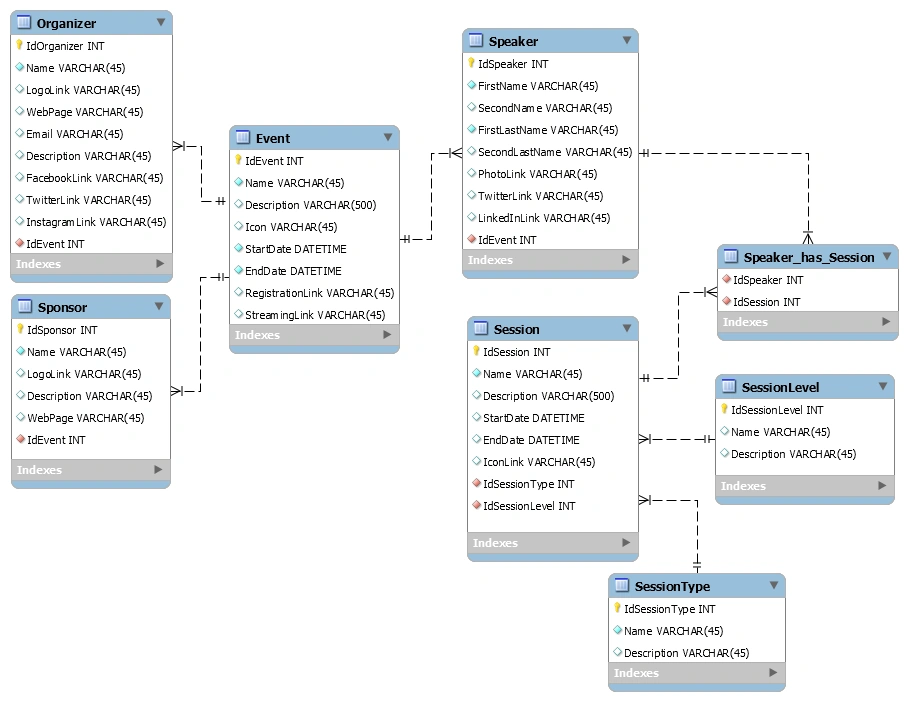
For this case, the database manager to be used is SQL Server, so we could initially build the dashboard on-premises, or consider some cloud resource such as Azure SQL Database, to work with the database.
The SQL script for this database is as follows,
-- -----------------------------------------------------
CREATE TABLE  Event (
  IdEvent INT NOT NULL IDENTITY(1,1),
  Name VARCHAR(45) NOT NULL,
  Description VARCHAR(500) NULL,
  Icon VARCHAR(45) NULL,
  StartDate DATETIME NOT NULL,
  EndDate DATETIME NOT NULL,
  RegistrationLink VARCHAR(45) NULL,
  StreamingLink VARCHAR(45) NULL,
  PRIMARY KEY (IdEvent))
;

-- -----------------------------------------------------
CREATE TABLE  Speaker (
  IdSpeaker INT NOT NULL IDENTITY(1,1),
  FirstName VARCHAR(45) NOT NULL,
  SecondName VARCHAR(45) NULL,
  FirstLastName VARCHAR(45) NOT NULL,
  SecondLastName VARCHAR(45) NULL,
  PhotoLink VARCHAR(45) NULL,
  TwitterLink VARCHAR(45) NULL,
  LinkedInLink VARCHAR(45) NULL,
  IdEvent INT NOT NULL,
  PRIMARY KEY (IdSpeaker),
  INDEX fk_Speaker_Event_idx (IdEvent ASC),
  CONSTRAINT fk_Speaker_Event
    FOREIGN KEY (IdEvent)
    REFERENCES Event (IdEvent)
    ON DELETE NO ACTION
    ON UPDATE NO ACTION)
;

-- -----------------------------------------------------
CREATE TABLE  SessionType (
  IdSessionType INT NOT NULL IDENTITY(1,1),
  Name VARCHAR(45) NOT NULL,
  Description VARCHAR(45) NULL,
  PRIMARY KEY (IdSessionType))
;

-- -----------------------------------------------------
CREATE TABLE  SessionLevel (
  IdSessionLevel INT NOT NULL IDENTITY(1,1),
  Name VARCHAR(45) NULL,
  Description VARCHAR(45) NULL,
  PRIMARY KEY (IdSessionLevel))
;

-- -----------------------------------------------------
CREATE TABLE  Session (
  IdSession INT NOT NULL IDENTITY(1,1),
  Name VARCHAR(45) NOT NULL,
  Description VARCHAR(500) NULL,
  StartDate DATETIME NULL,
  EndDate DATETIME NULL,
  IconLink VARCHAR(45) NULL,
  IdSessionType INT NOT NULL,
  IdSessionLevel INT NOT NULL,
  PRIMARY KEY (IdSession),
  INDEX fk_Session_SessionType1_idx (IdSessionType ASC),
  INDEX fk_Session_SessionLevel1_idx (IdSessionLevel ASC),
  CONSTRAINT fk_Session_SessionType1
    FOREIGN KEY (IdSessionType)
    REFERENCES SessionType (IdSessionType)
    ON DELETE NO ACTION
    ON UPDATE NO ACTION,
  CONSTRAINT fk_Session_SessionLevel1
    FOREIGN KEY (IdSessionLevel)
    REFERENCES SessionLevel (IdSessionLevel)
    ON DELETE NO ACTION
    ON UPDATE NO ACTION)
;

-- -----------------------------------------------------
CREATE TABLE  Speaker_has_Session (
  IdSpeaker INT NOT NULL,
  IdSession INT NOT NULL,
  INDEX fk_Speaker_has_Session_Session1_idx (IdSession ASC),
  INDEX fk_Speaker_has_Session_Speaker1_idx (IdSpeaker ASC),
  CONSTRAINT fk_Speaker_has_Session_Speaker1
    FOREIGN KEY (IdSpeaker)
    REFERENCES Speaker (IdSpeaker)
    ON DELETE NO ACTION
    ON UPDATE NO ACTION,
  CONSTRAINT fk_Speaker_has_Session_Session1
    FOREIGN KEY (IdSession)
    REFERENCES Session (IdSession)
    ON DELETE NO ACTION
    ON UPDATE NO ACTION)
;

-- -----------------------------------------------------
CREATE TABLE  Organizer (
  IdOrganizer INT NOT NULL IDENTITY(1,1),
  Name VARCHAR(45) NOT NULL,
  LogoLink VARCHAR(45) NULL,
  WebPage VARCHAR(45) NULL,
  Email VARCHAR(45) NULL,
  Description VARCHAR(45) NULL,
  FacebookLink VARCHAR(45) NULL,
  TwitterLink VARCHAR(45) NULL,
  InstagramLink VARCHAR(45) NULL,
  IdEvent INT NOT NULL,
  PRIMARY KEY (IdOrganizer),
  INDEX fk_Organizer_Event1_idx (IdEvent ASC),
  CONSTRAINT fk_Organizer_Event1
    FOREIGN KEY (IdEvent)
    REFERENCES Event (IdEvent)
    ON DELETE NO ACTION
    ON UPDATE NO ACTION)
;

-- -----------------------------------------------------
CREATE TABLE  Sponsor (
  IdSponsor INT NOT NULL IDENTITY(1,1),
  Name VARCHAR(45) NOT NULL,
  LogoLink VARCHAR(45) NULL,
  Description VARCHAR(45) NULL,
  WebPage VARCHAR(45) NULL,
  IdEvent INT NOT NULL,
  PRIMARY KEY (IdSponsor),
  INDEX fk_Sponsor_Event1_idx (IdEvent ASC),
  CONSTRAINT fk_Sponsor_Event1
    FOREIGN KEY (IdEvent)
    REFERENCES Event (IdEvent)
    ON DELETE NO ACTION
    ON UPDATE NO ACTION)
;
Project solution environment
Within the solution in Visual Studio 2019, we'll have three projects,
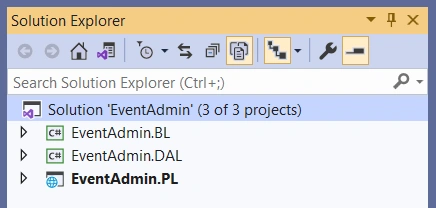
- Data Access Layer (DAL) - a class library to handle connection and access to the database.
- BL (Business Layer) - another class library for service management and application domain logic.
- PL - Presentation Layer. This section is where we have Views and Viewmodels for designing web pages with DotVVM.
All right, with this in mind, now let's look at the steps we need to take in these three projects for the development of our web portal.
DAL - Data Access Layer
This first project corresponds to a library of classes. In this sense, as a first point, we will relate our project to the database in SQL Server. To do this, we can use Entity Framework, an object-relational mapping framework (ORM) designed to create data access applications by programming in a conceptual application model, rather than directly programming a relational storage schema.
In the Entity Framework, there are two approaches, the first Code-First, which allows us to generate the database through classes, and the second, Database-First, which allows us to generate feature classes from an existing database. As expected, in this case, we will use the Database-First approach. To meet this goal, you will need to install three Nuget packages,
- Microsoft.EntityFrameworkCore.Design
- Microsoft.EntityFrameworkCore.Tools
- Microsoft.EntityFrameworkCore.SqlServer
Then we will need to insert a command from the package manager console. This console can be activated from the Options Menu -> View -> Other Windows -> the Package Management Console.
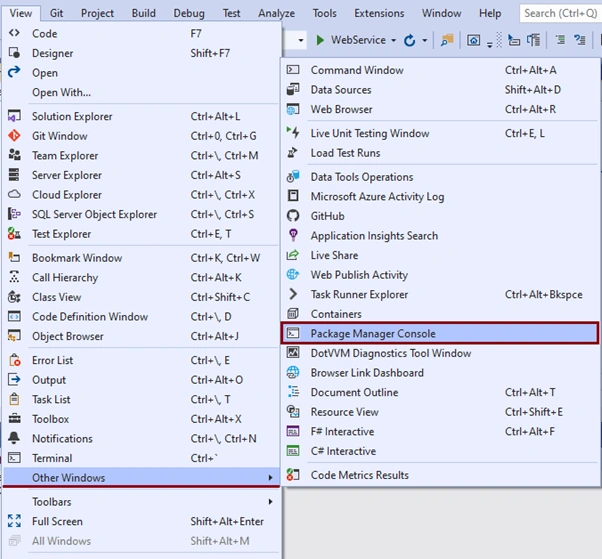
In this console we will insert the following command,
Scaffold-DbContext "Server=YOUR_SERVER; Database=DATABASE_NAME; Username=YOUR_USERNAME; Password=YOUR_PASSWORD Trusted_Connection=True;" Microsoft.EntityFrameworkCore.SqlServer -OutputDir DAL/Entities
When we enter the command on this console, we'll have something like this,
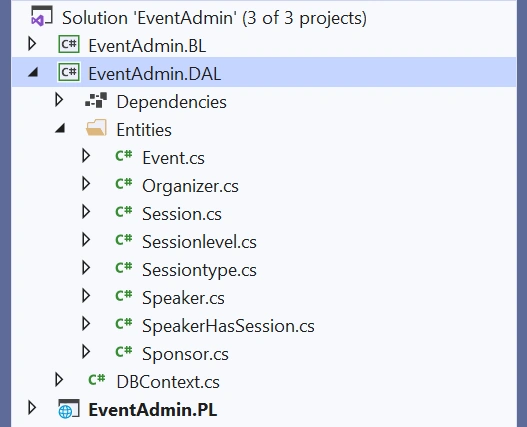
With these steps, we already have ready the connection and configurations needed to work with the SQL Server database in ASP.NET with the help of Entity Framework.
BL - Business Logic Layer
Now it's up to us to define the models and create the services to handle the logic of our application. In this case, we will create a second class library to have a general list of entities (Event, Organizer, Session, Speaker, Sponsor) and the specific information of each of them.
In the solution within Visual Studio 2019 to the final we will have something like this,
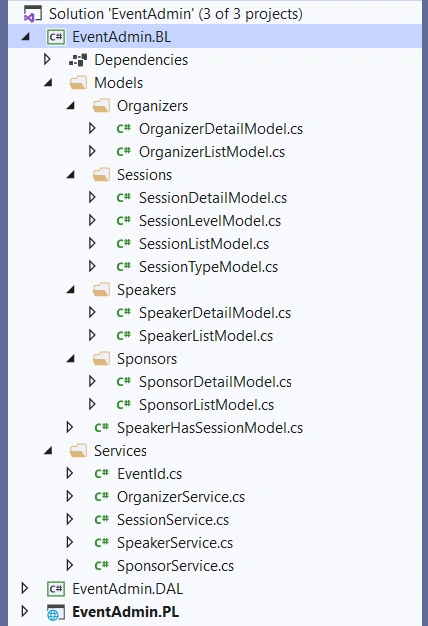
Here are two important things to mention. As a first point, the EventId class can handle the ID of the event we want to work with. In this case, the database is designed so that we can work with multiple events at once, so in this section, we can specify the ID of the event we want to reference (in the future we could handle this identifier at the web interface level).
public class EventId
{
    private static EventId instance { get; set; } = null;

    public int Id { get; set; } = 1;

    private EventId() { }

    public static EventId GetInstance()
    {
        if (instance == null) {
            instance = new EventId();
        }

        return instance;
    }
}
A second aspect to consider is that most services implement CRUD operations (Create, Read, Update, Delete) to handle the data for each case. For example, for Organizers, the methods are as follows,
- GetAllOrganizersAsync().
- GetOrganizerByIdAsync(int IdOrganizer).
- InsertOrganizerAsync(OrganizerDetailModel Organizer).
- UpdateOrganizerAsync(OrganizerDetailModel Organizer).
- DeleteOrganizerAsync(int IdOrganizer).
With this mentioned, now let's look at the design of our dashboard with DotVVM.
PL - Presentation layer
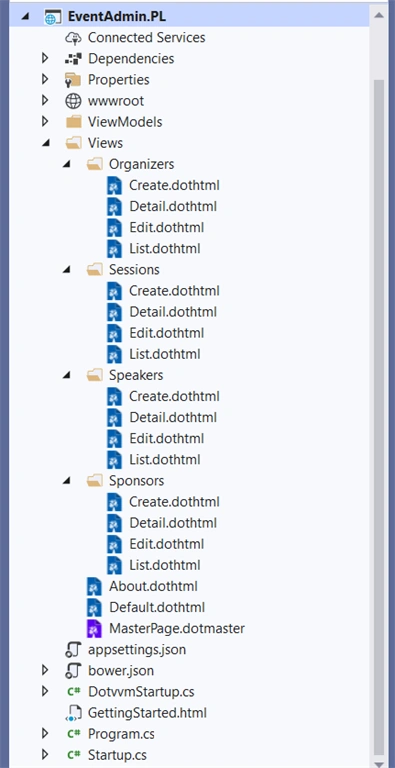
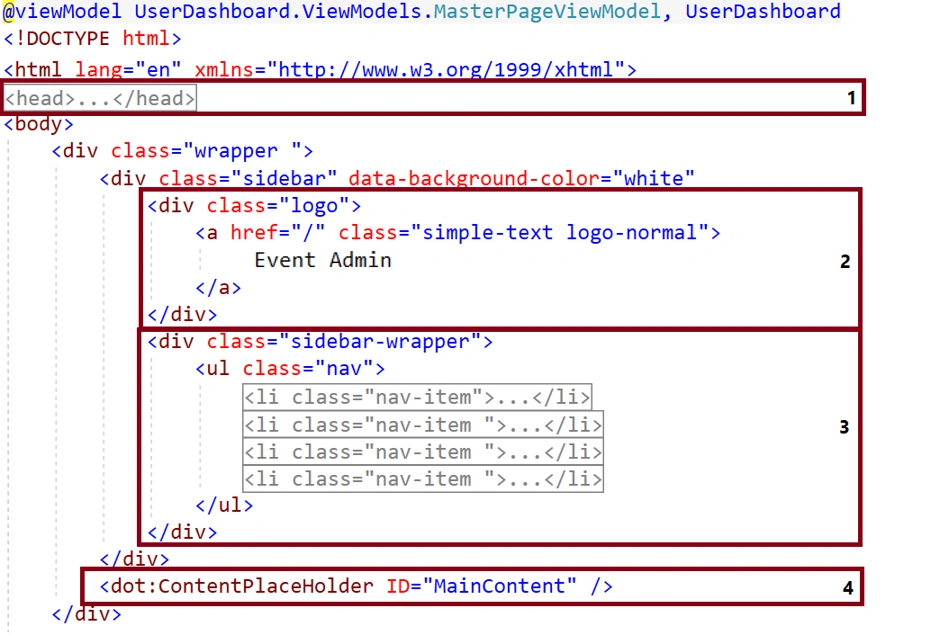
For the design of the web portal, this is where DotVVM comes into action. Each page in DotVVM consists of two files,
- A View, which is based on HTML syntax and describes what the page will look like.
- A ViewModel, which is a class in CTM that describes the state of the page (for example, values in form fields) and handles user interactions (for example, button clicks).
Join the conversation! Your thoughts help the community grow.