

If we want to secure our web method from an unauthenticated client request then there are many ways to do this but there is also a way to create a web service and create all the web methods for Authentication first so we can do that with a custom SOAP header.
We embed the SOAP header into our message and validate its contents on the server.
If the SOAP header validates successfully then the web server sends the web service response to the client application.
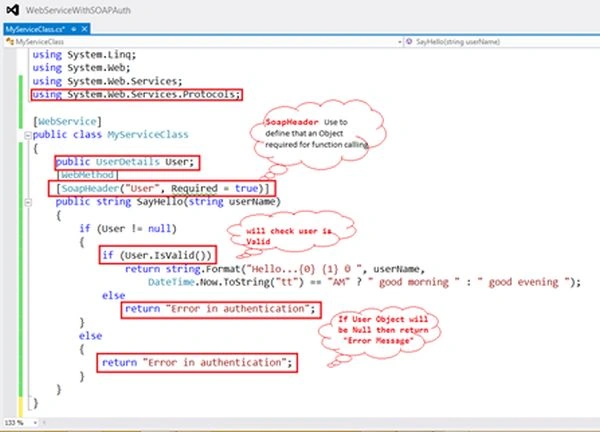
We need to use [SoapHeader] on every [WebMethod] and for this attribute we must use a namespace “using System.Web.Services.Protocols;”.
So let's have an example.
Step 1
Open Visual Studio then select File -> New -> Web site.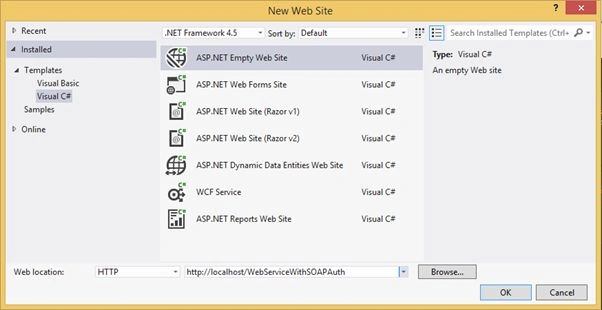
Step 2
Add a Web Service File to the web site.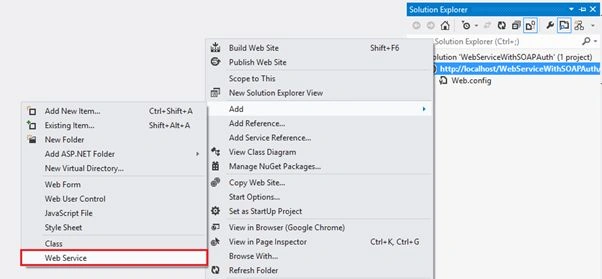
Provide the name to the Web Service File that will add a .asmx file to the web site project.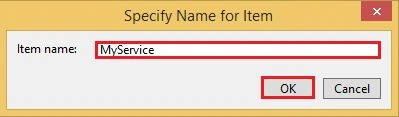
Then delete the existing class file that is provided by the web service template.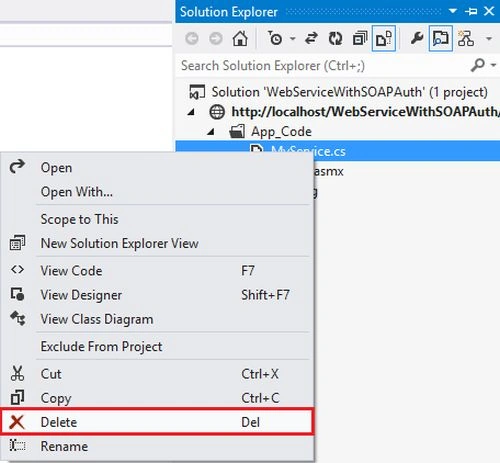
And add a new Class File to create [WebMethod] and [WebService].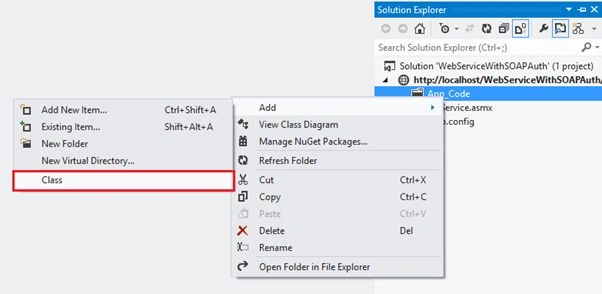
With a specified class name.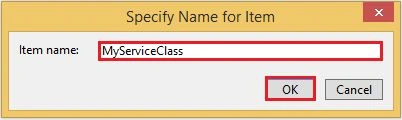
Step 3
Now use the namespace first that is required.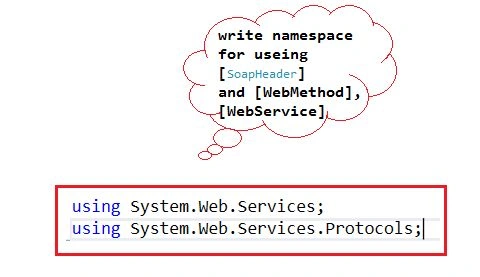
And create any Test [WebMethod].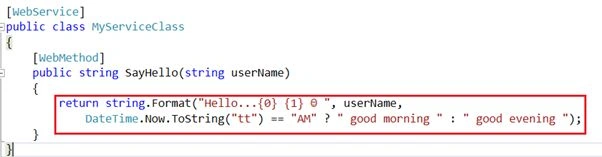
Step 4
Now edit and set the CodeBehind and class the property in the .asmx file with the name of the web service class.
Step 5
Now right-click on your Web Service (.asmx) file and view in it in a browser to test [WebMethod].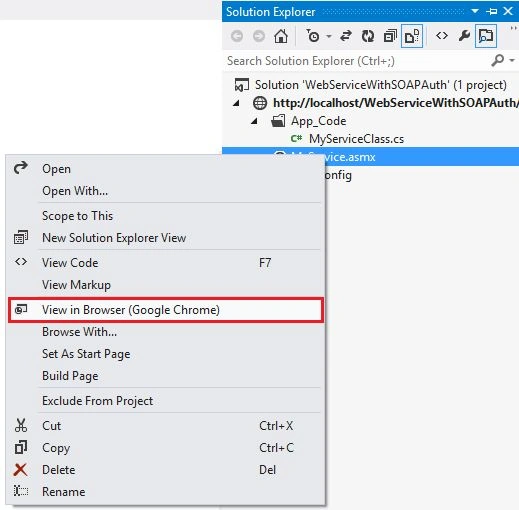
Then you will see the name of your web methods list on the page like.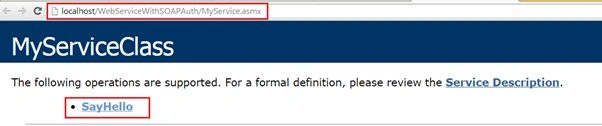
Click the name of Method to test.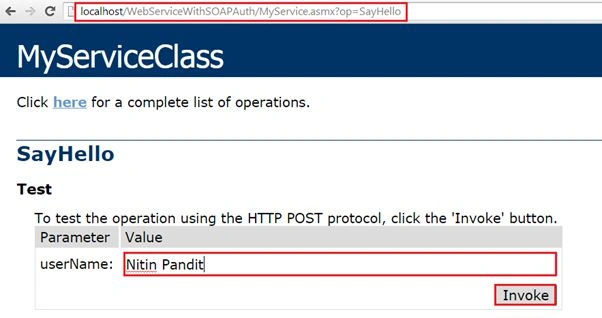
Enter the UserName Parameter's value like “Nitin Pandit”. Now click on the Invoke button to see the result of your web method.
Then the result will show on the page in XML format.
Step 6
The methods are working perfectly but I need to define the Authentication before calling every [WebMethod].
So add a class file to create user credentials.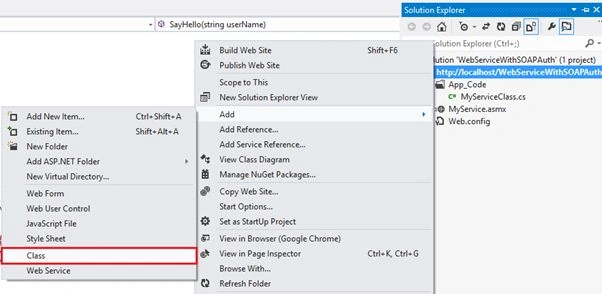
I added a class to my web service with UserDetails and I also declared the IsValid() function that returns a bool value after checking that the user details are vailed for login or not to be authenticated.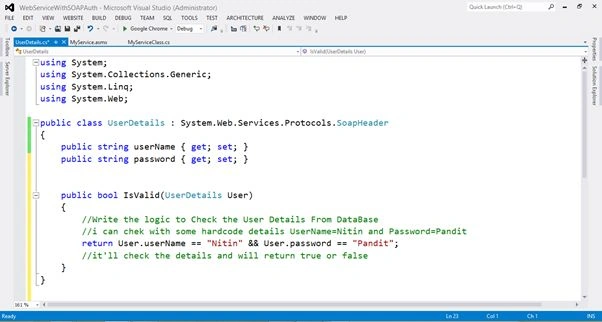
Code
- using System;
- using System.Collections.Generic;
- using System.Linq;
- using System.Web;
- public class UserDetails : System.Web.Services.Protocols.SoapHeader
- {
- public string userName { get; set; }
- public string password { get; set; }
- public bool IsValid()
- {
- //Write the logic to Check the User Details From DataBase
- //i can chek with some hardcode details UserName=Nitin and Password=Pandit
- return this.userName == "Nitin" && this.password == "Pandit";
- //it'll check the details and will return true or false
- }
- }
Now use this class UserDetails on [SoapHeader] to authentication before checking the method calling.
Code
- using System;
- using System.Collections.Generic;
- using System.Linq;
- using System.Web;
- using System.Web.Services;
- using System.Web.Services.Protocols;
- [WebService]
- public class MyServiceClass
- {
- public UserDetails User;
- [WebMethod]
- [SoapHeader("User", Required = true)]
- public string SayHello(string userName)
- {
- if (User != null)
- {
- if (User.IsValid())
- return string.Format("Hello...{0} {1} ☺ ", userName,
- DateTime.Now.ToString("tt") == "AM" ? " good morning " : " good evening ");
- else
- return "Error in authentication";
- }
- else
- {
- return "Error in authentication";
- }
- }
- }
Now build the Web Service and view it in the browser again and click on the web method name and pass the parameter value.
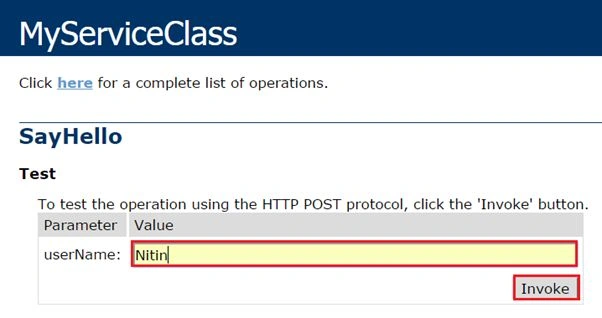
Click on Invoke.
The output will be “Error in authentication” because we never assign the UserDetails class object before calling the WebMethod. That's why the server returns an Error Message from the WebMethod.
Step 9
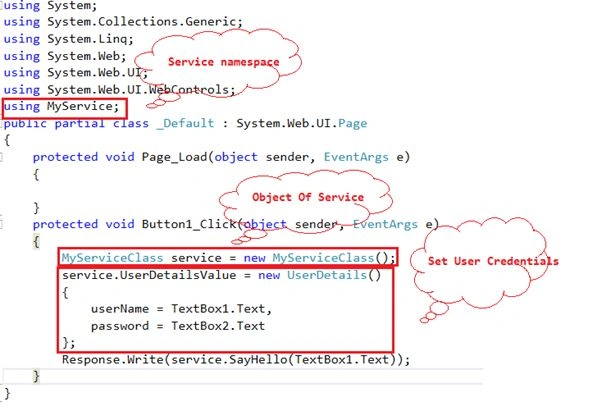
Now create a web application or any other application to test this web method with SoapHeader attribute.
Right-click on the solution file and add a new web site.
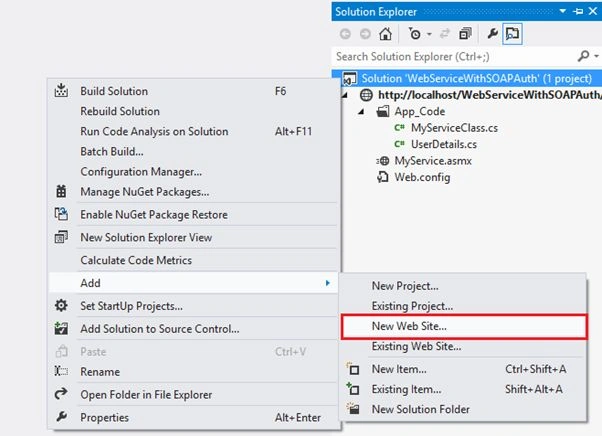
Then provide the name to the web application where you can't use this service.
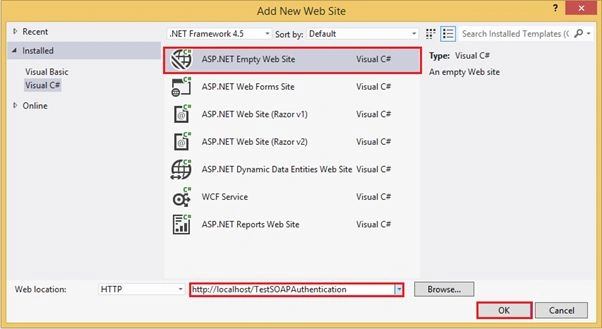
Step 10
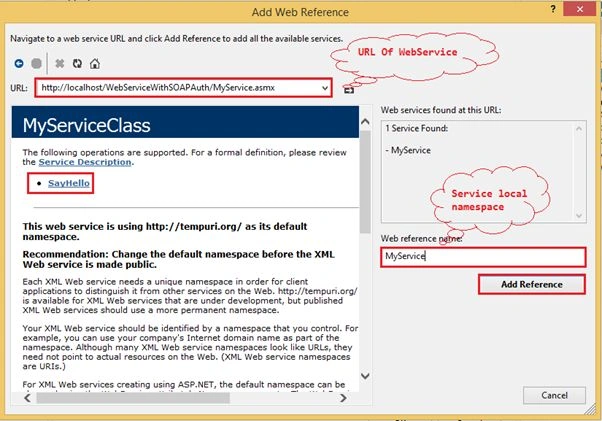
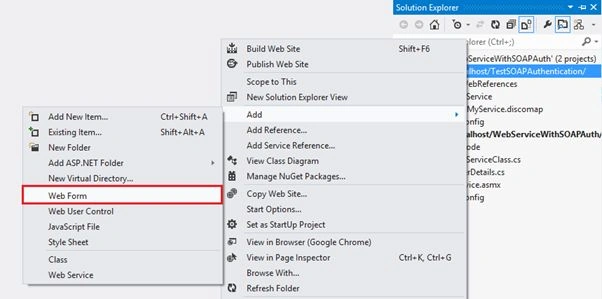
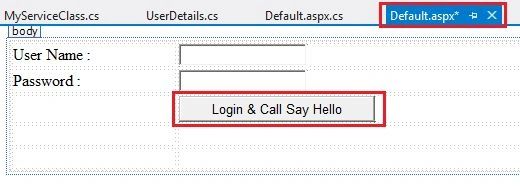
Add a new Web Form and then create just 2 TextBoxes and a button to call and test the web service from the application.
Create a UI for the page.
And write all the requirements.
Step 11
Now at the last page run in the web browser.
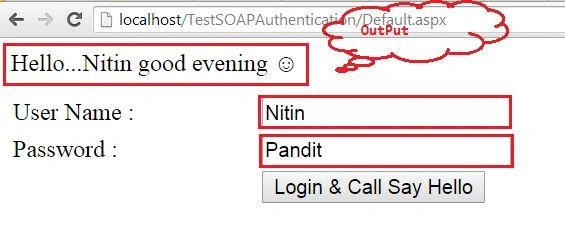
With the correct information I will call it and the output is Hello…Nitin evening ;)
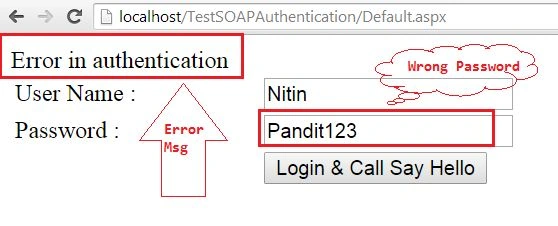
The result is returned and here is an error in authentication because of the wrong password so we can set the authentication for our Web Methods.
Thanks.
Nitin Pandit.
Nikos AthanasakisPosted May 13, 2024, 6:05 PM
Many thanks. Very Good tutorial !!! From Greece.
Anandu G NathPosted Jan 6, 2024, 9:45 AM
Good one Nitin Pandit
Hardik BhavsarPosted Jan 4, 2019, 7:50 AM
How can i use Webservice SOAP API(.asmx ) in ASP.net core?
Praveen GodishalaPosted Sep 12, 2017, 4:57 PM
Am getting error at if (User.IsValid())
Praveen GodishalaPosted Sep 12, 2017, 3:55 PM
Hi Sir, I am Paveen Kumar, I have seen your sample codes for web services with SOAP authentication. I am not understanding from 9th step to end. I am requesting you to provide a brief explanation for me. I hope you will provide a reference for me. Thanking you sir..
priyankaPosted Dec 28, 2016, 12:57 AM
How will we authenticate webmethod,when you are returning dataset.what value I will return
Joseph ZidanePosted Oct 25, 2016, 11:18 AM
Thanks!!!
Sr KarthigaPosted Feb 19, 2016, 5:59 AM
Nice Explanation
Pramod GehlotPosted Nov 24, 2015, 7:24 AM
how we can call authentication in android for this service
Praveen KumarPosted Dec 27, 2014, 1:49 PM
very good!
Manish Kumar ChoudharyPosted Dec 27, 2014, 1:41 PM
Nice series..