

Introduction
In this article, we will move forward. Today, we will see how to implement the Web View in iOS App. If you have any knowledge about Android app development, the concept of iOS is the same as Android with a little difference.
Step 1
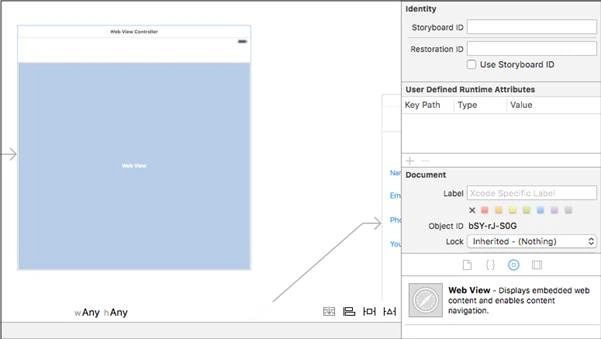
First, open the the Xcode IDE. Create a project named as “Web View” and click Next. Now, choose the application type as “universal” and language as Swift. Then, create a project. After that, go to the object library, type web view, drag the web view, and drop into ViewController.
Step 2
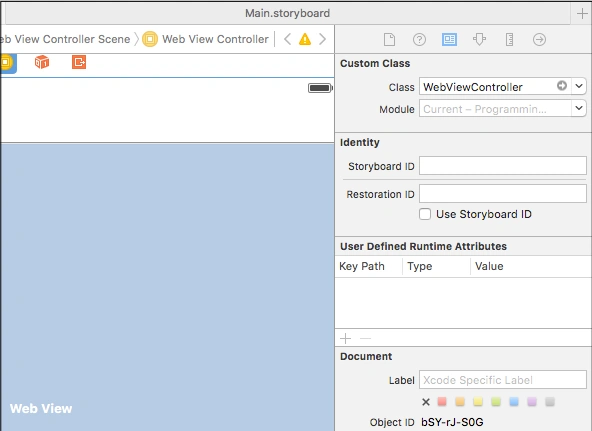
Now, create a new Swift class “Cocoa Touch Class”. Give the class a name as “WebViewController” and extend with “UIViewController”. Then, bind it with the Web View Controller.
Step 3
Open Xcode Editor in assistant mode and create an outlet of image by pressing Ctrl+Click, and drag into the right side after class declaration.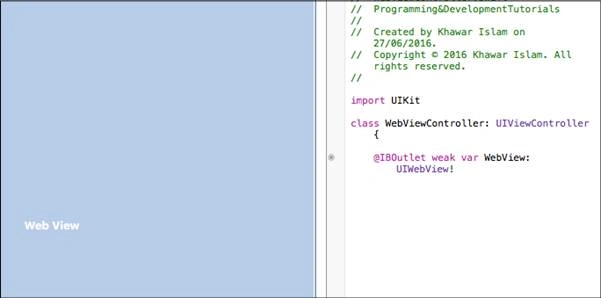
Step 4: In the View Did load method type the following code
Code
- let url = NSURL (string: "http://www.c-sharpcorner.com/members/khawar-islam2");
- let requestObj = NSURLRequest(URL: url!);
- WebView.loadRequest(requestObj);
Complete Code
- import UIKit
- class WebViewController: UIViewController
- {
- @IBOutlet weak
- var WebView: UIWebView!override func viewDidLoad() {
- super.viewDidLoad()
- let url = NSURL(string: "http://www.c-sharpcorner.com/members/khawar-islam2");
- let requestObj = NSURLRequest(URL: url!);
- WebView.loadRequest(requestObj);
- }
- override func didReceiveMemoryWarning() {
- super.didReceiveMemoryWarning()
- // Dispose of any resources that can be recreated.
- }
- }
In some cases, the web page does not open because the operating system does not give permission to your domain. So, we have to give the permission. Move to info.plist file, in the last row type the “App Transport Security Settings”, click the plus button, and add this row.
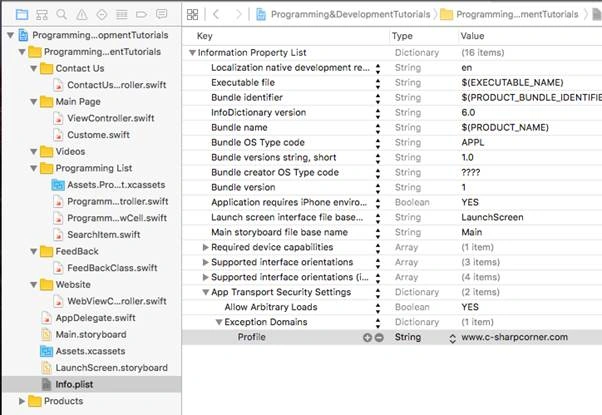
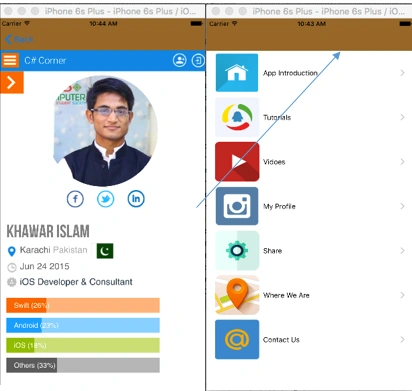
Now, in your app, you can see the result.
Ravi KandelPosted Aug 14, 2016, 3:01 AM
Nice
kalu singh raoPosted Jul 20, 2016, 2:04 AM
Can i develop ios app in windows environment ?
kalu singh raoPosted Jul 20, 2016, 2:03 AM
Interesting