

Today we discuss a Control named WebView control in Windows Store Apps. The WebView control works as a container control in which we can put web content or HTML content.
When we want show to web page content in the WebView control we specify the URL of the page to the WebView. In this article we will show you various ways to put the content in the control.
The WebView control has basically two types of method sthat we can use to set their content.
- By setting a URL we can load a web page in the Web View control.
- By setting the HTML content in the WebView control.
In a later section we discuss both ways.
Using the Source URL.
We can navigate the WebView control to a specific URL by setting the source of the page. Here I use the Navigate method of the WebView control to host web content. It takes the URI type value that contains the URL of the Web page.
The code is here:
<Grid>
<WebView x:Name="WebView1" Visibility="Collapsed"/>
<Button x:Name="LoadWebPage" Content="Navigate" click="NavigateButton_Click">
</Button>
</Grid>
Here is the C# code of the button's click event:
Uri uri= new ("http://www.c-sharpcorner.com");
WebView1.Navigate(uri);
Output
Load WebView control with HTML Content.
This is another type of data format that is supported in WebView control. We can also load HTML content into the WebView control. To give the HTML source content to the control I use the NaviageToString() method of the control. This method takes HTML content as an argument and shows it in the WebView control.
Here we set the HTML content to the control in the Code-behind code using C#.
Step 1
Create the HTML content:
string htmContent = @" <html>
<head></head>
<body>
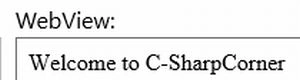
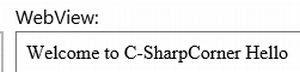
<div id='myDiv'>Welcome to C-SharpCorner</div>
sunil bhoopalamPosted Mar 23, 2018, 7:42 AM
Thanks for this article, easy to go. But how to do in MVVM for WinRT 8.1 app.
Anuj KumarPosted Oct 12, 2015, 7:28 AM
Uri^ targetUri = ref new Uri(SelectedFilePathDisplayTxtBox->Text); WebView1->Navigate(targetUri); where WebView1 is my Web View control name. if i open directly in browser (mozila or explorer) it open sucessfully . why it is not open in webview.
Anuj KumarPosted Oct 12, 2015, 7:25 AM
SelectedFilePathDisplayTxtBox->Text="file:///C:/Users/Anuj Kumar/Desktop/New folder5/1.htm"
Anuj KumarPosted Oct 12, 2015, 7:25 AM
Hi Gaurav I save an Excel file as a .htm/.html format Now i want to open this .htm/.html file in webview control i am given full path as :
Ravindra SharmaPosted Aug 22, 2013, 12:41 PM
Hey.. Nice article, is it possible to get alert box using Javascript?