This article explains Cross-Site Scripting attacks and how to prevent them.
Cross-Site Scripting (XSS) attacks are a type of injection, in which malicious scripts are injected into otherwise benign and trusted websites. XSS attacks occur when an attacker uses a web application to send malicious code, generally in the form of a browser side script, to a different end user. The consequences of XSS may range from petty nuisance like displaying an alert box to a significant security risk like stealing session cookies.
Let's create an empty MVC4 application.
Go to File → Project → ASP.NET MVC 4 Web Application and name it mvcDemo.
Click Ok → select empty project.
Then let's create a model in the Models folder and name it Employee.cs.
- using System.ComponentModel.DataAnnotations;
- using System.ComponentModel.DataAnnotations.Schema;
- using System.Data.Entity;
-
- namespace mvcDemo.Models
- {
- [Table("Employee_Master")]
- public class Employee
- {
- [Key]
- public int Id { get; set; }
-
- [Required]
- [StringLength(30,ErrorMessage="The {0} must be atleast {2} characters long.",MinimumLength=6)]
- public string Name { get; set; }
-
- [Required(ErrorMessage="The {0} can not be blank.")]
- [DataType(DataType.EmailAddress)]
- [StringLength(50, ErrorMessage = "The {0} must be atleast {2} characters long.", MinimumLength = 12)]
- public string Email { get; set; }
-
- [Required(ErrorMessage = "The {0} can not be blank.")]
- [StringLength(1000, ErrorMessage = "The {0} must be atleast {2} characters long.", MinimumLength = 20)]
- public string Description { get; set; }
- }
-
- public class EmployeeContext : DbContext
- {
- public DbSet<Employee> listEmployee { get; set; }
- }
- }
Right-click on the controller folder and add a controller and name it EmployeeController.

In the auto-generated code I have made some changes in Create.cshtml and run the application.
- <div class="editor-label">
- @Html.LabelFor(model => model.Description)
- </div>
-
- <div class="editor-field">
- @*This code generate text area with 5 row and 25 cols*@
- @Html.TextAreaFor(model => model.Description, new { rows =5, cols=25 })
- @Html.ValidationMessageFor(model => model.Description)
- </div>
-
And filled in some data.
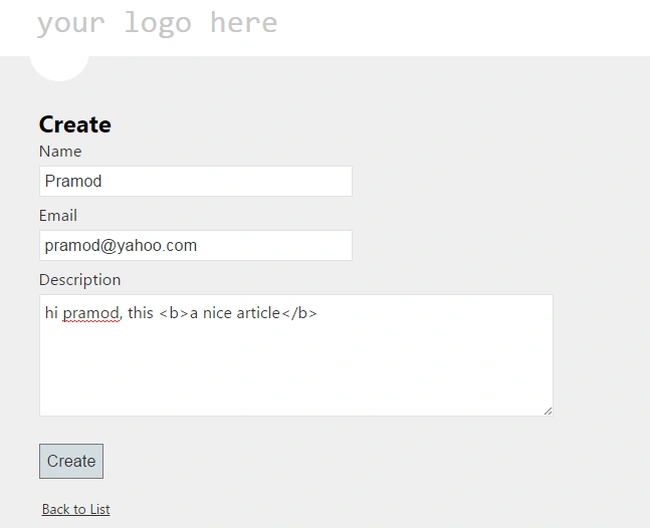
Click on the
create button.

To prevent this error let's make some changes on EmployeeController. Just add:
- [ValidateInput(false)] above Create Method.
-
- [HttpPost]
- [ValidateAntiForgeryToken]
- [ValidateInput(false)]
- public ActionResult Create(Employee employee)
- {
- if (ModelState.IsValid)
- {
- db.listEmployee.Add(employee);
- db.SaveChanges();
- return RedirectToAction("Index");
- }
- return View(employee);
- }
Note: You cannot add a ValidateInput attribute to any property. If you want to add a property, you will get an error “Attribute 'ValidateInput' is not valid on this declaration type. It is only valid on 'class, method' declarations” and let's rerun the application.
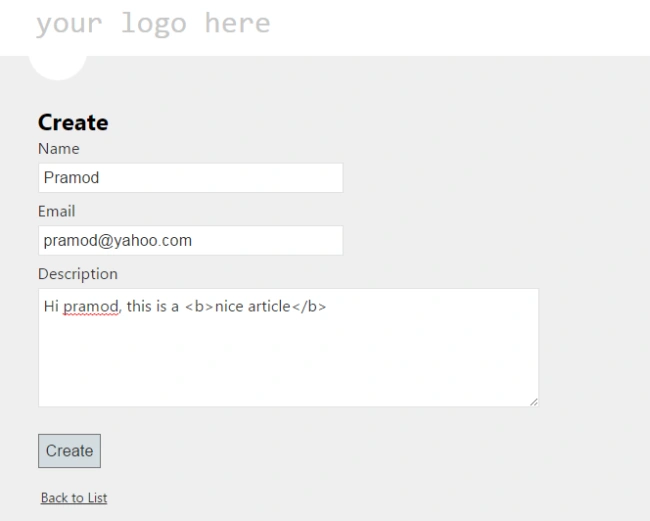 Output
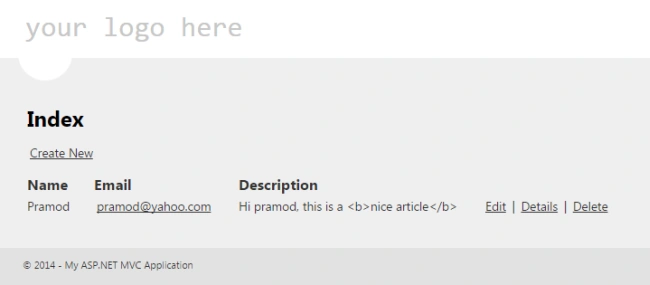
But I don't want to show HTML tags. So I am making some change to the Index view. I will replace @Html.DisplayFor(modelItem => item.Description) with @Html.Raw(item.Description).
But there is an issue, let's see what happens if someone enters some script code instead of HTML tags. I will add a new record with the following details.
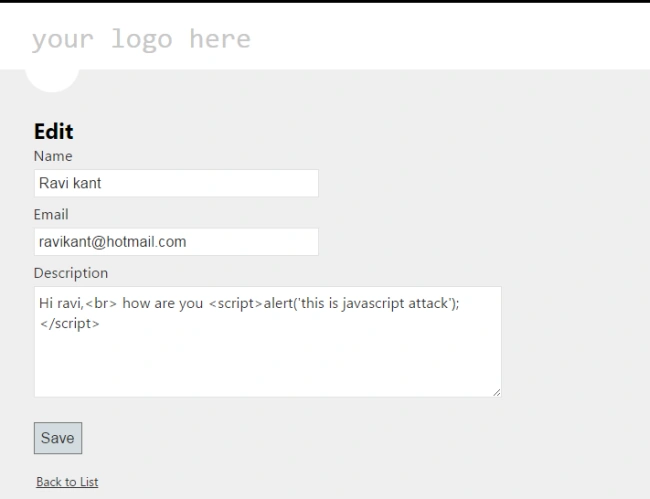
After clicking on the Save button the Index page is showing the following:
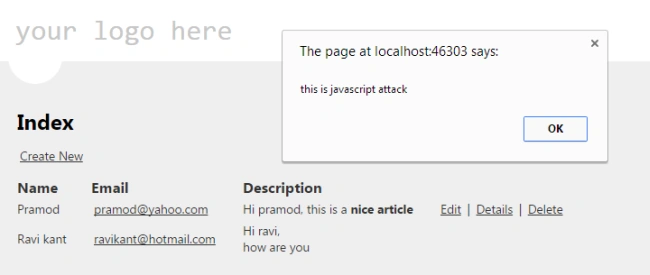
So how to prevent this scripting attack?
To add a new Employee:
- [HttpPost]
- [ValidateAntiForgeryToken]
- [ValidateInput(false)]
- public ActionResult Create(Employee employee)
- {
- StringBuilder sb = new StringBuilder();
- sb.Append(HttpUtility.HtmlEncode(employee.Description));
-
- sb.Replace("<b>","<b>");
- sb.Replace("</b>", "</b>");
- employee.Description = sb.ToString();
-
- string strDes = HttpUtility.HtmlEncode(employee.Description);
- employee.Description = strDes;
-
- if (ModelState.IsValid)
- {
- db.listEmployee.Add(employee);
- db.SaveChanges();
- return RedirectToAction("Index");
- }
- return View(employee);
- }
To edit an Employee:
- [ValidateAntiForgeryToken]
- [ValidateInput(false)]
- public ActionResult Edit(Employee employee)
- {
- StringBuilder sb = new StringBuilder();
- sb.Append(HttpUtility.HtmlEncode(employee.Description));
-
- sb.Replace("<b>", "<b>");
- sb.Replace("</b>", "</b>");
- employee.Description = sb.ToString();
-
- string strDes = HttpUtility.HtmlEncode(employee.Description);
- employee.Description = strDes;
- if (ModelState.IsValid)
- {
- db.Entry(employee).State = EntityState.Modified;
- db.SaveChanges();
- return RedirectToAction("Index");
- }
- return View(employee);
- }
-
Just click on the edit option on the second record and click save.
Output
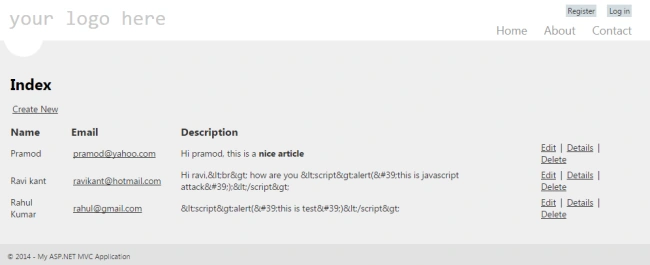
I hope you enjoy this article.
Happy coding.


jaimini thakkerPosted Oct 9, 2017, 10:13 AM
Since you have given the code without describing, I am guessing that attribute is used after comparing with previous code. Overall the article is very nice and helpful
jaimini thakkerPosted Oct 9, 2017, 10:12 AM
ValidateAntiforgerytoken attribute is used to prevent the last example of scripting attack?
Abhishek KumarPosted Feb 19, 2016, 2:07 AM
Wow .. Good One Sir.
Asfend YarPosted Feb 15, 2016, 2:56 PM
Try to share these kind of stuff with us
Asfend YarPosted Feb 15, 2016, 2:56 PM
Amazing article
Asfend YarPosted Feb 15, 2016, 2:56 PM
Wow
Vithal WadjePosted Sep 29, 2014, 1:47 PM
good but i cant say this is a example of cross site scripting ,what if i wants save data into database like in HTML tag format which is my email template ,the above error that you have generated its typical one not cross site attack ,this type of data always get saved into database . it can be solved by setting httpruntime requestvalidationmode="2.0" into web.config file.