

Before starting, let's get these two terms straight.
Globalization is the process of designing the application in such a way that it can be used by users from across the globe (multiple cultures).
Localization, on the other hand, is the process of customization to make our application behave as per the current culture and locale. These two things go together.
To do globalization we need to use Resource Files.
Let's Start
To add Resource Files to our project:
- Right-click on the Root Folder Add New Item.
- Select Resource File from the above Templates.
- Name it "Resource.resx"
- You need other Resource Files for storing data depending on the Culture
- Add another file with the following names of each resource, such as "Resource.en-GB.resx" else you can give a different name but after the (Dot ) because they are sub-files of "Resource.resx".
- For English you can add "Resource.en-GB.resx"
- For Marathi you can add "Resource.mr-IN.resx"
- For Hindi you can add "Resource.hi-IN.resx"
- For Arabic you can add "Resource.ar-SA.resx"
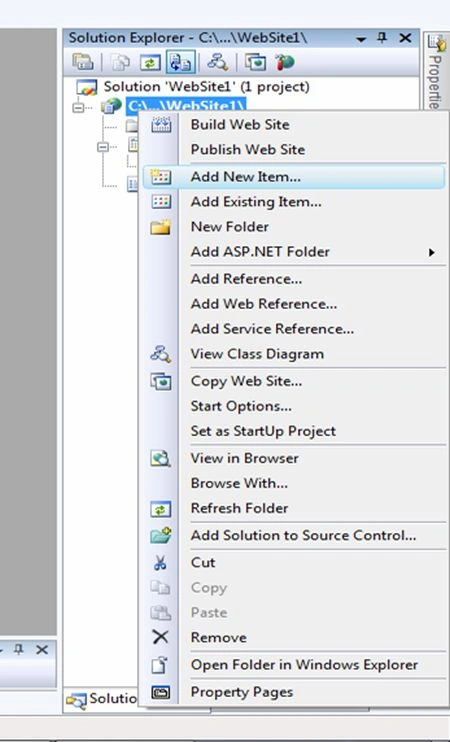
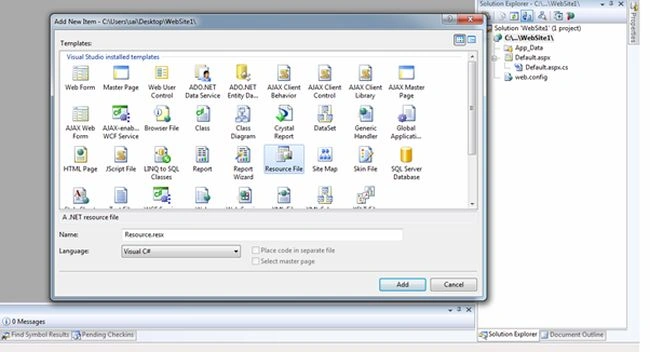
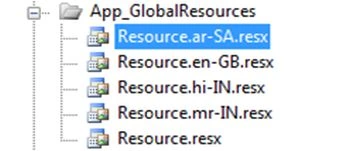
1. Let us add some data in these files; open "Resource.resx"
Add a name under the "Resource.resx" Filename Column and keep the Value column blank as in the following:
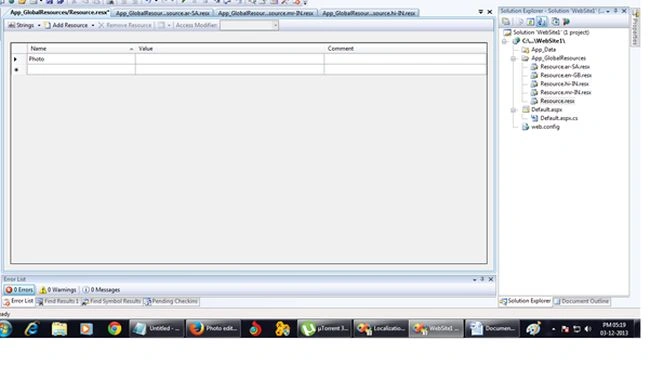
Save And Close Resource.resx
2. Open "Resource.en-GB.resx"
- Add a name under the "Resource.en-GB.resx" Filename and the value that you want to display in the value field.
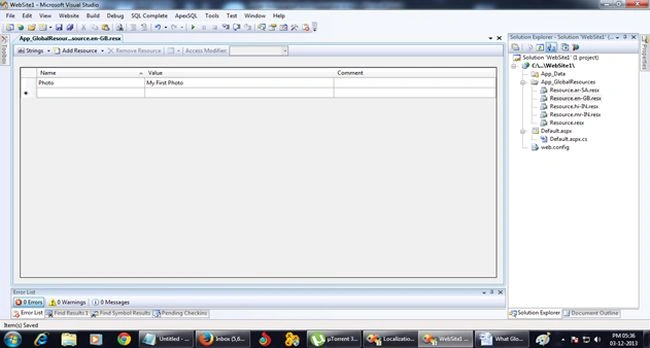
3. Open Resource.hi-IN.resx
- Add a name under the "Resource.hi-IN.resx" Filename and the Value that you want to display in the value field.
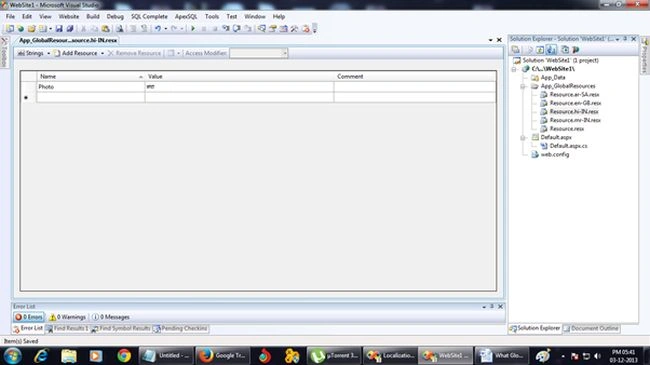
4. Open "Resource.mr-IN.resx"
- Add a name under the "Resource.mr-IN.resx" Filename and the Value that you want to display in the value field.
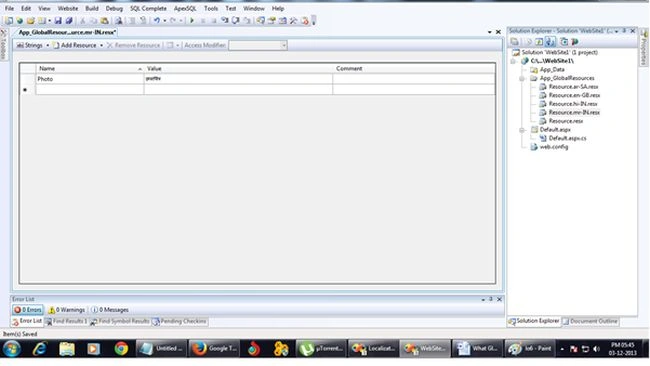
5. Open "Resource.ar-SA.resx"
- Add a name under the "Resource.ar-SA.resx" Filename and the Value that you want to display in the value field.
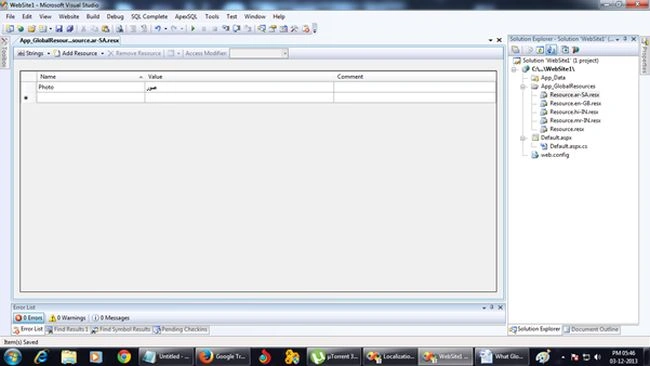
- Add a new page and name it "LocalPage.aspx"
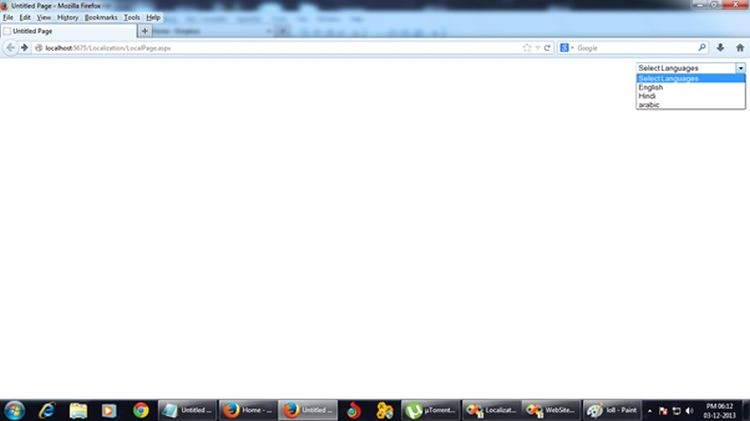
- Add a DropDownList in the "LocalPage.aspx"
On LocalPage.aspx
- <asp:DropDownList ID="DrpLanguages" AutoPostBack="true"
- runat="server" Width="200px"
- OnSelectedIndexChanged="DrpLanguages_SelectedIndexChanged">
- <asp:ListItem Text="Select Languages" Value="0"></asp:ListItem>
- <asp:ListItem Text="English" Value="en-GB"></asp:ListItem>
- <asp:ListItem Text="Hindi" Value="hi-IN"></asp:ListItem>
- <asp:ListItem Text="arabic" Value="ar-SA"></asp:ListItem>
- </asp:DropDownList>
Dieter Munnik (MBA)Posted Mar 12, 2020, 1:58 AM
Hi, how do you implement this with the dropdown list selector in MVC ?
Ramzanali MominPosted Aug 8, 2018, 4:02 AM
Sir i am working on one small project in asp.net with C# There i Stoped bcz i am not get proper output. my question is calcuate age between data of birth to date of marraige in javascript
Ramzanali MominPosted Aug 8, 2018, 3:56 AM
Nice article for beginner .
tushar dasPosted May 14, 2018, 8:23 PM
Just preparing for interview and the article is awesome...Good job Sai...
Muhammad Aqib ShehzadPosted Mar 23, 2017, 1:15 AM
Very nice elaboration of the topic
piyush virojaPosted Dec 14, 2016, 1:27 AM
Good, dear ... :) thanks.
Karthik ElumalaiPosted Aug 23, 2016, 11:58 AM
Good one..:)Thanks
Ram KumarPosted Feb 4, 2016, 7:23 AM
how to access your give resouce file in javascript
Pramod GuptaPosted Oct 1, 2015, 2:07 AM
gud one
Saineshwar BageriPosted Sep 29, 2014, 7:32 AM
download project and run Santhosh sir
Santhosh MPosted Sep 29, 2014, 7:31 AM
can u give example on text=<%.....%>
Saineshwar BageriPosted Sep 29, 2014, 7:31 AM
What this means
Saineshwar BageriPosted Aug 19, 2014, 12:11 AM
it is value which i have entered in Resource file with name AccCode you can enter your values here.
ram kumarPosted Aug 18, 2014, 7:19 AM
<%$Resources:Resource,AccCode%>">...what is that AccCode