


What is IndexedDB?
The IndexedDb (Indexed database) is a Javascript application programming interface provided by web browsers for managing a NoSQL database of JSON objects. It is a standard maintained by the World Wide Web Consortium. As an alternative to localStorage, IndexedDB can provide more storage capacity and can store more data as compared to local storage.
When to use IndexedDB?
IndexedDB is used in different scenarios, depending on the developer's needs. Mostly, it is used to store data that is not likely to be changed again and again, or metadata is stored in IndexedDB. For example, you can store some data of a logged-in user in an Indexed db as he logged in, and it in an application you can use it according to your need. One more use is to store permission details of logged-in users in indexedDB.
Creating IndexedDB
Follow the following steps to create an IndexedDB.
First of all, we will create a simple html file that will have a button to create a new IndexedDB. For that, create an HTML file and add the following code.
<!DOCTYPE html>
<html>

<body>
    <button id="btnCreateStore" onclick="initDB()">Initialize Database</button>
    <p id="result"></p>
    <div id="UsersContainer" style="display: none;">
        <button id="btnShowUsers" onclick="showUsers()">Show Users</button>
        <p>
            <input type="text" id="txtName">
            <input type="text" id="txtEmail">
            <input type="text" id="txtCountry">
            <button type="button" onclick="addUser()">Add</button>
        </p>
        <div id="UsersTable">
        </div>
    </div>
</body>

</html>
The next step is to create and initialize IndexedDB by clicking on the Initialize Database button. For that, create a script tag in the html file and add the following function.
var friends_Data = [
    { EmployeeName: "Jamil Moughal", EmployeeEmail: "[email protected]", Country: "Pakistan" },
    { EmployeeName: "Diviya", EmployeeEmail: "[email protected]", Country: "India" },
    { EmployeeName: "Ali Khan", EmployeeEmail: "[email protected]", Country: "Egypt" },
    { EmployeeName: "John Charles", EmployeeEmail: "[email protected]", Country: "United States" },
    { EmployeeName: "Steve", EmployeeEmail: "[email protected]", Country: "Germany" },
];

function initDB() {
    var Database_Name = "UsersDB";
    var DB_Version = "1.0";
    var dbObj;
    var request = indexedDB.open(Database_Name, DB_Version);

    request.onsuccess = function (e) {
        document.getElementById("result").innerHTML = "Database Opened :)";
        dbObj = request.result;
        document.getElementById('UsersContainer').style.display = 'block';
    };

    request.onerror = function (e) {
        console.log("Error:" + e.target.errorCode);
        document.getElementById("result").innerHTML = "Error! The Database connection not opened. Please See The Log";
    };

    request.onupgradeneeded = function (e) {
        var objectStore = e.currentTarget.result.createObjectStore("MyObjectStore", { keyPath: "id", autoIncrement: true });

        // Creating Indexes
        objectStore.createIndex("EmployeeName", "EmployeeName", { unique: false });
        objectStore.createIndex("EmployeeEmail", "EmployeeEmail", { unique: true });
        objectStore.createIndex("Country", "Country", { unique: false });

        // Storing the Data
        for (i in friends_Data) {
            objectStore.add(friends_Data[i]);
        }
    };
}
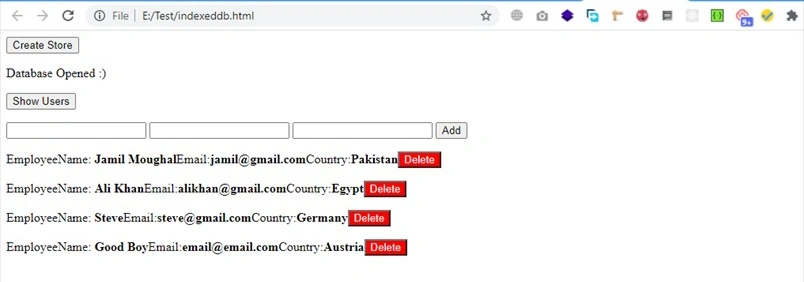
After this, refresh your html file and click on the Initialize Database button, then open your browser console and click on the Application window. You will see the IndexedDB, in the database above records will be present. It will look as follows.

Join the conversation! Your thoughts help the community grow.