

In this article, we will learn the following points:
- What LINQ is
- Why we should we use it
- LINQ Architecture
- LINQ Provider
- DEMO without and with LINQ
LINQ
Language Integrated Query (LINQ) enables us to query any type of data stored in SQL Server, XML documents, List, Arrays and so on.
Why we should use LINQ
Using LINQ one can work with various data sources using a similar code style without having the need to know the syntax specific to the data source.
It provides compile-time error checking and intelligence.
LINQ can be written using any .NET supported language.
LINQ Architecture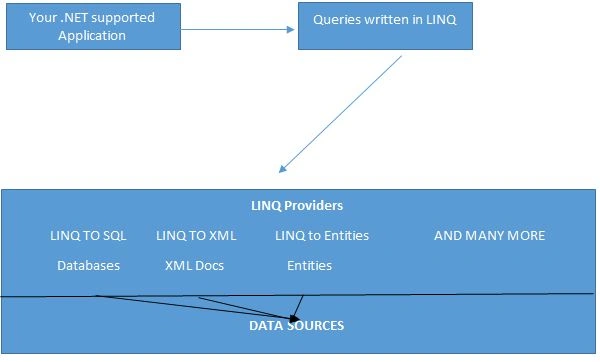
Role of the LINQ Provider
A LINQ Provider is a component between a LINQ query and the data source that converts the LINQ query into the format that the data source can understand.
For example, the LINQ to SQL provider converts a LINQ query to T-SQL that the SQL Server database can understand.
We will discuss each of the preceding providers one by one in the future articles of this series.
Demo
Let's look at an example without using LINQ.
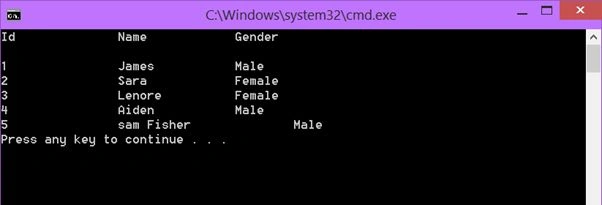
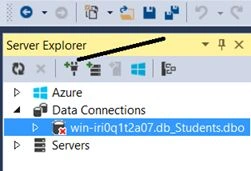
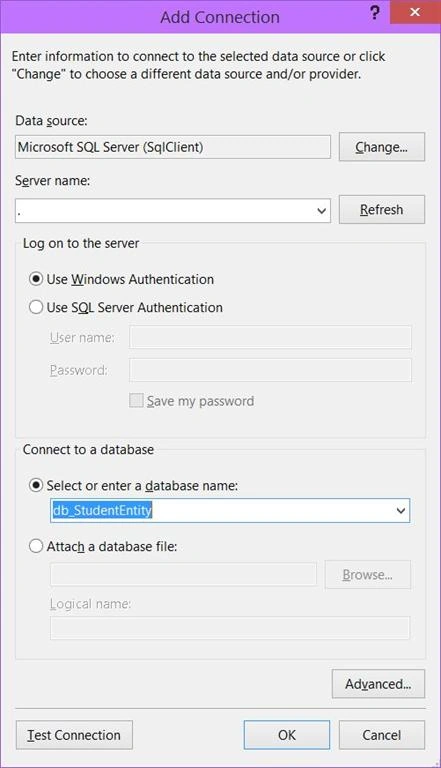
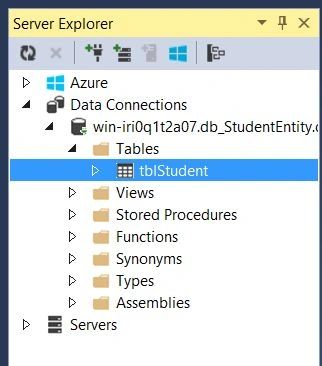
In SQL Server, I have a database named “db_StudentEntity” in which there is a table named “tblStudent” with five student records.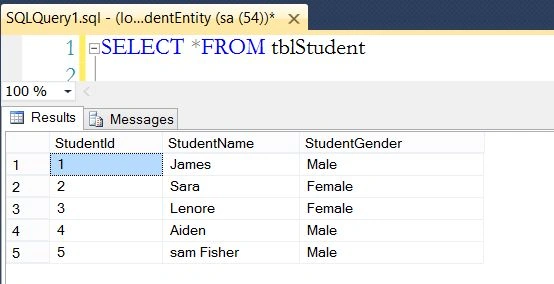
We will use the preceding table records in our console application.
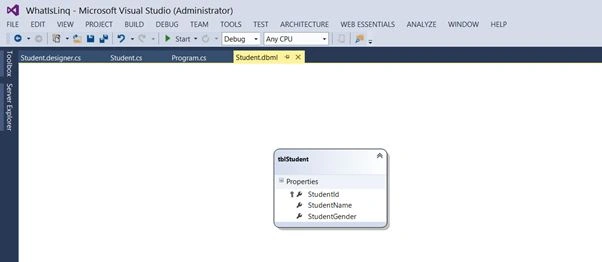
In the table above, we have three different columns, in other words StudentId, StudentName and StudentGender.
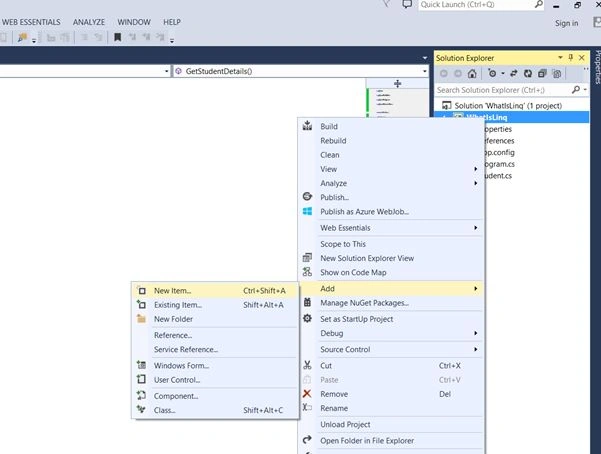
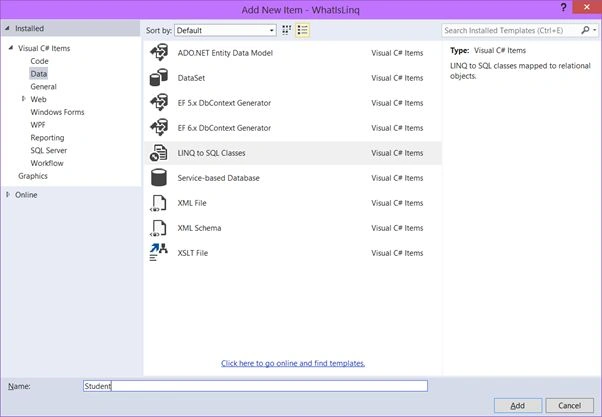
So, first let’s add a new class file and name it “Student”. In that class file add three auto-implemented properties.
Add a class file as in the following: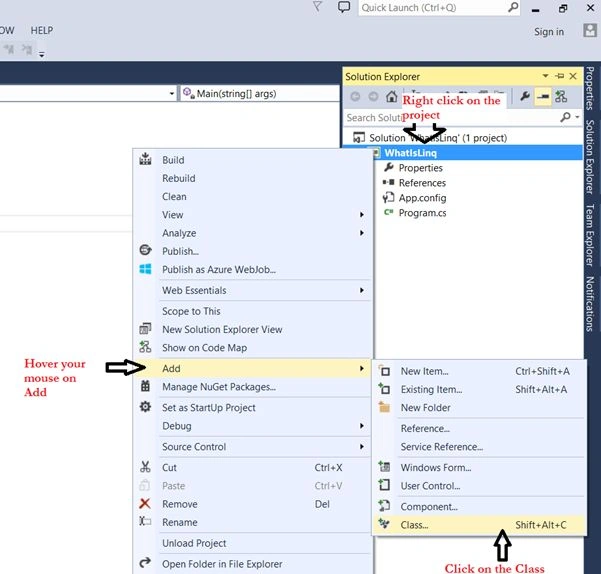
Give it the name “Student.cs”.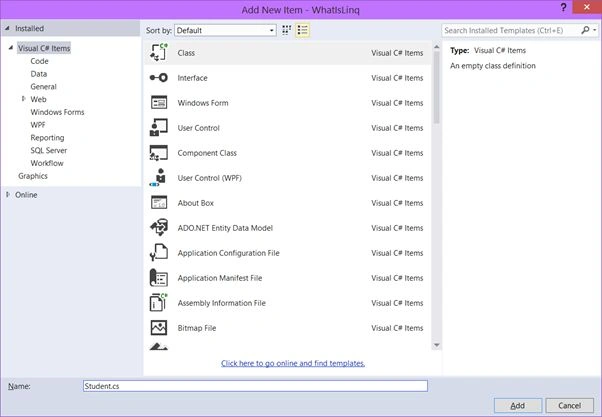
Click Add.
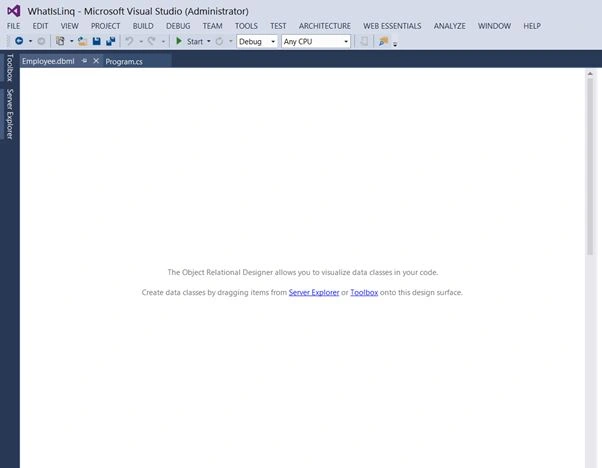
Your class will look like this.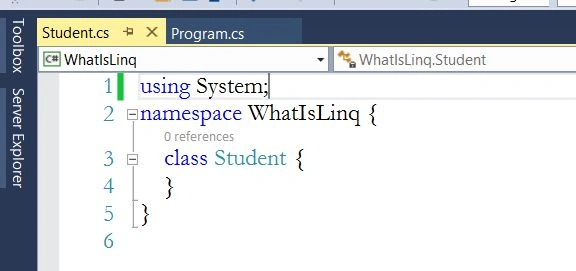
Write the following code inside your Student class.
- using System;
- namespace WhatIsLinq {
- class Student {
- public int StudentId { get; set; }
- public string StudentName { get; set; }
- public string StudentGender { get; set; }
- }
- }
The next step is to add the connection string in the app.config file.
In the ASP.NET web application, we specify the connection string in the web.config file but in the Console and Windows application, we specify the connection strings in the app.config file.
- <connectionStrings>
- <add name="DBCS" connectionString="server=.; database=db_studentEntity; Integrated Security=SSPI" providerName="System.Data.SqlClient"/>
- </connectionStrings>
Integrated Security: Means we are using Windows authentication to connect to the SQL Server.
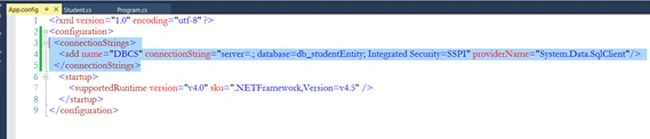
Until now we have created our Student class and we have also specified the connection string.
The next step is to write some ADO.NET code in our main class Program.cs.
Since we are connecting to the SQL Server database. So, we will import the System.Data.SqlClient namespace.
We will also import the System.Configuration namespace because there is a class named “ConfigurationManager” that will help us in retrieving the connection string from the app.config file. But to use this class, first we need to add a reference to our project.
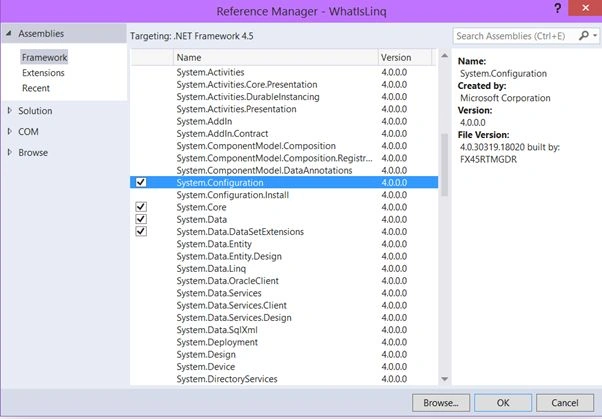
Select and Click OK.
In the Program.cs, create a new method whose return type will be List<Student> and in that we will write the following code:
- public List<Student> GetStudentDetails(){
- List<Student> studentList = new List<Student>();
- //retrieve the connection string
- string cs = ConfigurationManager.ConnectionStrings["DBCS"].ConnectionString;
- }
The ConnectionStrings (with an “s”) is used to get the specified string name or the index value connection string from the app.config file and the ConnectionString (without the “s”) property returns the required credentials.

The next step is to add a new SqlConnection object.
- public void GetStudentDetails() {
- string cs = ConfigurationManager.ConnectionStrings["DBCS"].ConnectionString;
- //create an instance of the SqlConnection class and pass the string cs variable (which holds the connection string data) as a parameter argument in the SqlConnection constructor
- using (SqlConnection con = new SqlConnection(cs)) {
- }
- }
If you use the using keyword then you won’t need to close the connection in the end because the connection is closed automatically when the using block is out of scope.
The next step is to create a new SQLCommand object.
- //create a sqlcommand object
- SqlCommand cmd = new SqlCommand();
- //pass the query that you want to execute using con SqlConnection
- cmd.CommandText = "SELECT StudentId,StudentName, StudentGender FROM tblStudent";
- cmd.Connection = con;//using this con SqlConnection object, the above query will execute.
- //open the connection
- con.Open();
- /*the ExecuteReader is used to when you want to retrieve data from the database and the return type of ExecuteReader() is SqlDataReader object.
- */
- SqlDataReader rdr = cmd.ExecuteReader();
Amit Kumar SinghPosted Jun 22, 2018, 5:08 AM
Nice one and Simple to understand ... Thanks
Manpreet SinghPosted Apr 21, 2015, 3:44 PM
Nice !!
Srilakshmi ChowdaryPosted Apr 18, 2015, 6:47 AM
goog
Pankaj Kumar ChoudharyPosted Mar 21, 2015, 12:02 PM
Nice Article Sir..............
NitinPosted Mar 21, 2015, 11:24 AM
nice
Gowtham RajamanickamPosted Mar 18, 2015, 3:39 AM
good show...