


This article is a quick overview of MS Graph SDK. Using MS Graph SDK, you can easily write code which calls MS Graph APIs to interact with Office 365 data.
What is MS Graph API?
First, let’s see what MS Graph API is. The official MS documentation defines MS Graph API as:
“You can use the Microsoft Graph API to interact with the data of millions of users in the Microsoft cloud. Use Microsoft Graph to build apps for organizations and consumers that connect to a wealth of resources, relationships, and intelligence, all through a single endpoint: https://graph.microsoft.com”
In a nutshell, MS Graph API gives you a single REST API endpoint which you can call to interact with “almost anything” in Office 365.
To know more about MS Graph API, read my article here.
What is MS Graph SDK?
Microsoft Graph Software Development Kit is “Microsoft Graph Client Library which allows you to call Office 365, Azure AD and other Microsoft services through a single unified developer experience.”
Using MS Graph SDK, you can quickly integrate MS Graph API in your application, so that you don’t have to write everything to deal with MS Graph API from scratch.
It provides readymade classes and methods to be used while making Graph API calls. Please note that using MS Graph SDK is not “mandatory” if you want to code your application for MS Graph API. It just makes coding quick and easy.
What’s its availability?
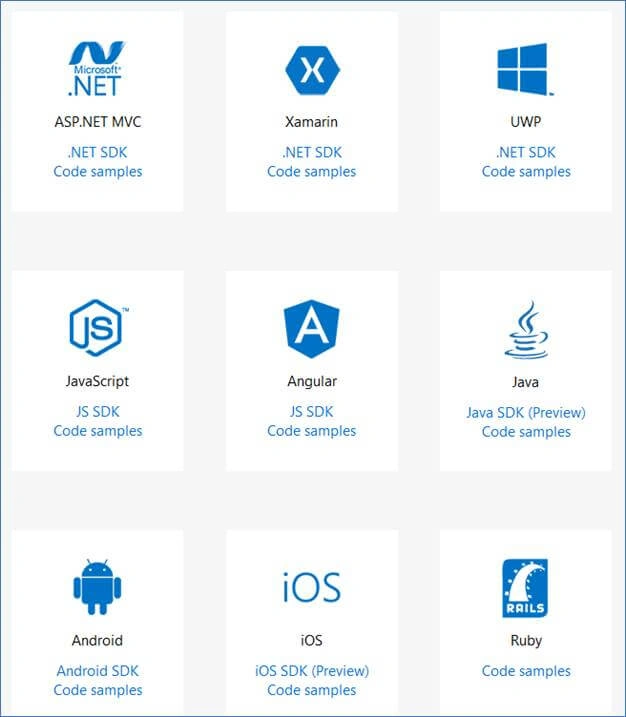
MS Graph SDK is available for most leading development platforms e.g. ASP.Net, Xamarin, Android, iOS, JS, Angular, and many more. Day by day more platforms are being added.
This is the latest availability as of today:
Live availability
- .NET SDK for ASP.Net MVC, UWP, Xamarin (available as NuGet package)
- JavaScript/Angular SDK (available as npm package)
- PHP SDK
- Android SDK
Beta/Preview availability
No SDK, only code samples available
Keep watching the official Microsoft page here which mentions MS Graph SDK’s latest availability:
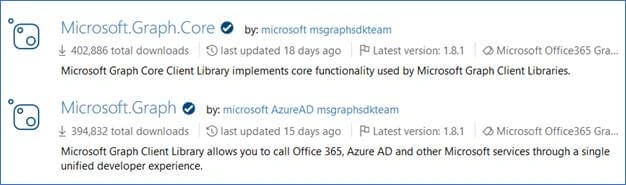
MS Graph SDK for .NET is available as “Microsoft.Graph” and “Microsoft.Graph.Core” NuGet packages:
Adding MS Graph SDK to your C# application
Let’s add MS Graph SDK for .NET i.e. MS Graph NuGet packages to a C# application.
Quickly create a new C# application (either console app or web app) in Visual Studio 2015/2017.
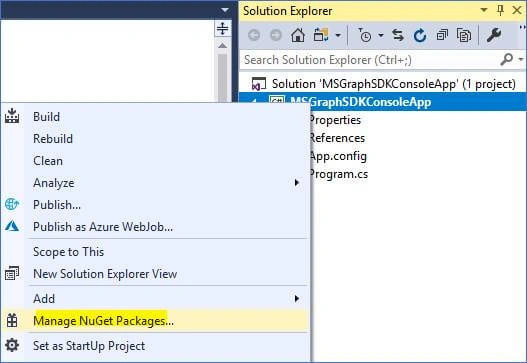
Right-click project in Solution Explorer and click “Manage NuGet packages”,
Go to “Browse” and type “Microsoft Graph”, press enter key,
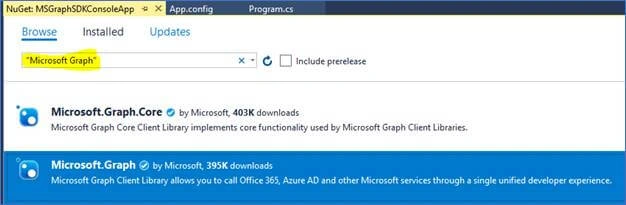
Select “Microsoft.Graph” package from the result and click “Install” button on right side,
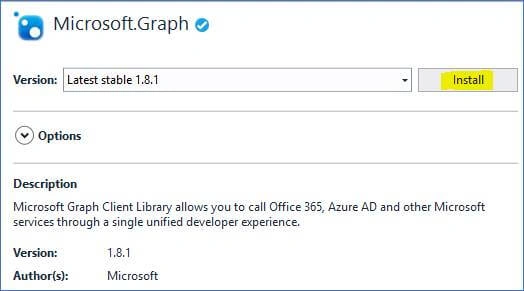
It will show you “License Acceptance” dialog,
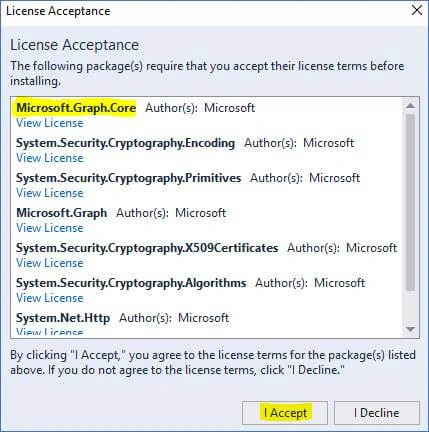
Note that it will also install “Microsoft.Graph.Core” package, among others, as one of its dependencies. Click on “I Accept” button.
The output window will show a success message once the installation is finished.
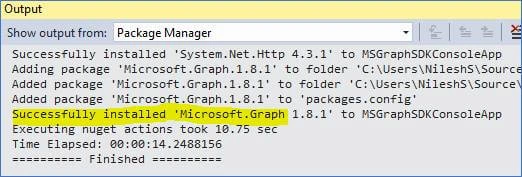
You have successfully added MS Graph SDK packages to your application.
You can make sure of that by two ways.
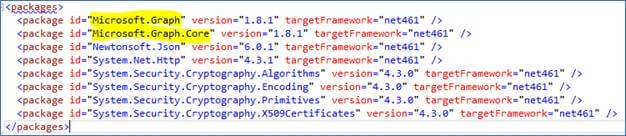
Go to Solution Explorer and select “packages.config” file,
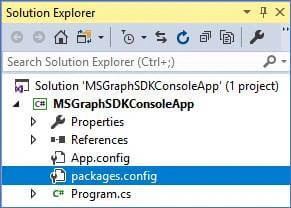
See that “Microsoft.Graph” and “Microsoft.Graph.Core” packages are visible in the config file.
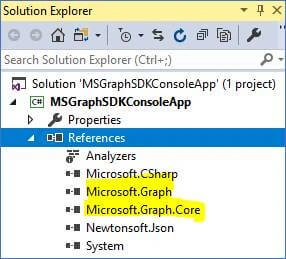
Also, if you expand “References” in Solution Explorer then you will see Microsoft Graph references:
You will also need to install “Microsoft.Identity.Client” package as it’s required for authentication code because users are authenticated against their Microsoft account.
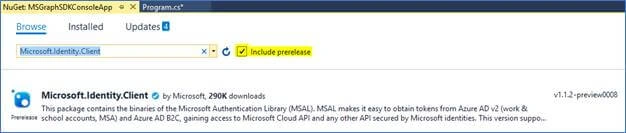
Don’t forget to select “Include prerelease” checkbox!
That’s it! You have now successfully added MS Graph SDK and you are ready to start your coding.
To know how to write code to fetch Office 365 data using MS Graph SDK, read my article “Introduction to Microsoft Graph SDK” here.
Nilesh ShahPosted Apr 18, 2018, 2:28 PM
Please refer her for code sample- https://www.c-sharpcorner.com/article/write-your-first-program-using-microsoft-graph-sdk/