

Introduction
Microsoft just demoed the tech preview of its next version of its operating system, Windows 10. The next windows will be called Windows 10. Yes, they have skipped Windows 9. Read Microsoft Unveils Windows 10 to learn more about Windows 10.
While Windows 10 is still in works, here are some of the key
features you will see in Windows 10.
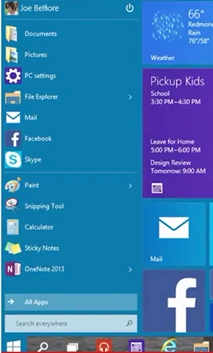
Windows Start Menu is back
We know how painful it was not to live without the Start
Menu. It’s back.
Search is Back
The search is back in the taskbar as well as on the screen. Now
search will be much easier than using just WIN+Q.
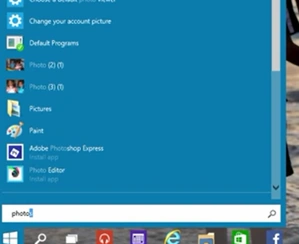
The new search not only searches the desktop and apps but also
searches the Web now. Yes, now you can simply use the search bar to search the
Web.
Optimized View for All Devices
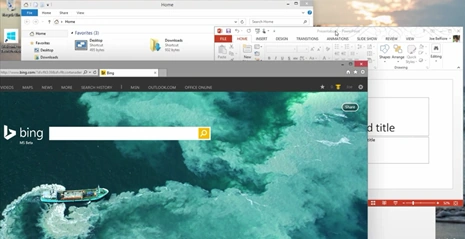
Windows 8 was designed and optimized to work with tablets and
full-screen touch devices only. The new Windows 10 provides flexibility to manage your
own screen sizes and layouts. You can resize, maximize, minimize any
applications and use the background and foreground (tile them) as you were used
to in Windows 7.
New Task View
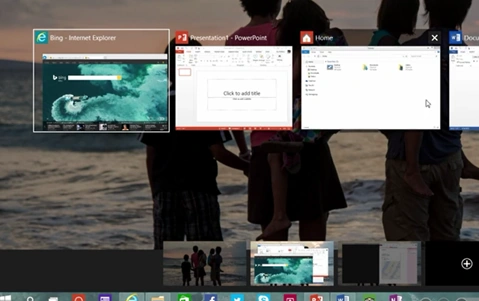
New Task View allows users to view currently open apps and also
switch between the open apps. Also, all open apps icons are displayed on the Task
View.
Custom Screens
Windows 10 allows you to create your own custom screens and
use and share them with different accounts. You can also have up to 4 app snaps
on a single screen.
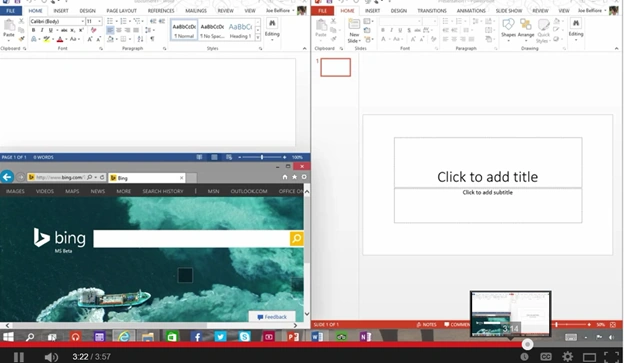
You may have different screens for home and work.
Come back soon to learn more about Windows 10 and check out
the preview here.
Preview.windows.com
Setup Virtual Machine for Windows 10
If you're planning to give Windows 10 a try, I recommend using a virtual machine. C# Corner MVP, Sara has written a great article on this.
Check it out here:
Summary
In this article, we learned about the new features of Windows 10.
Mohamed Gani MnPosted Nov 6, 2015, 11:25 AM
Short one
Arvind PradhanPosted Oct 8, 2014, 11:03 PM
All features is very Good.........But I think don't change in Internet Explorer......But Why ?
VerenaJamPosted Oct 8, 2014, 2:26 AM
thanks sir for the wonderful information on windows 10
VerenaJamPosted Oct 8, 2014, 2:18 AM
why they have skipped Windows 9?
Mahesh ChandPosted Oct 7, 2014, 7:33 AM
I think Charm bars car can be enable or disable. Check it somewhere in settings it is disabled. Also charm bar is based on the current app opened. Try without any app and see if generic Windows charm bar is there.
Raha AmirPosted Oct 4, 2014, 1:06 AM
oh it's work , just must drag it from right to left , but why it can't work by mouse like as before , app switching is not working also ?
Raha AmirPosted Oct 3, 2014, 12:40 PM
thanks for reply ! this is touch screen desktop pc . but charms bar is not enable any more . while I work on 8.1 charms bar works when I move my mouse top right corner but now it is not there ?
Raha AmirPosted Oct 3, 2014, 2:43 AM
thanks , do you know how can I enable charms bar in windows 10 ?
Vithal WadjePosted Oct 2, 2014, 1:48 PM
great one sir thanks for sharing
Saineshwar BageriPosted Oct 2, 2014, 1:50 AM
nice features