

Introduction
In this article, I will explain the new features in Asp.Net Core 7.0 and how to create a simple ASP.NET Core 7.0 Web application and run it.
ASP .NET Core 7.0 version was released on November 08, 2022. Visual Studio 2022 version 17.4.0 is required to develop ASP.Net Core 7.0 web application. The latest version of Asp.Net Core is Asp .Net Core 7.0.
Here are some great new features and improvements in ASP.NET Core 7:
- Servers and Runtime
- Limit the rate of handled requests using flexible endpoint configuration and policies.
- Configure caching for responses to handle requests more efficiently.
- Accept requests with compressed content.
- Built-in support for HTTP/3, the latest HTTP version based on the new QUIC multiplexed transport protocol.
- Use WebSockets over HTTP/2 connections.
- Create streams and datagrams over HTTP/3 with experimental support for WebTransport.
- Minimal APIs
- Use endpoint filters to run cross-cutting code before or after a route handler.
- Return strongly typed results from minimal APIs.
- Organize route groups of endpoints with a common prefix
- gRPC
- Expand the reach of your gRPC services by also exposing them as JSON-based APIs
- Use experimental support for generating OpenAPI specs for your gRPC JSON transcoded services.
- Report and check the health of gRPC server apps.
- SignalR
- Return client results to the server in response to requests from the server.
- MVC
- Nullable page and view models are now supported to improve the experience using null state checking.
- Blazor
- Build standard HTML custom elements with Blazor to integrate Blazor components with any JavaScript-based application.
- Intercept location changing events to create custom user experiences when navigating.
- Run async logic after data binding and independently control how data binding gets and sets the data.
- Create dynamic authentication requests at runtime with custom parameters to handle advanced authentication scenarios in Blazor WebAssembly apps.
- Optimize JavaScript interop call on WebAssembly using the new [JSImport]/[JSExport] support for improvement.
- Improve performance with .NET WebAssembly ahead-of-time (AOT) compilation using WebAssembly SIMD and exception handling support.
To get more details about ASP.NET Core 7.0, Click here.
Please read my previous articles using the below links.
- How To Install Visual Studio 2022
- Getting Started With Visual Studio 2022 Community Edition
- Getting Started With .NET 7
Prerequisites
- Install Visual Studio 2022 updated to version 17.4.0
- Install .NET SDK 7.0
Connect To Visual Studio 2022 Community Edition and Create Your First Project
Step 1
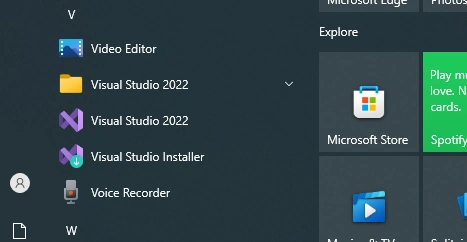
First, install Visual Studio 2022 in your system.
Step 2
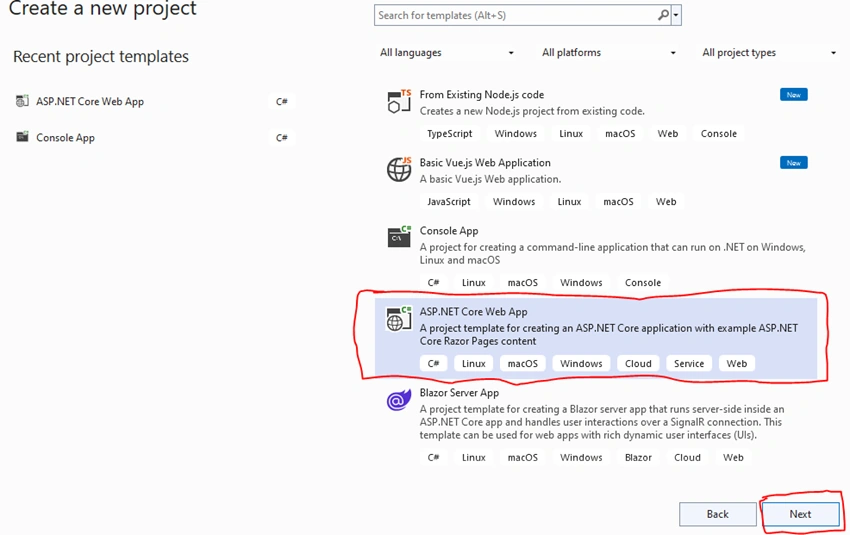
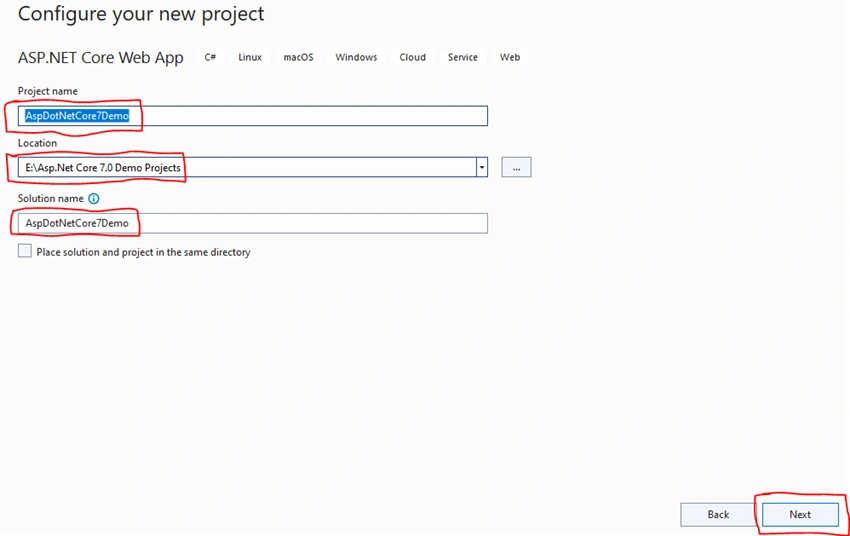
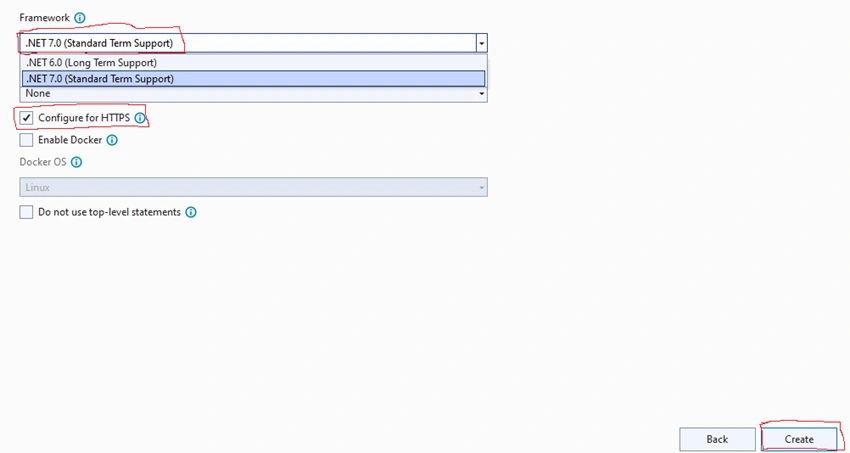
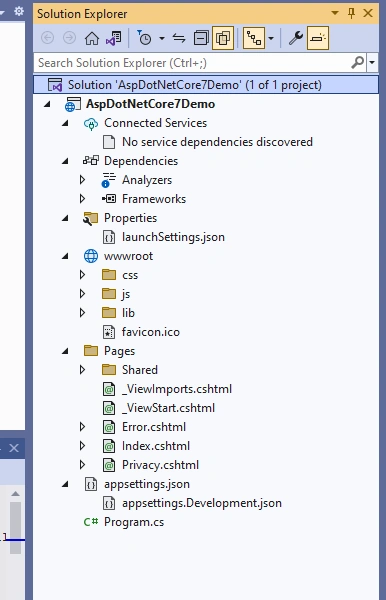
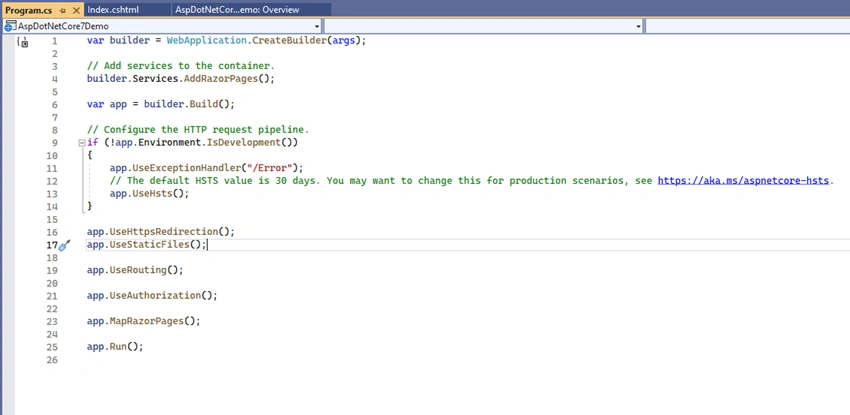
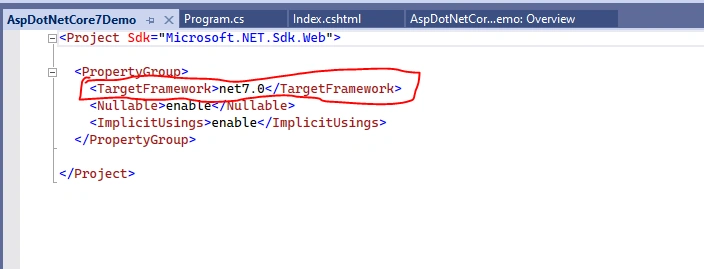
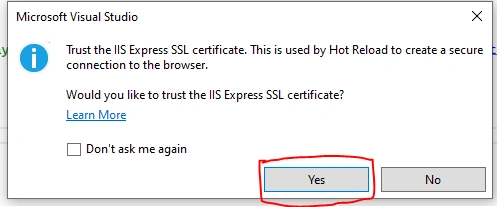
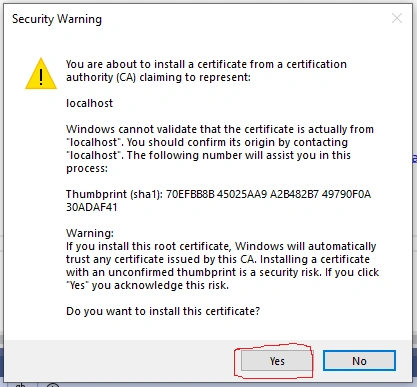
Join the conversation! Your thoughts help the community grow.