

In the world of computer networking, understanding the terms "localhost" and "127.0.0.1" is crucial for anyone working with servers, software development, or web applications. These terms might appear interchangeable to the untrained eye, but they serve specific purposes and are distinct in function and usage. This article will break down the concepts of "localhost" and "127.0.0.1," explore their differences, and clarify how and when they are used.

What is Localhost?
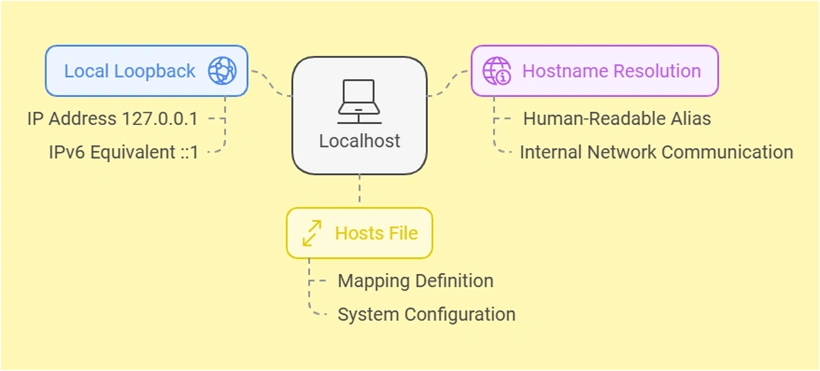
The term "localhost" refers to the local computer or machine you're currently using. It is a hostname that maps to your device’s loopback network interface, acting as a placeholder for addressing the machine.
When you type localhost in a browser or terminal, your computer resolves this hostname internally without ever leaving your machine or communicating with an external network. This mechanism allows developers to test websites, applications, or configurations locally without impacting live servers or requiring internet connectivity.
Key characteristics of localhost:
- Local loopback:
localhostPoints to the loopback IP address of your system, which is typically127.0.0.1. - Hostname resolution: It is a human-readable alias mapped to an IP address by your operating system.
- Defined in hosts file: The mapping
localhostto127.0.0.1(or an IPv6 equivalent like::1) is defined in a file on your computer called the "hosts" file.
For most purposes, typing localhost In your browser, accessing a web application you’re developing on your machine uses the local server environment, which is faster and more secure for testing than working directly on a live server.
What is 127.0.0.1?
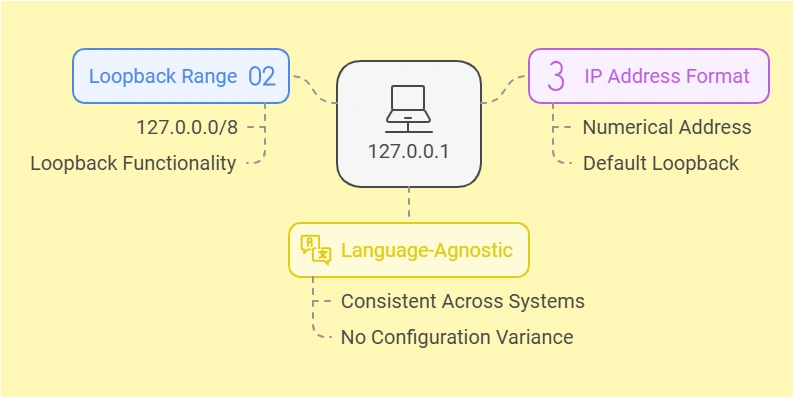
The IP address 127.0.0.1 is the default loopback address for IPv4. It represents the same concept as localhost—pointing to the local machine—but it is a numeric address instead of a hostname. Every device with a network stack has the 127.0.0.0 range reserved for loopback functionality and 127.0.0.1 is the most commonly used address within that range.
When you use 127.0.0.1, it establishes a direct connection back to your computer, bypassing any external network. Just like localhost, this address is used to test applications, services, or configurations in isolation, ensuring they work correctly before deploying them to a public environment.
Key features of 127.0.0.1:
- Part of the loopback range: The
127.0.0.0/8range is reserved specifically for loopback functionality, though127.0.0.1is the most widely used address within it. - IP address format: Unlike the text-based hostname
localhost, this is a numerical representation. - Language-agnostic: While
localhostmay vary slightly in configuration across different operating systems,127.0.0.1is universally understood.
How are localhost and 127.0.0.1 different and similar?
At their core, localhost and 127.0.0.1 serve the same purpose: they refer to the local machine you’re working on. Both are essential in software development, testing, and troubleshooting, as they allow you to simulate networked communication with your system without involving an external network. However, while their purposes overlap, their differences in technical implementation and behavior are significant in certain contexts.
How Are They Similar?
Both localhost and 127.0.0.1 are used to point back to the machine you’re currently working on, providing an environment for local testing and debugging. Here are the key similarities between the two:
- Same Destination: Both
localhostand127.0.0.1Resolve using the same machine—the one you are using. They serve as loopback addresses to test applications or configurations locally. - Loopback Mechanism: Neither communicates through an actual network interface to external devices. Instead, they use the system’s loopback interface, which is a virtual network interface designed specifically for internal communication within the system.
- Usage in Development: Both are widely used for testing web servers, APIs, and other networked services locally before deploying them to a live environment. Developers rely on them to check functionality, ensure reliability, and debug issues.
In most cases, using localhost or 127.0.0.1 yields the same result. For instance, typing either in your browser when running a local server will connect you to the same application or service. However, the differences between the two go beyond what is apparent.
How Are They Different?
While localhost and 127.0.0.1 are functionally similar, their underlying implementations and behavior in specific scenarios make them distinct. Here are the key differences:
-
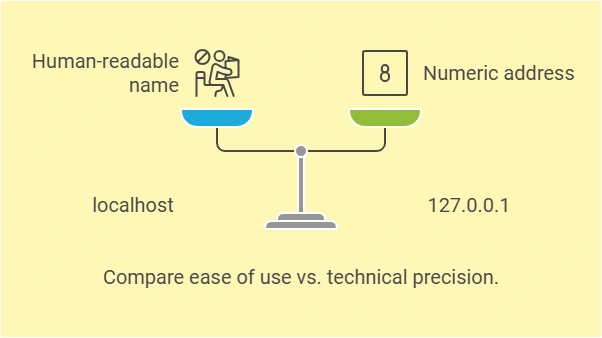
Hostname vs. IP Address:
localhost: This is a hostname, a human-readable label that your computer resolves internally to an IP address. It serves as a user-friendly alternative to typing an IP address.127.0.0.1: This is a numeric IPv4 address. It directly represents the loopback address in IP format, bypassing the need for hostname resolution.
-
Dependency on DNS or Hosts File:
localhost: The resolution oflocalhostrelies on your operating system’s DNS configuration or host file. It won't resolve correctly if the host file is misconfigured or the DNS entrylocalhostis missing.127.0.0.1: This address is hardcoded into the networking stack of every device, so it doesn’t require DNS or host file configuration. It will always resolve correctly.
-
Performance Considerations:
- Using
127.0.0.1can be slightly faster because it skips the DNS resolution step required bylocalhost. Although this difference is minimal, it can matter in high-performance or time-sensitive applications.
- Using
-
Cross-Platform Behavior:
- On some systems,
localhostmay resolve to both127.0.0.1(IPv4) and::1(IPv6). This dual-stack behavior can lead to compatibility issues if an application is designed for IPv4-only networks. - Using
127.0.0.1explicitly ensures that the connection remains IPv4-only, avoiding potential conflicts in mixed IPv4/IPv6 environments.
- On some systems,
-
Flexibility and configurability:
localhost: This hostname can be customized to map to different IP addresses, such as::1(IPv6) or another specific loopback address, depending on your requirements. While this flexibility is useful, it can also create unintended issues if altered improperly.127.0.0.1: This address is static and unchangeable. It will always point to the loopback interface, ensuring consistent behavior.

When to use localhost vs. 127.0.0.1?
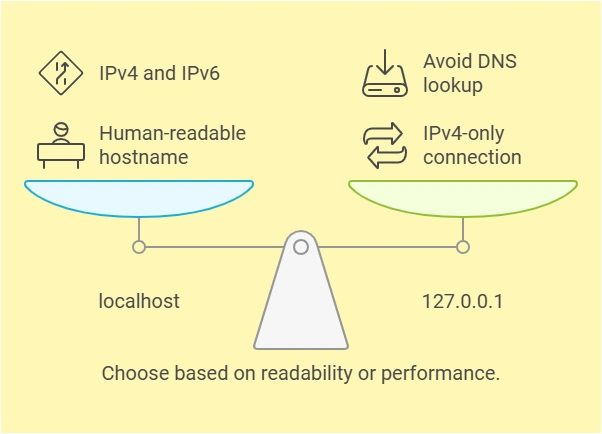
The choice between localhost and 127.0.0.1 largely depends on your specific use case. Here are some guidelines:
-
Use
localhostWhen- You prefer human-readable hostnames.
- You want the flexibility of resolving to both IPv4 and IPv6.
- The system or application you’re working with expects a hostname.
-
Use
127.0.0.1When- You need a guaranteed IPv4-only connection.
- You’re troubleshooting DNS resolution issues.
- Performance is critical, and you want to avoid the DNS lookup step.
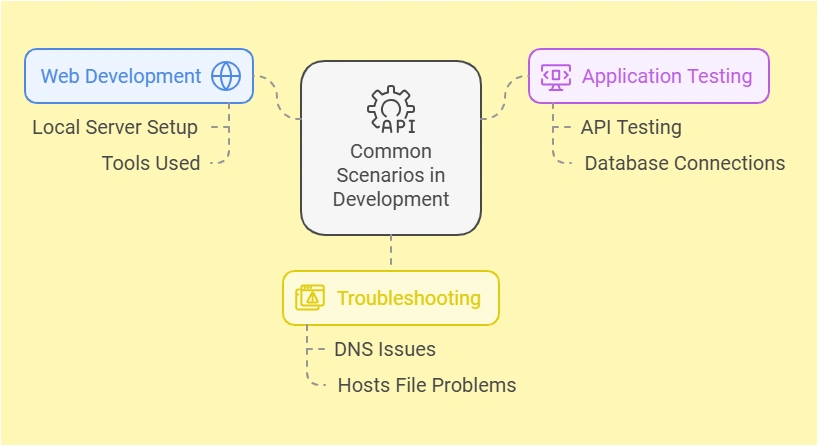
Common Scenarios in Development
- Web Development: During web development, you might set up a local server using tools like Apache, Nginx, or Node.js. Accessing
localhostin your browser connects you to the locally running server. If you encounter issues resolvinglocalhost, switching to127.0.0.1is a common troubleshooting step. - Application Testing: Many developers use
localhostor127.0.0.1to test APIs or database connections during development. For example, a database like MySQL may be configured to accept connections only from127.0.0.1for security reasons, even if you uselocalhostas the hostname. - Troubleshooting: If you suspect DNS or host file issues, using
127.0.0.1can help isolate the problem. Since it bypasses the hostname resolution step, it eliminates one layer of potential complexity.
Conclusion
Localhost and 127.0.0.1 are integral components of computer networking, particularly in development and testing environments. While they both serve as references to the local machine, their differences in format, resolution, and usage can influence how they are applied. Understanding these nuances will help you choose the right tool for your specific needs and troubleshoot effectively when issues arise.
Localhost vs 127.0.0.1
| Feature | localhost | 127.0.0.1 |
| Type | Hostname | Numeric IP Address |
| Resolution | Relies on DNS or host file | Hardcoded in the networking stack |
| IPv4/IPv6 Behavior | May resolve to both IPv4/IPv6 | Strictly IPv4 |
| Performance | Slightly slower due to DNS | Faster as it bypasses DNS |
| Flexibility | Can map to different IPs | Static and unchangeable |
Join the conversation! Your thoughts help the community grow.