

The new control SplitView added in Windows 10 and are used to display side menu. Many of them called IT hamburger menu. Two things we need to know “Pane” and “Content”.
Pane
These properties contain the menu buttons in your app.
Content
The page content goes in this area.
- <SplitView>
- <SplitView.Pane> //Add your menu here </SplitView.Pane>
- <SplitView.Content> //Add your content here </SplitView.Content>
- </SplitView>
Now create a new Windows 10 project and give proper name. After that open your Mainpage.xaml and you can see the empty Grid control as in the following screenshot,
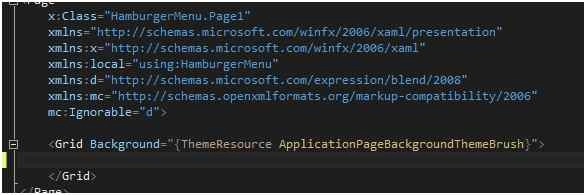
Delete this grid and paste the following code:
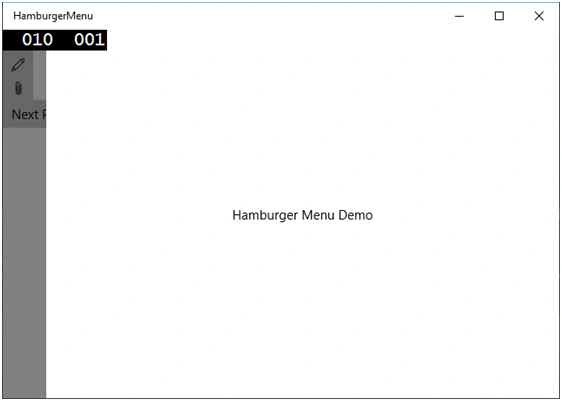
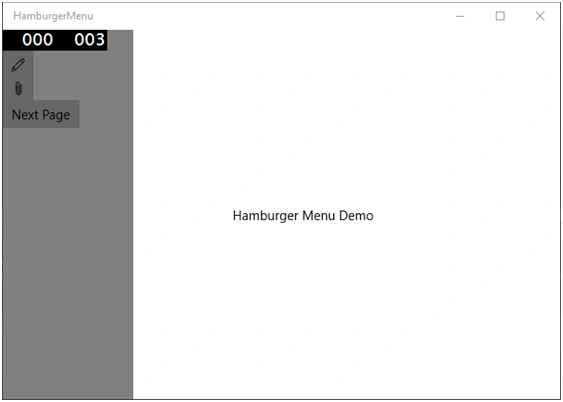
- <SplitView x:Name="MyMenu" DisplayMode="CompactOverlay" IsPaneOpen="False" CompactPaneLength="50" OpenPaneLength="150">
- <SplitView.Pane>
- <StackPanel Background="Gray">
- <Button x:Name="HamburgerButton" FontFamily="Segoe MDL2 Assets" Content="" Click="HamburgerButton_Click" />
- <Button x:Name="button1" FontFamily="Segoe MDL2 Assets" Content=""></Button>
- <Button x:Name="button2" FontFamily="Segoe MDL2 Assets" Content=""></Button>
- <Button x:Name="button3" Content="Next Page" Click="button3_Click"></Button>
- </StackPanel>
- </SplitView.Pane>
- <SplitView.Content>
- <Grid Background="{ThemeResource ApplicationPageBackgroundThemeBrush}">
- <TextBlock Text="Hamburger Menu Demo" TextAlignment="Center" VerticalAlignment="Center"></TextBlock>
- </Grid>
- </SplitView.Content>
- </SplitView>
Mukesh KumarPosted Nov 28, 2015, 4:48 AM
Great One
Sibeesh VenuPosted Nov 28, 2015, 2:37 AM
Nice Share
Santhakumar MunuswamyPosted Nov 28, 2015, 2:15 AM
Good One
Harshad PansuriyaPosted Nov 27, 2015, 11:06 PM
Nice one
Raja TPosted Nov 27, 2015, 7:33 AM
Good,Thanks for sharing