


Overview 
ACS
The Access Control Service (ACS) provides an easy way for us to access our web application using Microsoft, Google, Yahoo and Facebook accounts.
Prerequisites
- Windows Azure Subscription (MSDN if you are a Tunisian)
- Microsoft Visual Studio 2012
Create an Access Control
Let's start by creating a new Access Control. So to create an ACS use the following procedure: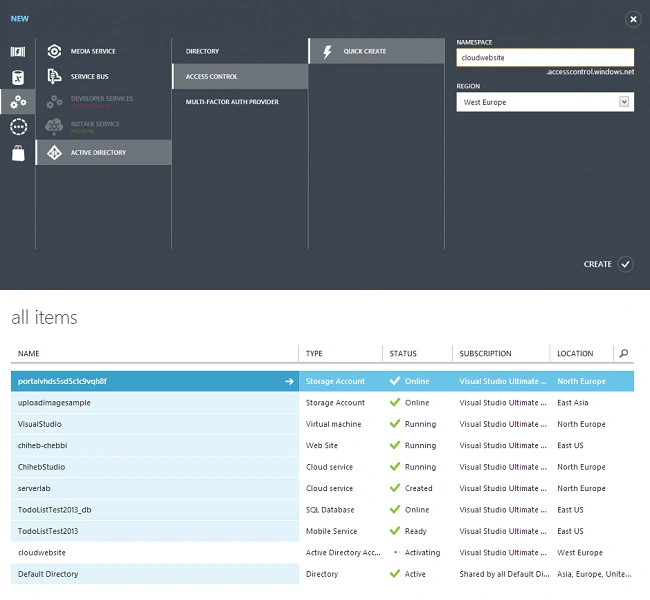
- Open Visual Studio and create a new ASP.NET MVC 4 Project
- Now select Internet Application and then click OK.
In Solution Explorer, right-click the project and then select Identity and Access.
If you can't find it just download it from here. http://chiheb-chebbi.azurewebsites.net/?p=331
Select Use the Windows Azure Access Control Service.
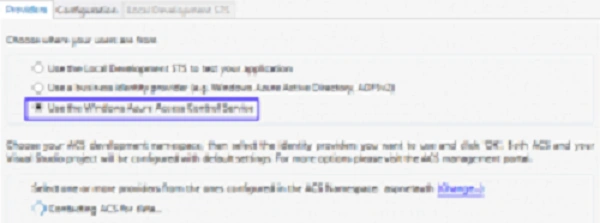
Click Configure.
ACS namespace: the name of the Active directory Access Control service.
The management Key: You will find it in the Windows Azure Management Portal.
Click Management Service and then click Management Client.
Select Windows Live ID and click OK.
- Now let's add a Google Account also
- Click Identity providers and click Add
- Click Google -> Next

In Identity and Access Option (Visual Studio) add a Google account also as in the following:

Now click Relying party applications and edit it.
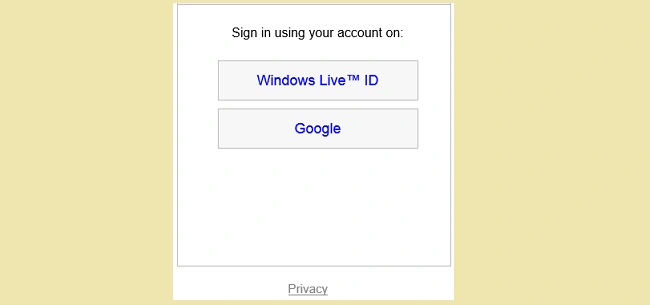
Finally run your project as in the following:
Summary
In this article we learned how to create an Access Control Service in Window Azure.
Join the conversation! Your thoughts help the community grow.