

In this article we will be working on using Windows Controls and WPF UserControls inside an XNA Game Project.
They tell Windows Controls cant be used inside an XNA game let alone WPF. Well, that has been proved in this article.
Components:
Windows Controls we'll be using
-
Button
-
TextBox
-
CheckBox
-
ElementHost
Tools
XNA GS 3.1 veya Visual Studio 2008(SP1)
.NET Framework 3.5(SP1)
We are creating a new project: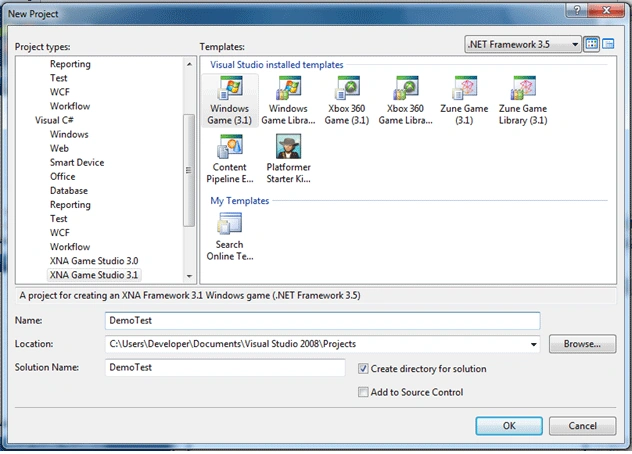
Now we will add reference.Project->Add Reference and then choose "System.Windows.Forms" namespace.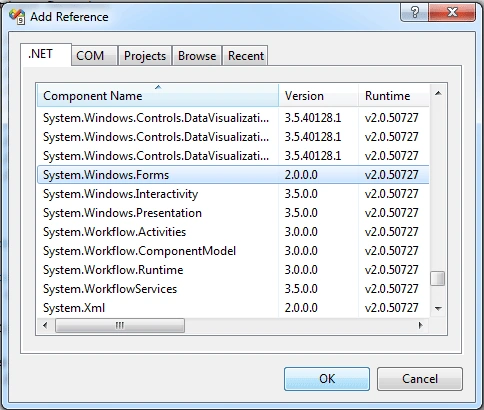
And declare it on Game1.cs: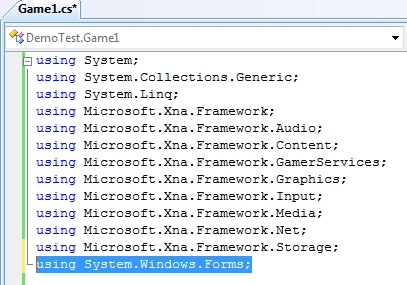
Note: You may need to declare and add reference to "System.Drawing" namespace as well.
TextBox Control:
An Input control we can use on Windows Forms.We add Textbox to our XNA project:
In anywhere we can declare variables:
TextBox text1 = new TextBox();
With that we have created a new Textbox variable.We are adding the code below to our Initialize() function.
protected override void Initialize()
{
base.Initialize();
text1.Location = new System.Drawing.Point(40, 40);
text1.BorderStyle = BorderStyle.None;
text1.Multiline = true;
text1.Size = new Size(400, 400);
Control.FromHandle(Window.Handle).Controls.Add(text1);
}
Let us explain : "Control.FromHandle(Window.Handle).Controls.Add(ornek);"
"Control.FromHandle" - helps us to call the handle we will add textbox.
"Control.FromHandle(Window.Handle)" We take the Handle of GameWindow class named Window.Game class is not a control.But because of GameWindow is a control that can be used on XNA project,we can call and add Windows Controls through it.We were able to add or remove any control while coding in Windows Forms because Windows Forms was itself a control too.Now let me tell you this: "Form class & GameWindow class looks alike".By thinking so we can make RAD(Rapid Application Development) in XNA just like we do while developing Windows Form Based Applications.
But if you run the project,you will not be able to enter a key inside TextBox class.
Because while Textbox class uses "System.Windows.Forms.Keys",XNA accepts only "XNA.Framework.Input.Keys".Although we cant make it with the Windows-Way,we will make it as we do on XNA Inputs.
string var_text1;
we add a string valuable that will store all the texts from your input and then assign to our text1 named TextBox class
protected override void Update(GameTime gameTime)
{
base.Update(gameTime);
if (text1.Focused)
{
KeyboardState ns = Keyboard.GetState();
foreach (Microsoft.Xna.Framework.Input.Keys a in ns.GetPressedKeys())
{
var_text1 = a.ToString();
text1.Text += var_text1;
}
}
}
"KeyboardState ns = Keyboard.GetState();" -> we get all the input from Keyboard("ns.GetPressedKeys()").This helps us to to write any key value to our Textbox.
If you wish you may not take all the keys,just use "if-else" structure and take any key you want to.
Let us run the project.Whats going to happen?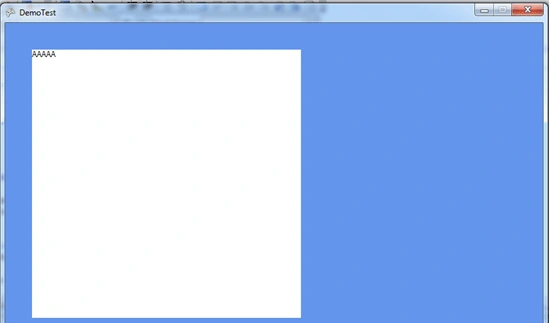
When we press a key,it wrote as we pressed 5 times.Let me explain this:
In Xna, every event happens on Update function depends on Gametime value.1 sec process is repeated 5 times so that the game window refreshes as we want.Why is it 1 sec/5? Because in continuous things like "chasing a car,shooting an opponent" we must see whats happening instantly.The user must feel like he is playing a "Real-time" game.Because of that Gametime repeats 5 times in 1 sec.Even 1 sec can differ sometime.
Lets go back to our project.How we will solve this?
create an int variable and query it on Update function.
int ct = 0; //the start value must be 0 so it cant be repeated.
Then update our Update function seen below:
protected override void Update(GameTime gameTime)
{
base.Update(gameTime);
if (text1.Focused)
{
ct = ct -1;
if(ct < 0)
{
ct = 5;
}
if(ct == 0)
{
KeyboardState ns = Keyboard.GetState();
foreach (Microsoft.Xna.Framework.Input.Keys a in ns.GetPressedKeys())
{
var_text1 = a.ToString();
Text1.Text += var_text1;
}
}
}
}
And you can enter any value without repeating: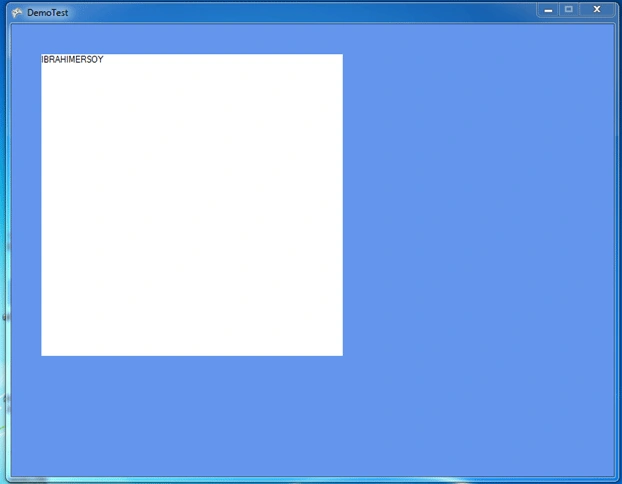
Thats it! You have created a Textbox control inside an XNA Window...
BUTTON Control:
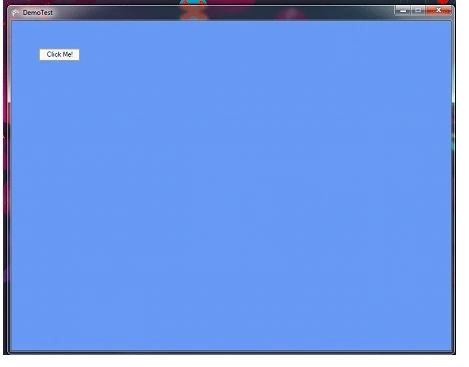
Button control helps us to accept a process.In this section i will be talking about how to add a button control and its eventhandler.
We declare our Button Class first.
Button btn = new Button();
To add this inside project-update Initialize function just like below:
protected override void Initialize()
{
base.Initialize();
btn.Text = "Press Me!";
btn.Location = new System.Drawing.Point(50, 50);
btn.FlatStyle = FlatStyle.Popup;
Control.FromHandle(Window.Handle).Controls.Add(btn);
}
Now lets write down a simple EventHandler that will show us a MessageBox.
protected override void Initialize()
{
base.Initialize();
btn.Text = "Press Me!";
btn.Location = new System.Drawing.Point(50, 50);
btn.FlatStyle = FlatStyle.Popup;
btn.Click += new System.EventHandler(ButtonClick);
Control.FromHandle(Window.Handle).Controls.Add(btn);
}
private void ButtonClick(object sender, EventArgs e)
{
MessageBox.Show("Button is Clicked!");
}
By doing so we have added "Windows Control-Based" events inside XNA Game.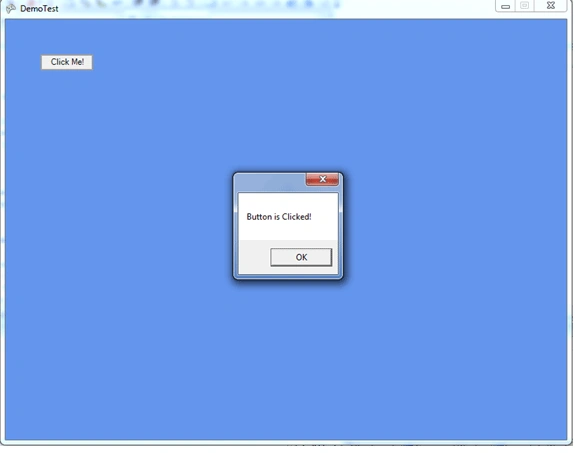
CHECKBOX Control:
Checkbox control helps us to select multi-options.
We declare it as seen below:
CheckBox cb = new CheckBox();
Using it:
protected override void Initialize()
{
base.Initialize();
cb.CheckState = CheckState.Unchecked;
cb.Location = new System.Drawing.Point(50, 50);
cb.Text = "Yes";
cb.BackColor = System.Drawing.Color.CornflowerBlue;
Control.FromHandle(Window.Handle).Controls.Add(cb);
}
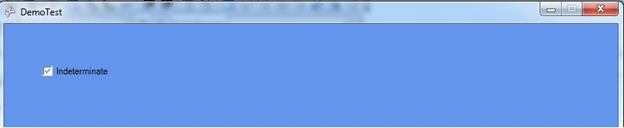
Lets create an eventhandler and change the text value of checkbox object.
protected override void Initialize()
{
base.Initialize();
cb.CheckState = CheckState.Indeterminate;
cb.Location = new System.Drawing.Point(50, 50);
cb.Text = "Indeterminate";
cb.BackColor = System.Drawing.Color.CornflowerBlue;
cb.CheckStateChanged += new EventHandler(CBChanged);
Control.FromHandle(Window.Handle).Controls.Add(cb);
}




Kauan KleinPosted Oct 25, 2016, 9:03 AM
Probably the most useful article I've ever read in my life. Thanks times a million for this!!!
Thiruppathi RPosted May 5, 2016, 6:34 AM
Nice Article.but can do this in vs 2015.
John ArildPosted Aug 26, 2012, 2:08 PM
Hi, when I add System.Windows.Forms and System.Drawing I get errors on input.ButtonStage and Color. It is very confusing since I haven't added anything else to my project. I'm trying this on XNA 4.0 using Visual Studio 2010 Pro.
ave angPosted Feb 21, 2012, 7:38 AM
why my textbox(wpf) can recieve any input when integrate in xna?
DionisioPosted Nov 15, 2010, 2:37 PM
this example has been very helpful to me for learning how to use WinForms and WPF within XNA. good job! thanks
Torpor IdesPosted Apr 23, 2010, 2:33 PM
You're Great!!!! :) Good job man.
Torpor IdesPosted Apr 8, 2010, 9:33 AM
Cool tricks and good explanation but it had a problem when you go fullscreen (graphics.IsFullScreen = true;) the button, in the example seems to blink. You know how to solve it? Thanks and good job. (Sorry for my english)
Roger RammPosted Feb 9, 2010, 2:04 PM
Nice article. Thanks for taking the time to write it. By the way, the samples html link appears to be broken.
Mike GoldPosted Feb 2, 2010, 5:37 PM
Nice article, I like how you bring the windows world into XNA.