

Introduction
In my previous article, I explained working with Ultra Sonic Sensor, and in this article, I'll show you the connection between Arduino and Android using Bluetooth Module.
Requirements:
- Arduino Uno
- Bluetooth Module HC-05
- Android Phone
- Mit App Invertor
- Led
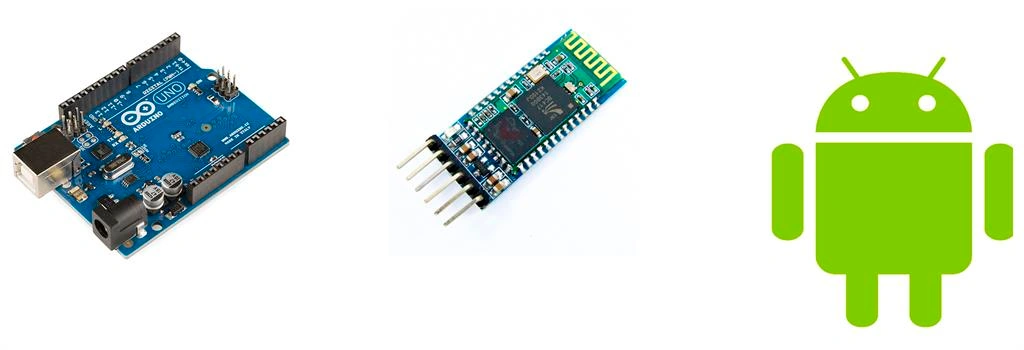
Connections:
Bluetooth Module to Arduino:
- Vcc to 5v
- Gnd to Gnd
- Rx pin to Tx Pin
- Tx pin to Rx Pin
- Led to Digital Pin 5
MIT App Invertor:
- Go to MIT App Invertor 2.
- Start a new project.
- And the design of the app for our BT Connection.
- In the left side corner, we have the palette windows in that we have the required tools just drag and drop and complete the design process.
- After that, we want to make the code for our design part go to the Blocks section, and make the following code shown in figure2.
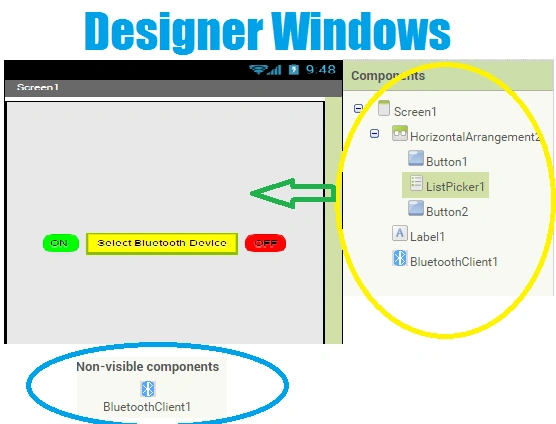
Figure 1: Designer
BLOCKS WINDOW
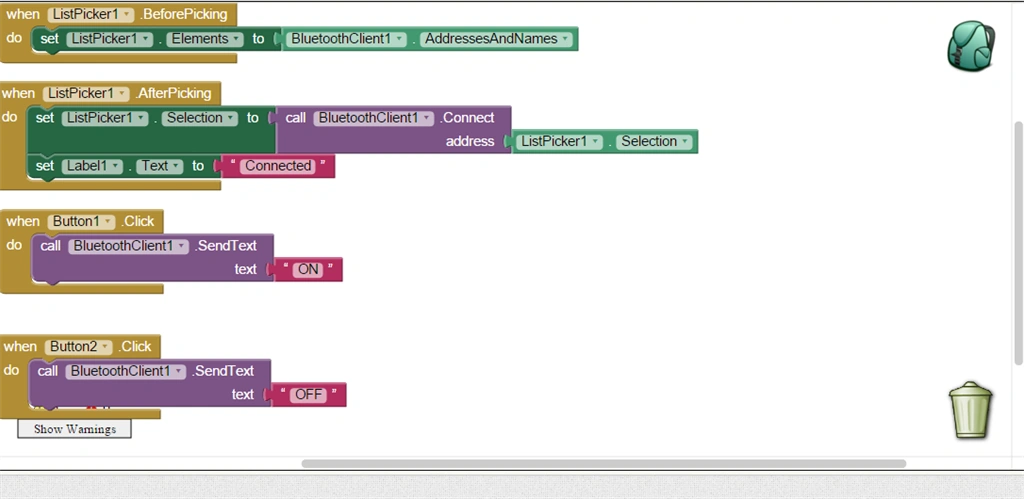
Figure 2: Blocks
Arduino BT Program:
- int ledpin = 5;
- String readString;
- void setup()
- {
- Serial.begin(9600); // Baud Rate
- pinMode(ledpin, OUTPUT);
- }
- void loop()
- {
- while (Serial.available()) //Send data only when you receive data
- {
- delay(4); //delay time
- char c = Serial.read();
- readString += c;
- }
- if (readString.length() > 0)
- {
- Serial.println(readString);
- if (readString == "ON")
- {
- digitalWrite(ledpin, HIGH); // LED ON
- }
- if (readString == "OFF")
- {
- digitalWrite(ledpin, LOW); //LED OFF
- }
- readString = "";
- }
- }
Output:
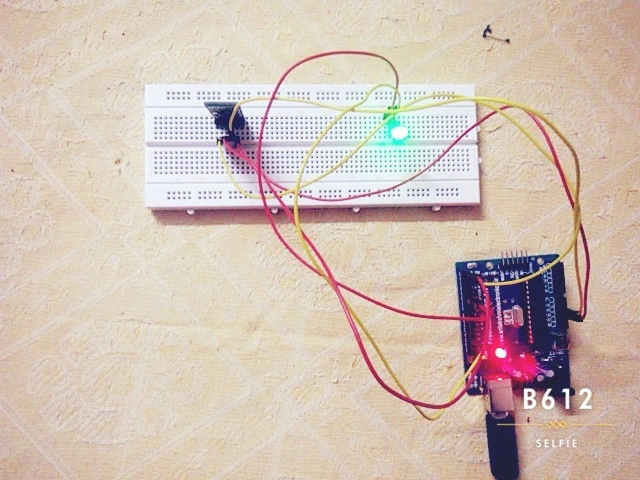
Explanation:
Initialize the variable ledpin=5 declare the string as readString.
void Setup()
In the Setup() function set the baud rate 9600 it sends the data bits per/sec and sets the pinMode to led as OUTPUT and.
void loop():
In the loop() function we want to make the conditions of how BT works based upon our conditions of how the Bluetooth will act.
Serial.available:
- Serial.available is one type of function.
- Serial is used for the communication between the Arduino and other devices like computers, mobile phones, etc.
- All the Arduino boards have an RX pin and the TX pin.
- Based upon these pins the BT makes communication between the Arduino.
- And Serial.Read() it reads the incoming serial data from the Bluetooth.
- If(readString =="ON") this condition is true the led will ON.
- If(readString =="OFF") the led is OFF.
Conclusion
And finally, we conclude that we made the Connection between Arduino to Android using a Bluetooth Device.
Kumaresh RajalingamPosted Feb 17, 2016, 7:20 AM
Thanks Pawan
Pawan TiwariPosted Jan 20, 2016, 4:01 AM
Thanks Kumaresh...
Kumaresh RajalingamPosted Jan 17, 2016, 8:29 PM
Thank you Santhakumar Sir
Santhakumar MunuswamyPosted Jan 17, 2016, 2:31 PM
Thanks for nice share
Kumaresh RajalingamPosted Jan 15, 2016, 6:59 AM
Thank u Shridhar Sharma Sir...
Shridhar SharmaPosted Jan 15, 2016, 5:36 AM
nice post.
Sr KarthigaPosted Jan 14, 2016, 8:18 PM
good one
Kumaresh RajalingamPosted Jan 14, 2016, 8:44 AM
Thank u Karthiga Mam
Kumaresh RajalingamPosted Jan 14, 2016, 8:44 AM
Thank u Nanddeep Nachan sir
Sr KarthigaPosted Jan 14, 2016, 7:07 AM
nice article
Nanddeep NachanPosted Jan 14, 2016, 3:28 AM
Nice share