

In this chapter we will see how to use a map in Windows Phone 8 applications. In Windows Phone we have the map API to develop map-based applications and also the location service.
Let us see the procedure to display maps in Windows Phone 8 applications. Open the Visual Studio 2012 or 2013 IDE and create a new Windows Phone project with a proper name. Once the project is created we can see the Visual Studio IDE with the project as shown in the screen below.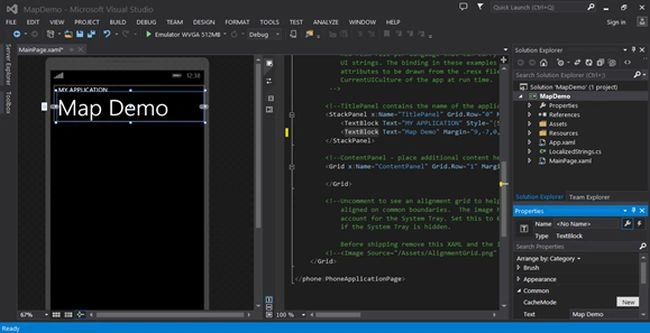
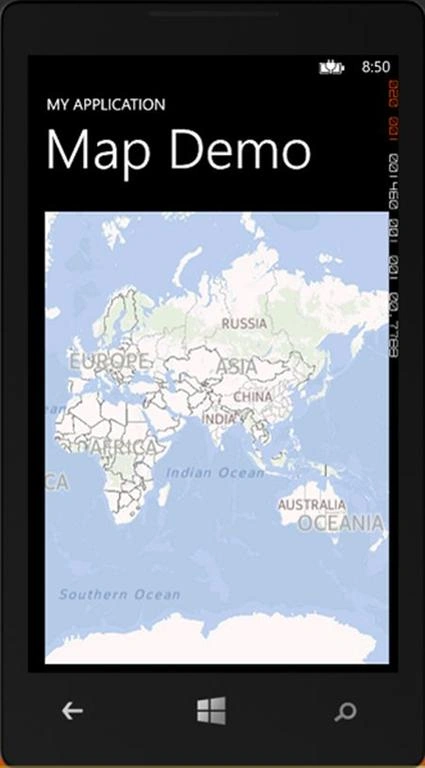
Add the Map control directly using the Map control available in the tool box as shown as in the following, this control will add the maps on running the application to manage the open the maps in the default view. 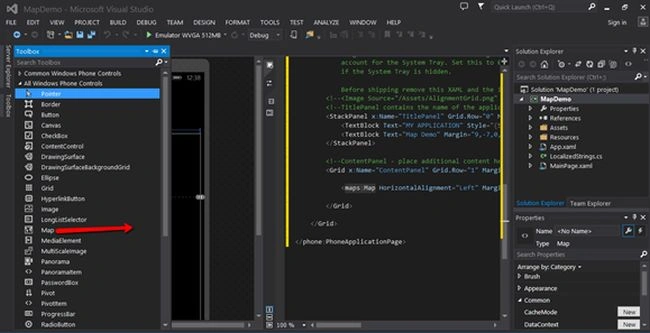
Once the map control is added our screen looks as in the following.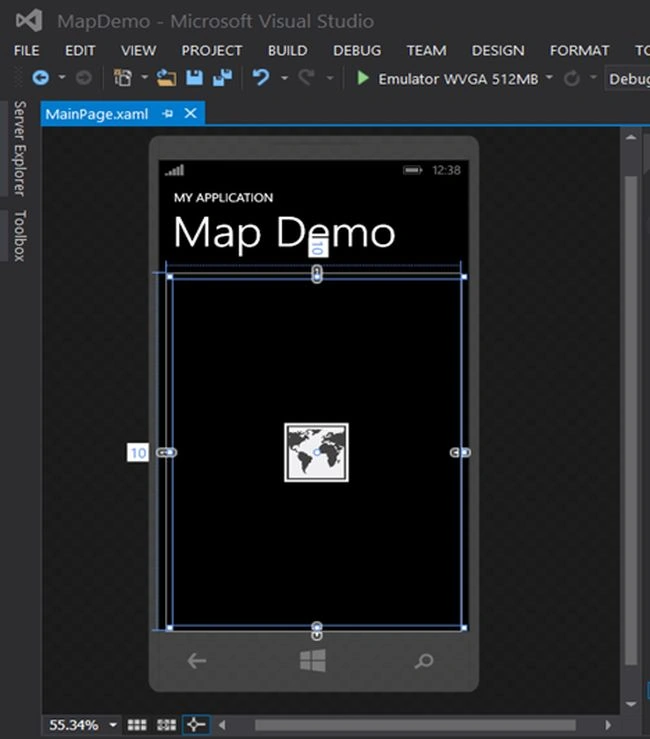
XAML Code
- <Grid x:Name="ContentPanel" Grid.Row="1" Margin="12,0,12,0">
- <maps:Map x:Name="mymap1" HorizontalAlignment="Left" Margin="10,10,0,0" VerticalAlignment="Top" Height="587" Width="446"/>
- </Grid>
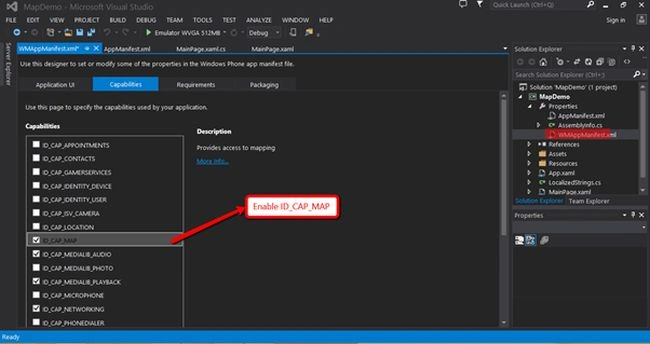
Let as navigate to a specific location in the map. We need to use the GeoCoordinate class to input the Latitude and Longitude parameters and assign it to the map as shown in the code below.
C# Code
- using System;
- using System.Collections.Generic;
- using System.Linq;
- using System.Net;
- using System.Windows;
- using System.Windows.Controls;
- using System.Windows.Navigation;
- using Microsoft.Phone.Controls;
- using Microsoft.Phone.Shell;
- using MapDemo.Resources;
- namespace MapDemo
- {
- public partial class MainPage : PhoneApplicationPage
- {
- // Constructor
- public MainPage()
- {
- InitializeComponent();
- mymap1.Center = new System.Device.Location.GeoCoordinate(13.0833,80.7800);
- }
- }
- }
Suresh MPosted Sep 22, 2014, 12:35 AM
Thank you...
Saineshwar BageriPosted Sep 20, 2014, 11:58 PM
Nice article sir