

Steps to work with LINQ to SQL or OR-Mapping tool to display the data in DataGridView.
Step1: Creating DBML file,
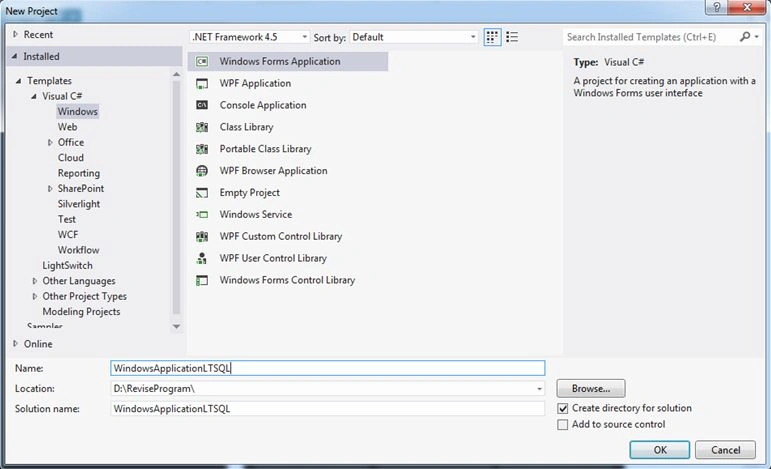
Create Windows Forms Application.
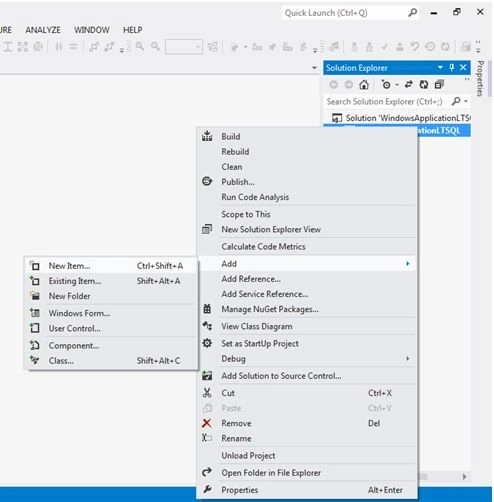
Go to Solution Explorer, with right mouse button click add, and then click New Item.
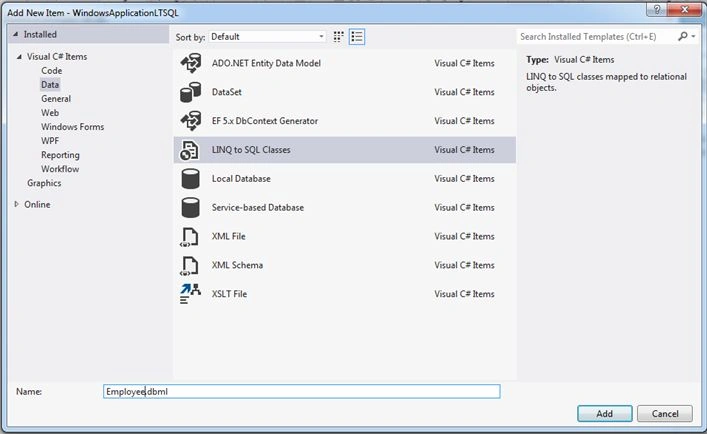
Select data from Visual C# installed item and then select LINQ to SQL classes Template. Type the file name within parenthesis Employee.dbml and click Add,
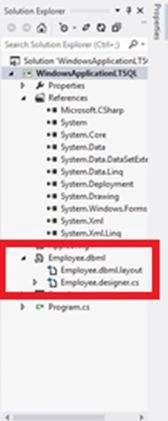
This will create employee DBML file (shown in red Box).
Step 2: Connecting to database
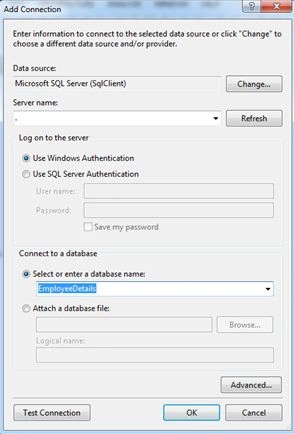
Go to server explorer, select data connection, with right mouse button click on add connection. Then change select Microsoft SQL server data service. select the data provider as .NET frame work data provider for SQL server.
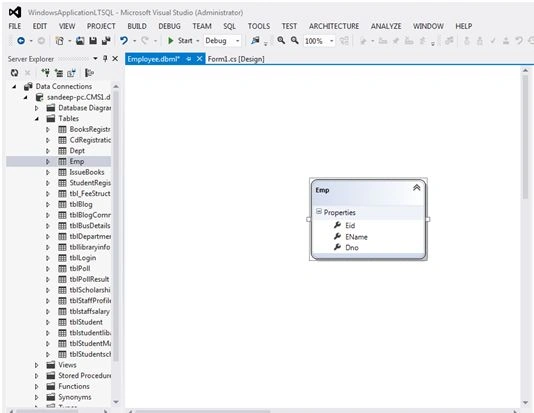
Double click on 'Tables', drag the table Emp on to the left side part of DBML file. This will create class with name EMP and properties as same name as table fields.
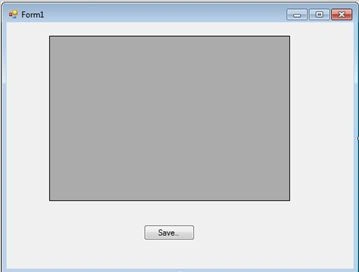
Design the windows form and write the following code,
- using System;
- usingSystem.Collections.Generic;
- usingSystem.ComponentModel;
- usingSystem.Data;
- usingSystem.Drawing;
- usingSystem.Linq;
- usingSystem.Text;
- usingSystem.Threading.Tasks;
- usingSystem.Windows.Forms;
- namespaceWindowsApplicationLTSQL
- {
- publicpartialclassForm1: Form
- {
- EmployeeDataContextobjdc = newEmployeeDataContext();
- public Form1()
- {
- InitializeComponent();
- }
- privatevoid Form1_Load(object sender, EventArgs e)
- {
- dataGridView1.DataSource = objdc.Emps;
- }
- privatevoidbtnSave_Click(object sender, EventArgs e)
- {
- objdc.SubmitChanges();
- MessageBox.Show("Data is updatated to Database ");
- }
- }
- }
Step 1: Create dbml File.
Step 2: Connecting to database.
Sibeesh VenuPosted Dec 25, 2015, 10:15 AM
Nice Share
Raja TPosted Dec 25, 2015, 1:45 AM
Nice,Thanks for sharing