

Introduction
This article explains how Java Beans work and form processing in JSP using Java Beans. The NetBeans IDE is used for the sample examples.
Form Processing using JavaBean
Forms are a very common method of interaction in web sites, it is a common way to interact with the users directly. JSP makes form processing especially easy.
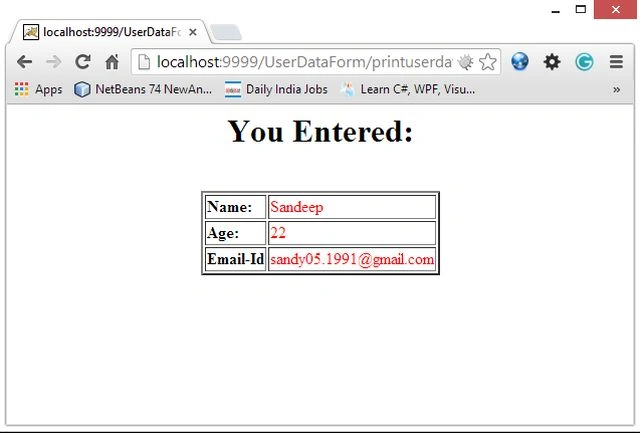
It is a standard way of handling forms in JSP using a "bean". I already defined "Java Bean" in my previous article. So by using "setter" and "getter" methods of the Beans class, we create a user interaction form and display user properties as they provided.
For creating a form we need to follow a procedure in the NetBeans IDE.
Step 1
Open the NetBeans IDE.
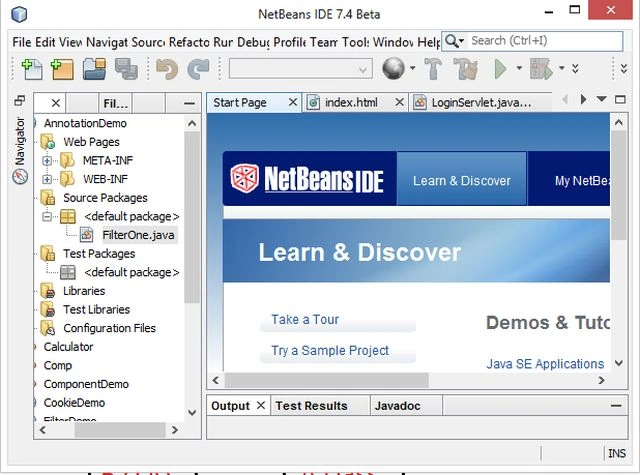
Step 2
Choose "Java web" -> "Web application" as shown below
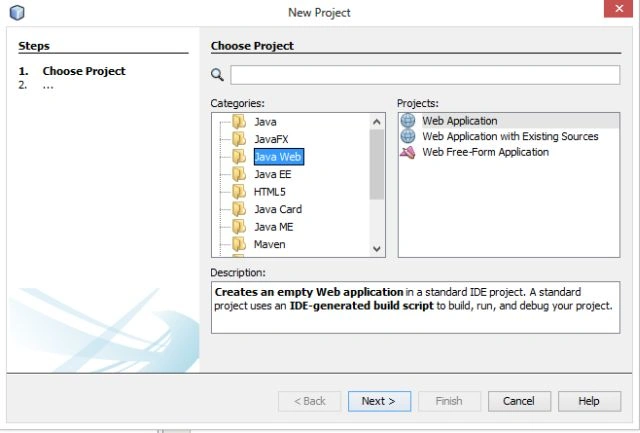
Step 3
Type your project name as "UserDataForm" as in the following.
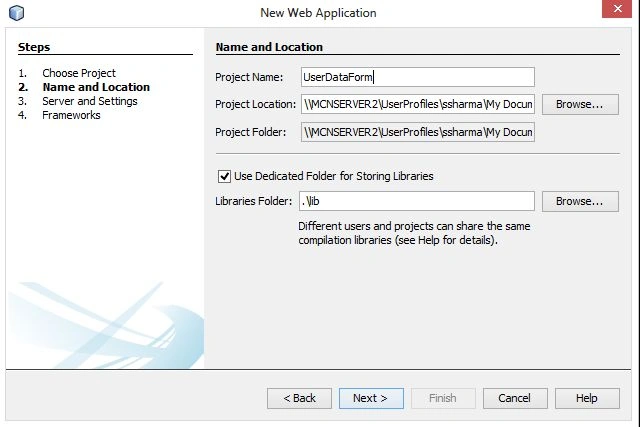
Step 4
Now choose your Java version and server wizard as shown below.
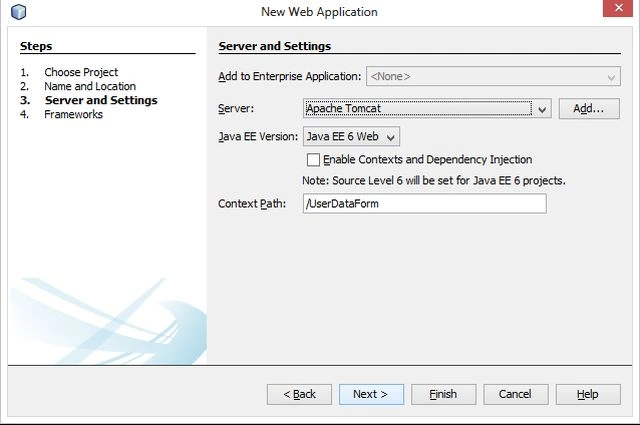
Step 5
Now delete the default "index.jsp" file and create a new HTML file named "userdata.html" and provide the following code.
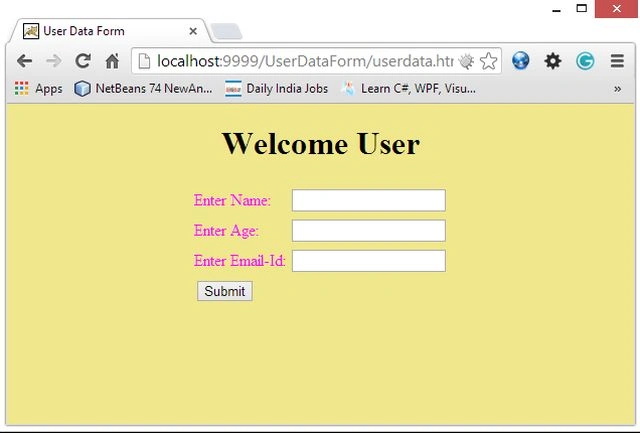
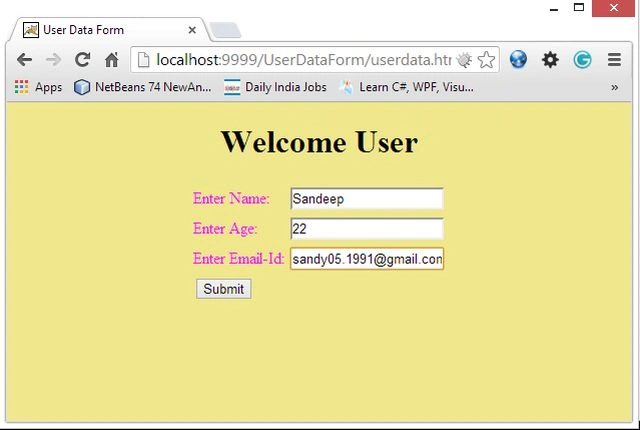
This file is used to provide an interface to the user through which they enter his "name", "age" and "email-id".
userdata.html
<!DOCTYPE html>
<html>
<head>
<title>User Data Form</title>
<meta http-equiv="Content-Type" content="text/html; charset=UTF-8">
<meta name="viewport" content="width=device-width">
</head><center>
<form method="post" action="printuserdata.jsp">
<body bgcolor="khaki">
<h1>Welcome User</h1>
<table>
<tr>
<td>
<font color="magenta"<b>Enter Name:</b></font>
</td>
<td>
<input type="text" name="uname">
</td>
</tr>
<tr>
<td>
<font color="magenta"<b>Enter Age:</b></font>
</td>
<td>
<input type="text" name="uage">
</td>
</tr>
<tr>
<td>
<font color="magenta"<b>Enter Email-Id:</b></font>
</td>
<td>
<input type="email" name="uemail">
</td>
</tr>
<tr>
<td>
<input type="submit" value="Submit">
</td>
</tr>
</table>
Join the conversation! Your thoughts help the community grow.