

The following are some of the benefits of API management.
- Work with any host and any API
- Attract more developers
- Secure and optimize your APIs
- Gain Insights into your API
The following are the requirements to create an API management account in Azure portal.
- Azure account
Login into Azure management portal.
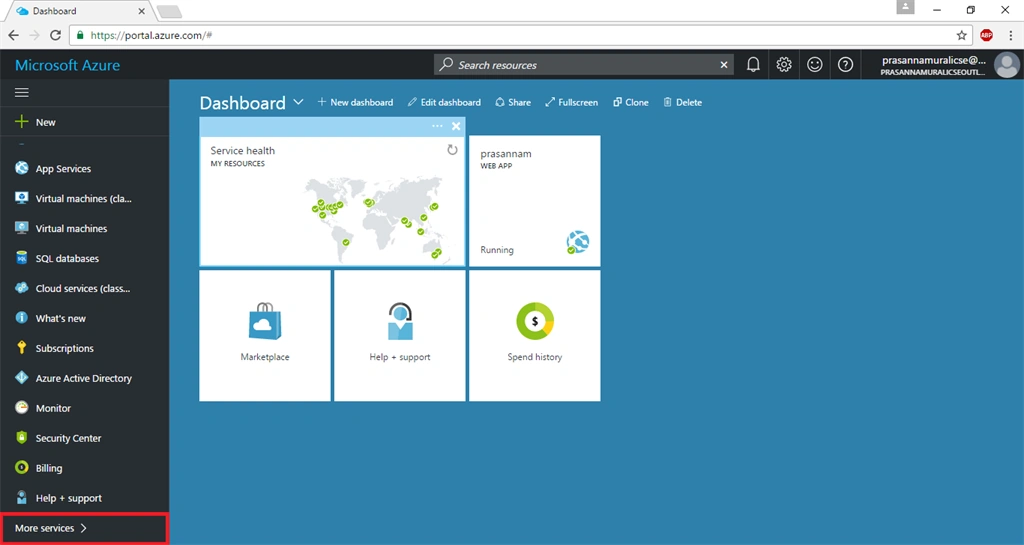
Once the dashboard appears, now it’s time to create API management account in Azure portal. Click browse option.
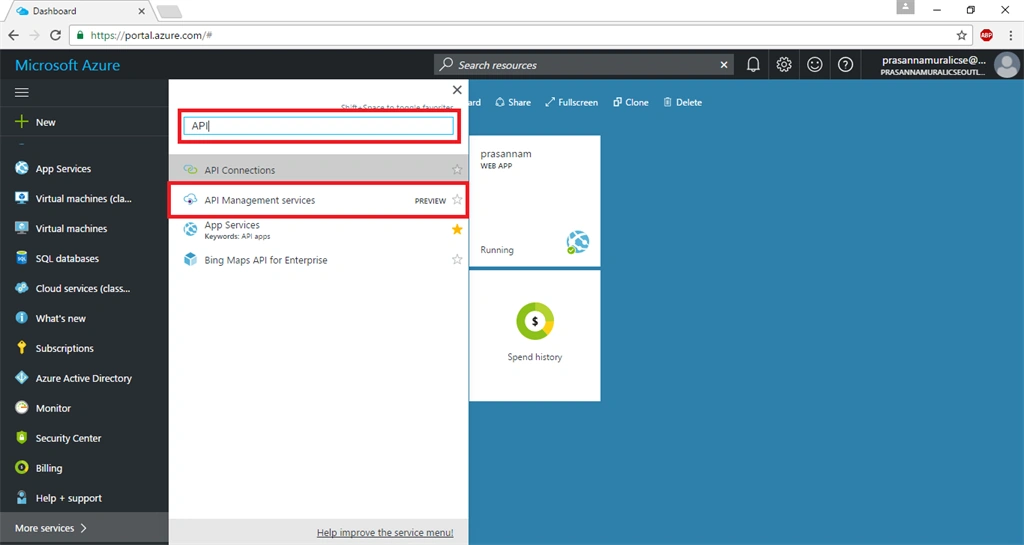
In the browse option, now scroll down and find API management or simply search API management in the search Window.
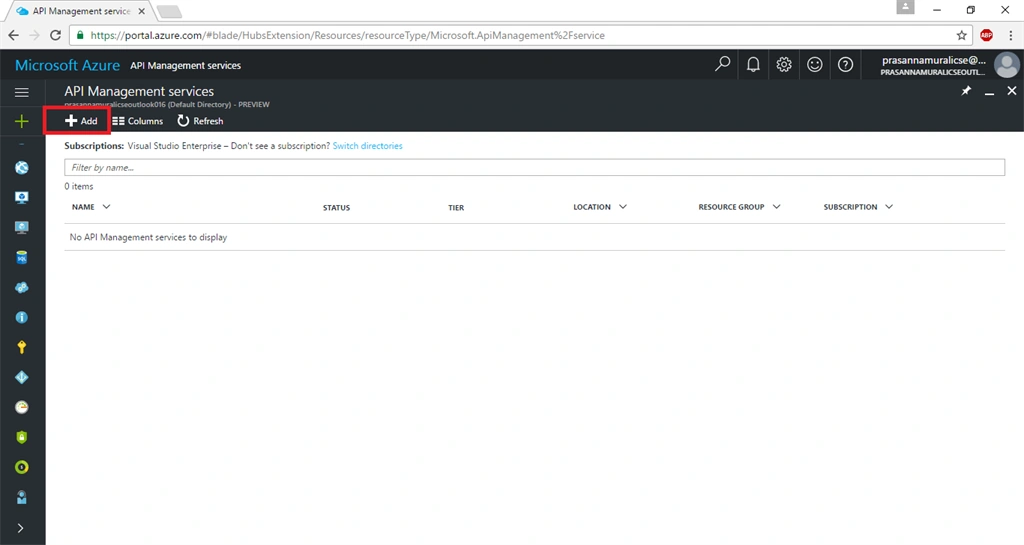
Now, in API management creation wizard, click add option.
Subsequently, fill in all the mandatory fields to create an API management account.
- Name- It provides the name of API account.
- Resource Group- It provides the resource group in which you need to deploy an API account.
- Pricing tier- Choose any one from the available price tags.
- Organization Name- Please provide the name of your organization.
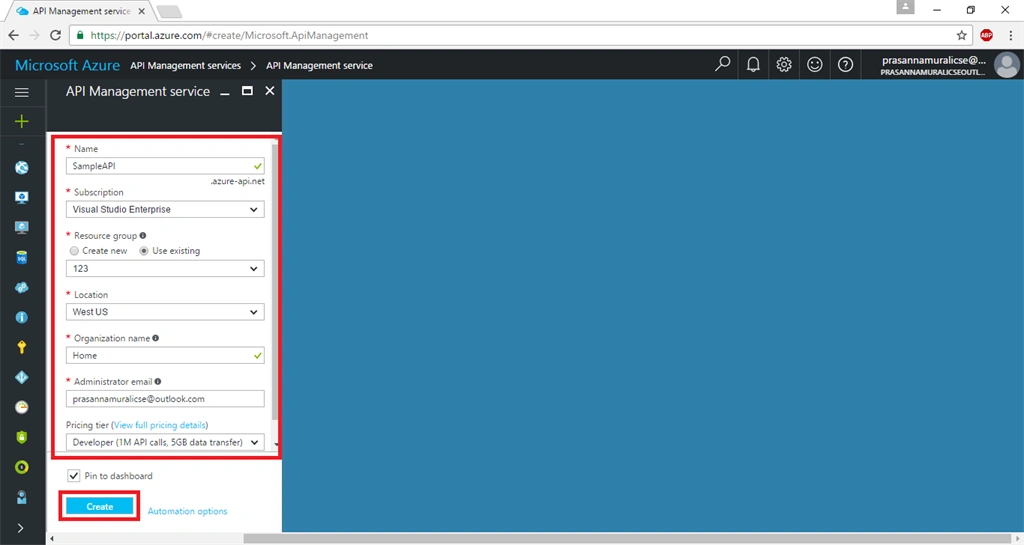
Hit create option to create an account. It takes some time to create and activate the API account.
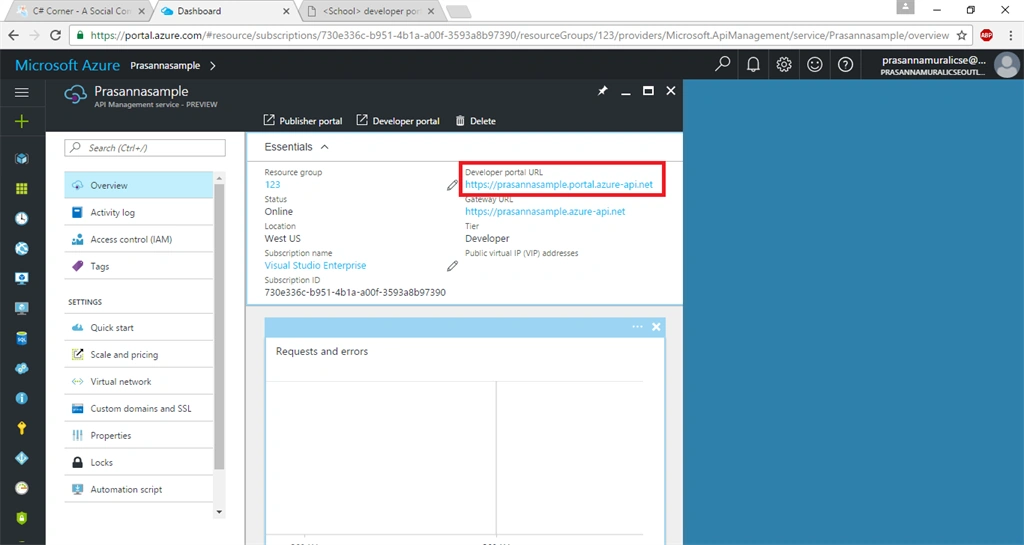
After some time, you will be able to find the developer URL in your account settings blade.
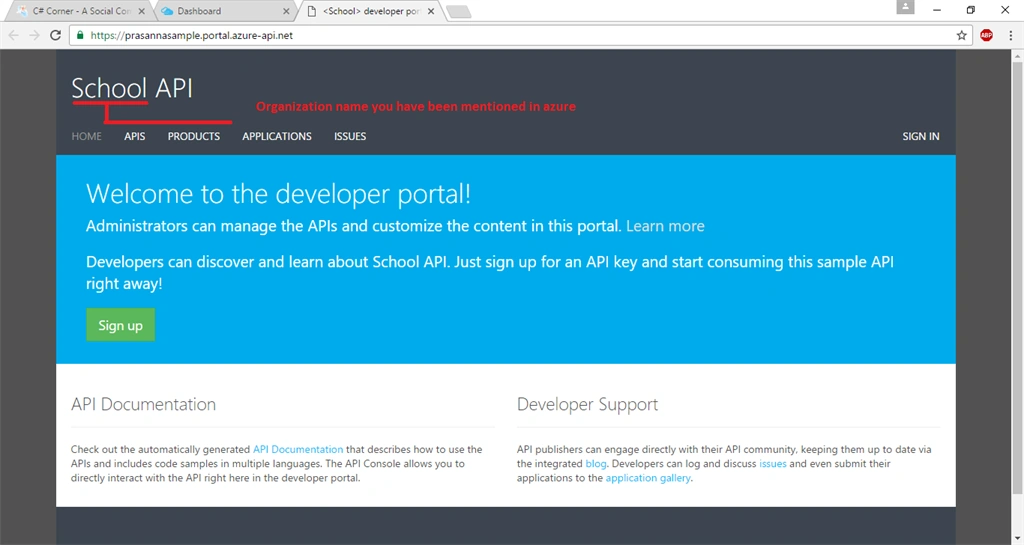
You will be navigated to a developer account. In this, you will be able to find your organization name.
Join the conversation! Your thoughts help the community grow.