

Introduction
In this article, we are going to describe cryptographic data security using the cipher class of Java. I describe a Cipher class with its constructor or method details. And I give you an example; that's why you can easily understand its uses.
Encryption and Decryption
Encryption is the conversion of data into a form, called a cipher text, that cannot be easily understood by unauthorized people. Decryption is the process of converting encrypted data back into its original form, so it can be understood. In other words, cryptography and encryption is the process of transforming information (referred to as plaintext) using an algorithm (called a cipher) to make it unreadable to anyone except those possessing a special knowledge, usually referred to as a key. The result of the process is encrypted information (in cryptography, referred to as cipher text). The reverse process, i.e., to make the encrypted information readable again, is referred to as decryption.
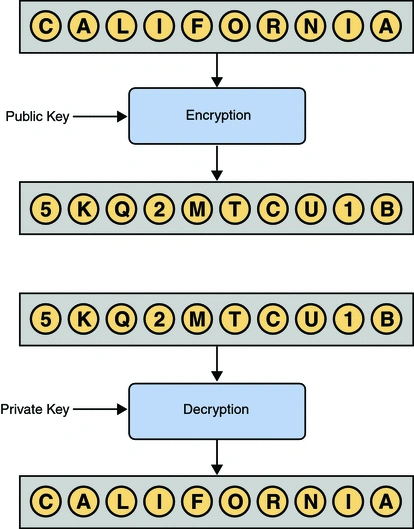
Cipher class
In Java Cipher is a sprat class and this class is given in the javax.crypto package. This class is specially designed for encryption and decryption. It provides the functionality of a cryptographic cipher for encryption and decryption. It forms the core of the Java Cryptographic Extension (JCE) framework. In order to create a Cipher object, the application calls the Cipher's getInstance method, and passes the name of the requested transformation to it. Optionally, the name of a provider may be specified.
Cipher Constructor details
Syntax
- protected Cipher(CipherSpi cipherSpi ,Provider provider,String transformation)
cipherSpi - the delegate
provider - the provider
transformation - the transformation
Example
- import javax.crypto.Cipher;
- import javax.crypto.KeyGenerator;
- import javax.crypto.SecretKey;
- import javax.swing.JOptionPane;
- public class EncryptionExample {
- public static void main(String[] args) throws Exception {
- // create a key generator based upon the Blowfish cipher
- KeyGenerator keygenerator = KeyGenerator.getInstance("Blowfish");
- // create a key
- SecretKey secretkey = keygenerator.generateKey();
- // create a cipher based upon Blowfish
- Cipher cipher = Cipher.getInstance("Blowfish");
- // initialise cipher to with secret key
- cipher.init(Cipher.ENCRYPT_MODE, secretkey);
- // get the text to encrypt
- String inputText = JOptionPane.showInputDialog("Input your message: ");
- // encrypt message
- byte[] encrypted = cipher.doFinal(inputText.getBytes());
- // re-initialise the cipher to be in decrypt mode
- cipher.init(Cipher.DECRYPT_MODE, secretkey);
- // decrypt message
- byte[] decrypted = cipher.doFinal(encrypted);
- // and display the results
- JOptionPane.showMessageDialog(JOptionPane.getRootFrame(),
- "Enter text for Encryption: " + new String(encrypted) + "\n"
- + "Decryted tag: " + new String(decrypted));
- // end example
- System.exit(0);
- }
- }
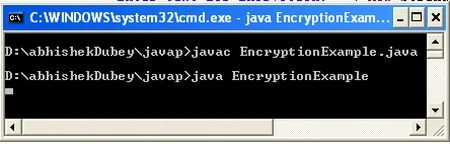
cmd output
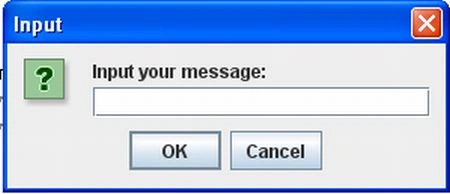
The following dialog box will appear
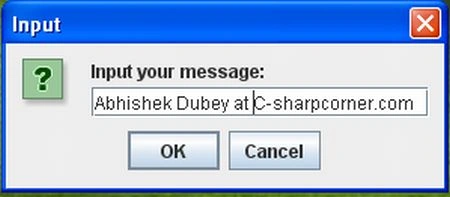
Now you enter your message in the following dialog box
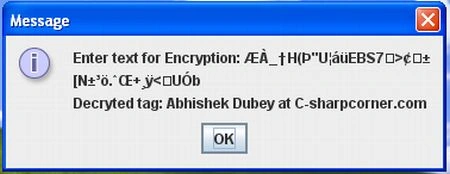
The following dialog box show you the message in the encrypted form and decrypted form.
Jkl TechPosted Jul 1, 2016, 8:32 AM
How to do it in C#, please help us......