

Introduction
In this article we are going to see how to encrypt data and use it in Windows
phone 7 application development. Security is mainly a concern for developing
applications with mobile since misusing of data like Passwords, connection
strings etc. are highly possible which we need to take care by encrypting and
decrypting where ever possible. In Windows Phone 7 we have Data Protection API
which can be used to encrypt the data, storing the confidential data with in the
Application Isolated Storage or with encrypting using the local keys is not
highly secure since the keys that are required to decrypt the data will reside
on the device itself. Data protection API solves this problem of explicitly
generating and storing the key. ProtectData class is used to access the Data
Protection APIs that can be used with the inbuilt methods which we are going to
see in this article.
Data Protection API's uses the Protect Method and UnProtect Method which are
used to encrypting and decrypting the data as and when required which using the
dynamic key generations as and when called. Let us see the step by step process
on how to use these methods to encrypt the data and decrypt it in this article.
Steps
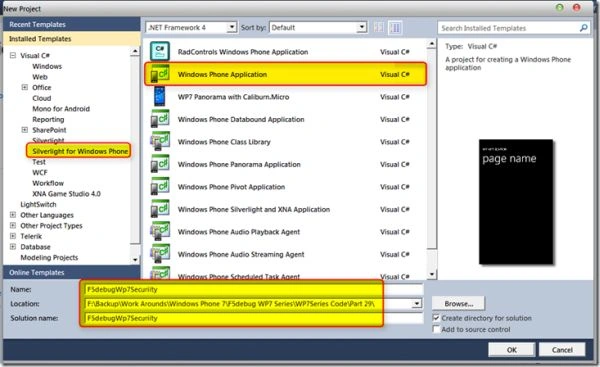
Open visual studio 2010 IDE in administrator mode and create a new Silverlight
for Windows phone 7 application with a valid project name as shown in the screen
below.
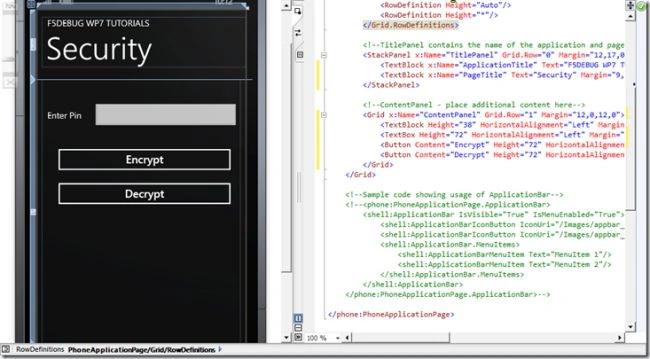
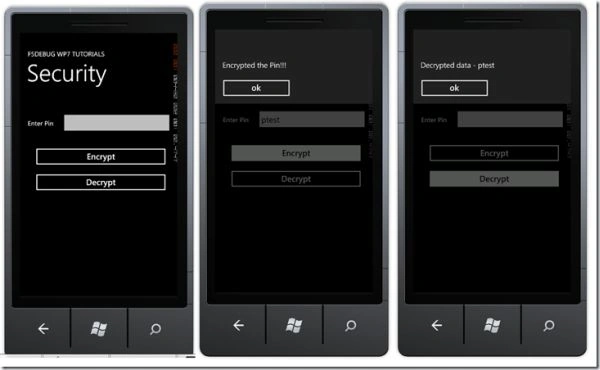
Now let us design the application to get the inputs from the user to encrypt the
data and store the pin in the isolated storage using the Protectdata method.
Once we added the controls to the page we can see the screen as shown in the
screen below.
Let us start with our code behind to add the core logic to encrypt the data, to
do that we need to import some namespaces which are not available initially.
Copy and paste the below 4 namespaces to the code behind as shown below.
Code Behind
using System.IO;
using System.IO.IsolatedStorage;
using System.Text;
using
System.Security.Cryptography;
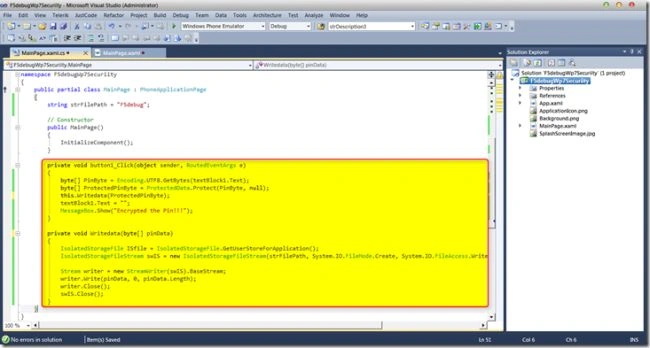
Once we added the using statement, we need to add the below code to encrypt the
data which the user inputs the data as shown in the screen below. In this code
we are going to encrypt the pin to the byte array using the protect method.
Code Behind
private
void button1_Click(object
sender, RoutedEventArgs e)
{
byte[] PinByte =
Encoding.UTF8.GetBytes(textBlock1.Text);
byte[] ProtectedPinByte =
ProtectedData.Protect(PinByte, null);
this.Writedata(ProtectedPinByte);
textBlock1.Text =
"";
MessageBox.Show("Encrypted
the Pin!!!");
}
private void Writedata(byte[]
pinData)
{
Vipendra VermaPosted Apr 30, 2012, 7:13 PM
I want to know how we can protect out data from unauthorized used on internet.