

Prerequisites
- Azure account
- PUTTY Software
Now let's get started with the following steps:
Create a new virtual machine
Step 1: Sign in to the online Microsoft Azure Portal.
Step 2: In the Jumpbar, click New, then Search for Red Hat Enterprise, and then click Red Hat Enterprise 7.2.
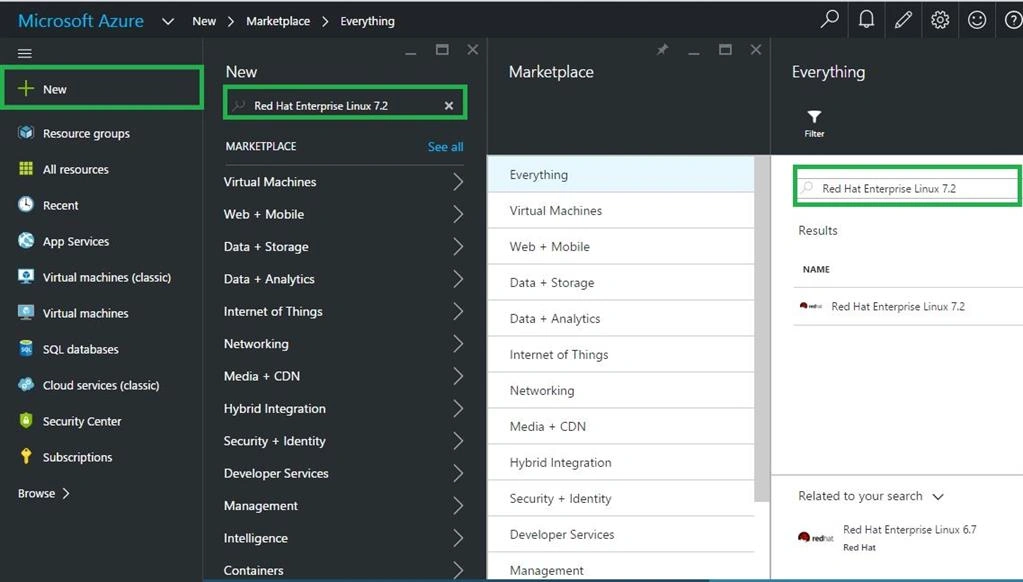
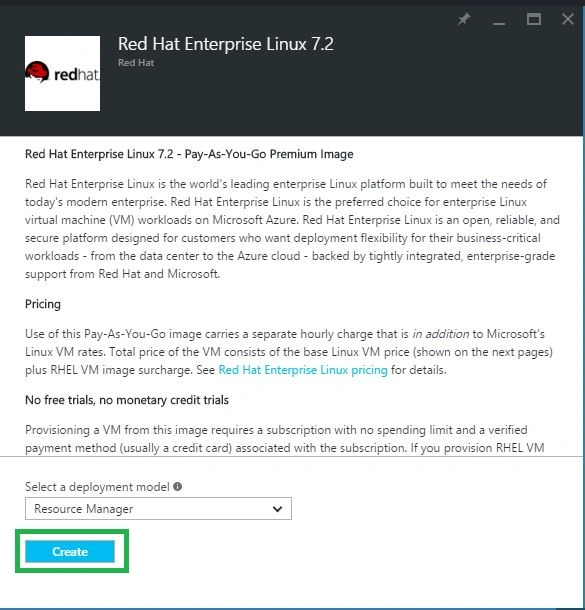
Step 4:
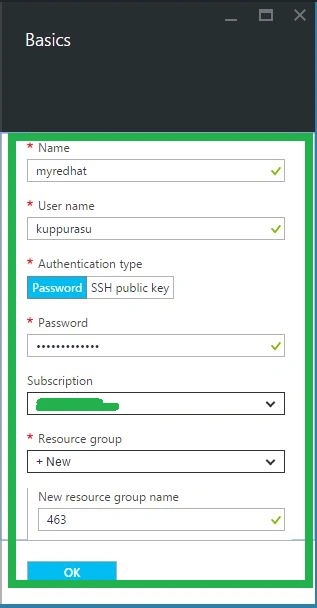
In the Virtual Machine account blade, specify the desired configuration for the VM account (Name, User Name, Password & Resource Group). Click Create button at the bottom of the screen to create the Virtual Machine.
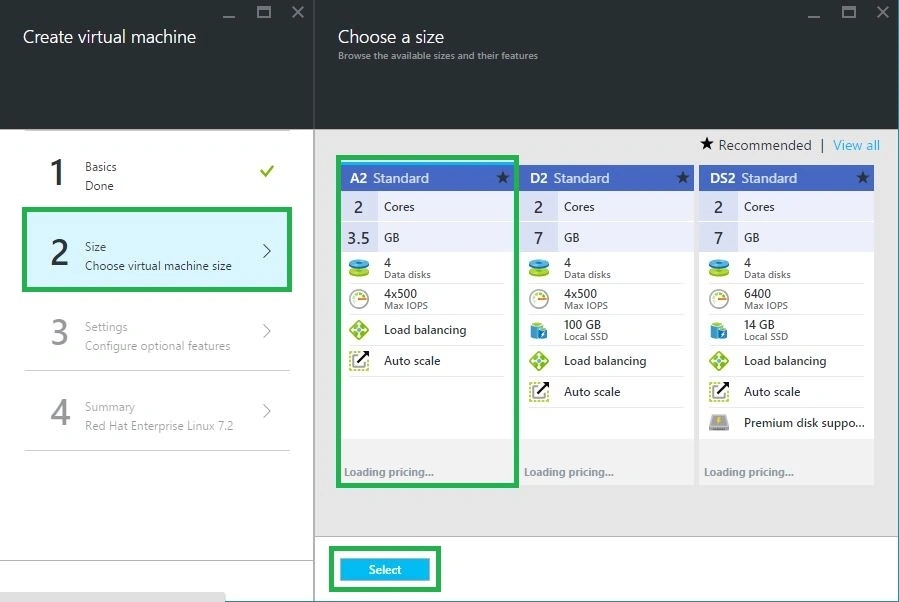
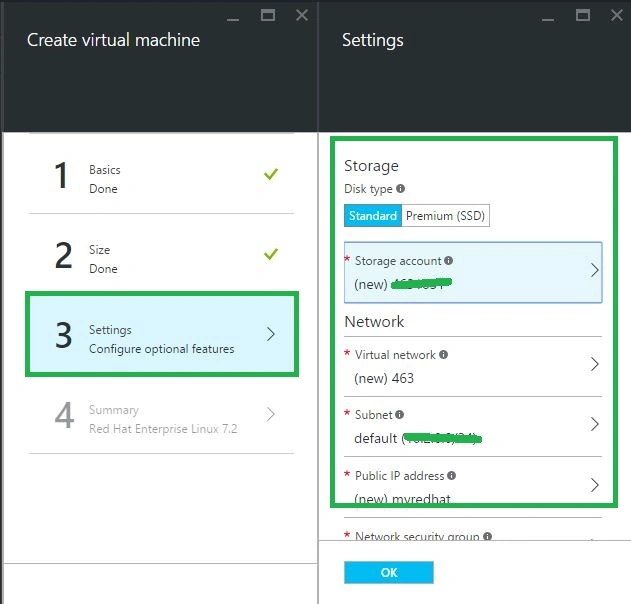
Step 7: Finally verify our all information and Click OK Button.
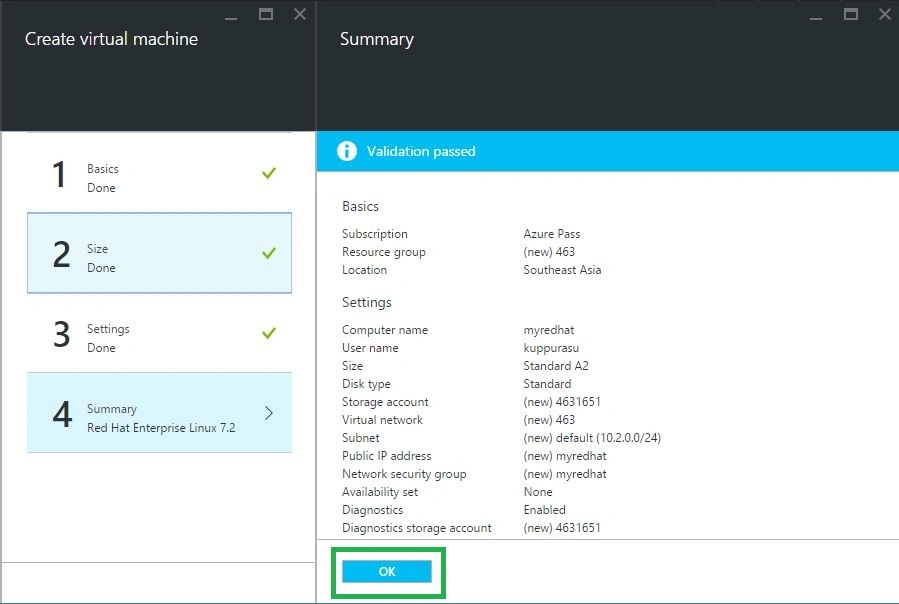
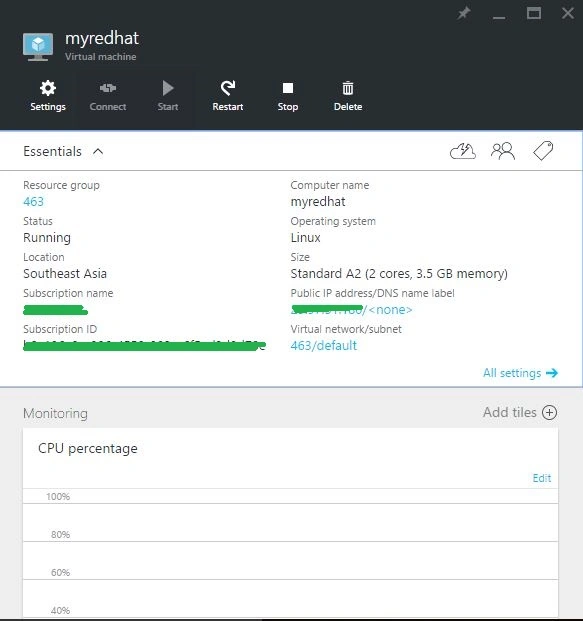
After a few minutes your virtual machine will be configured on the dashboard then copy server IP Address for connecting Putty Software.
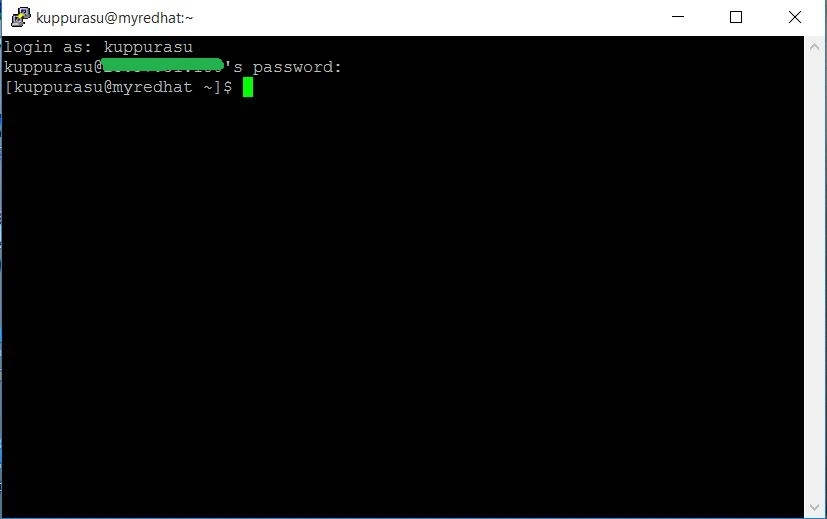
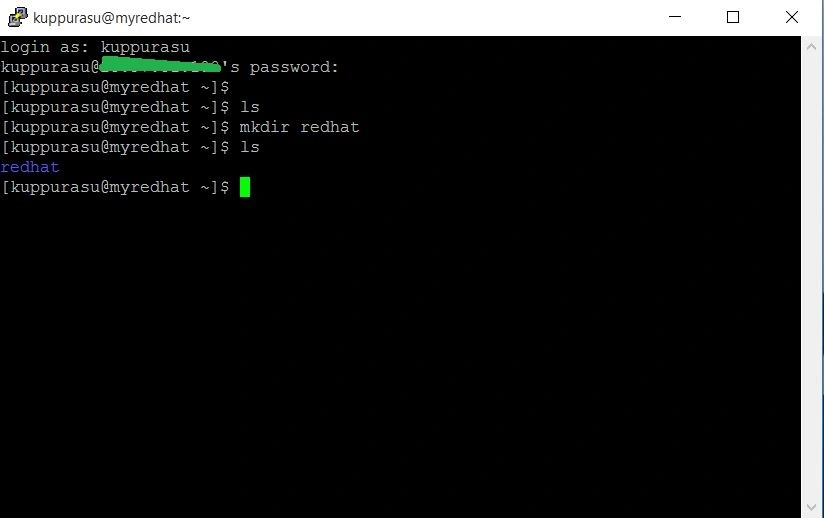
Connect to your new virtual machine by using PUTTY
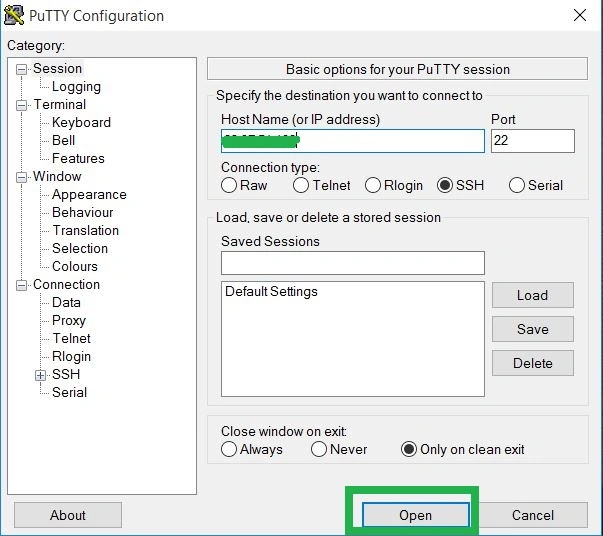
Open Putty software and type Redhat server IP Address and click Open button
Read more articles on Azure:
Amit DavePosted May 3, 2016, 6:55 AM
Nice article!
Sonu ChaudharyPosted May 2, 2016, 5:54 AM
Thanks for sharing
Debasis SahaPosted May 1, 2016, 1:51 PM
Good One..
Vignesh ManiPosted May 1, 2016, 9:13 AM
Nice sir