

Introduction
This article introduces ASP.NET Web Applications using the Single Page Application project template newly defined in the Visual Studio 2013 Release Candidate version. In the previous version of Visual Studio this was named SPA Template but in this version Microsoft renamed this project template.
In that context, I am defining the various types of templates available with the Visual Studio 2013 RC as in the following:
- Empty template
- Web Forms template
- MVC template
- Web API template
- Single Page Application template
- Facebook template
So, let's start to create a Single Page Template with an application. You can also review my previous article to create an application with these templates.
Single Page Application Template
This application is based on this template loading an HTML page at first and then dynamically updating the page instead of loading the page. When the page loads initially, the SPA integrates with the server by AJAX.
It creates an application in which HTML 5, Java Script and KnockoutJS is used on the client-side and the Web API on the server-side.
Note: Microsoft continues to improve the Single Page Application template. Additional improvements might be released in the next version of Visual Studio.
So, create an ASP.NET Application with the SPA template using the following procedure.
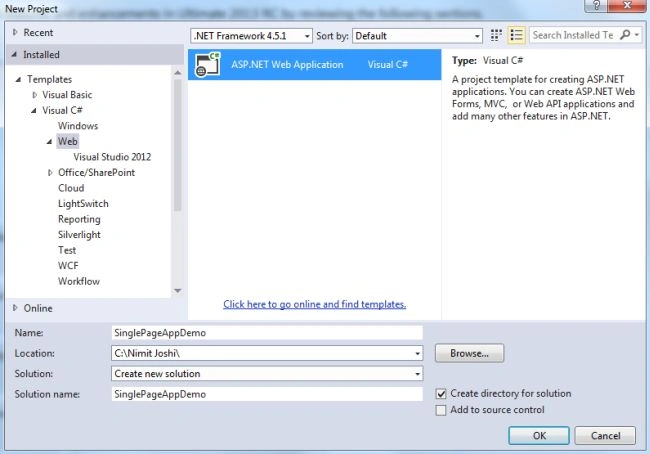
Step 1: Create a new ASP.NET Web Application.
Step 2: Select the "Single Page Application" project template.
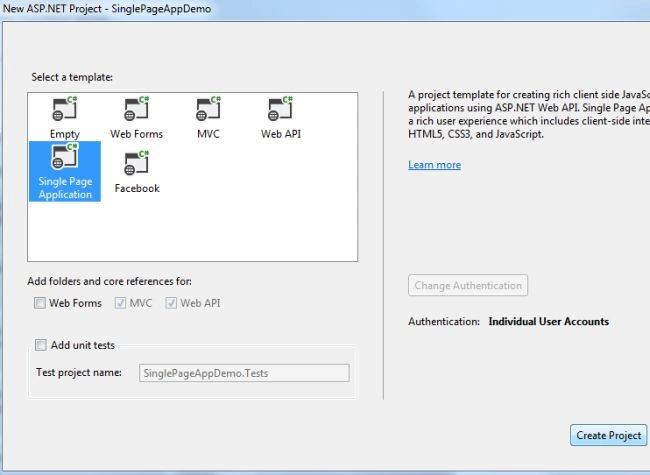
Note: There is only one authentication provided here by Individual User Account.
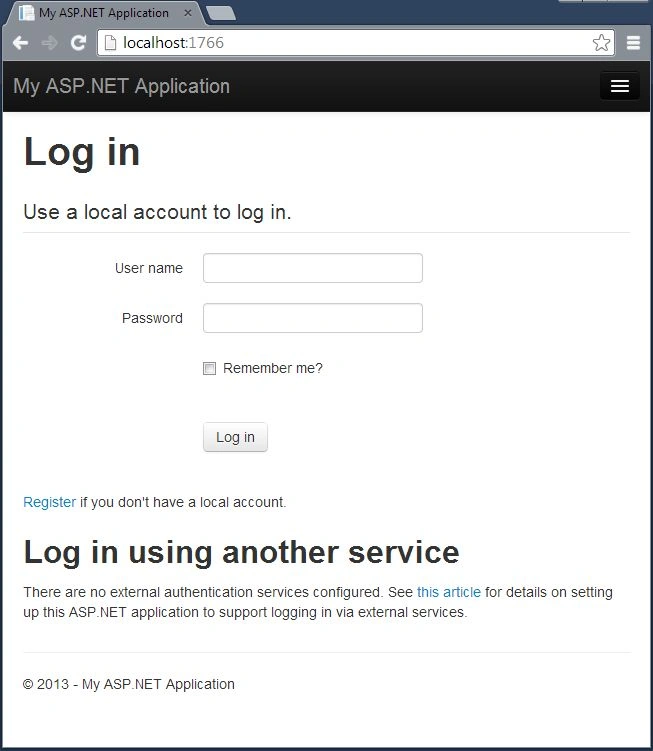
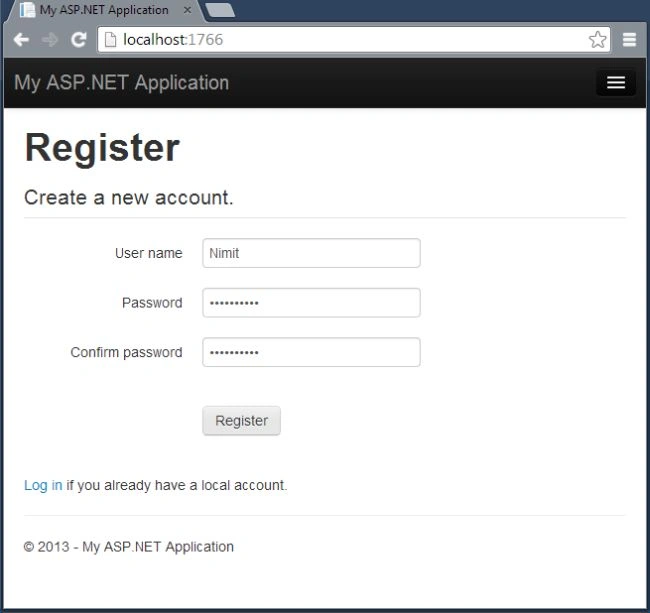
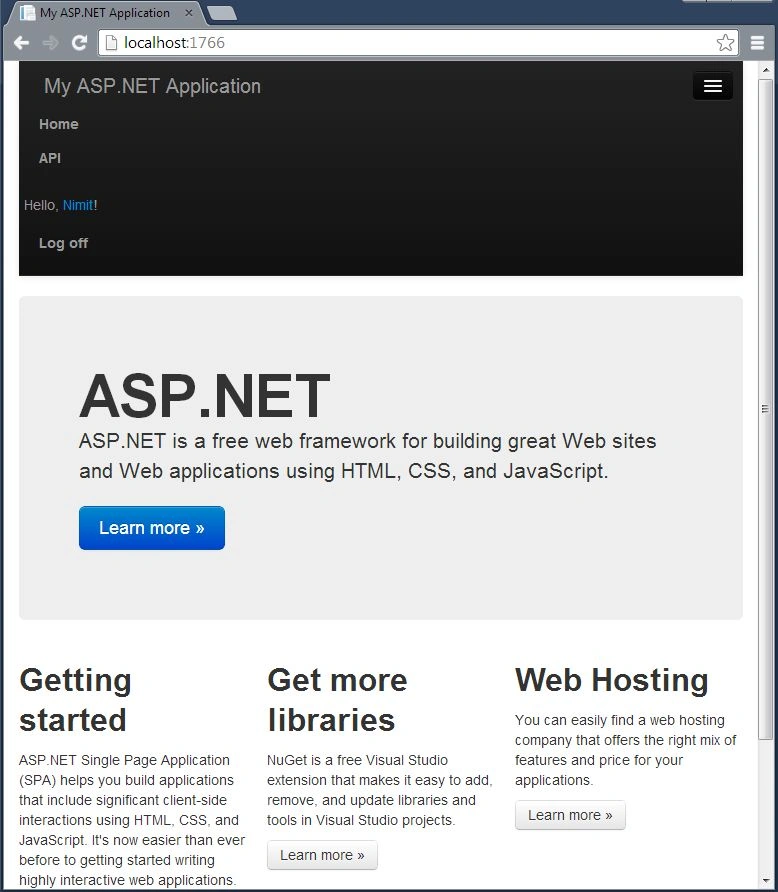
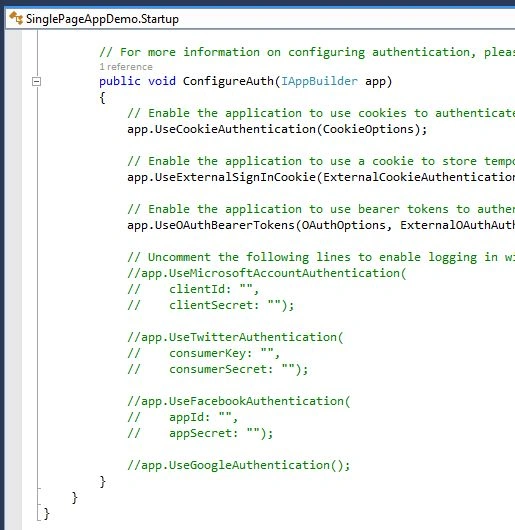
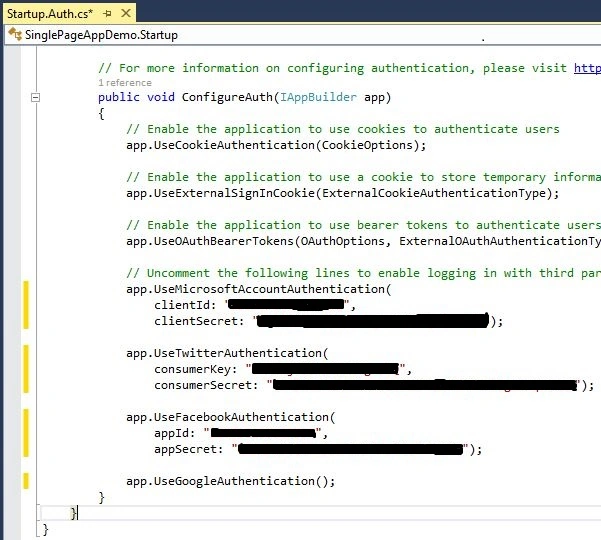
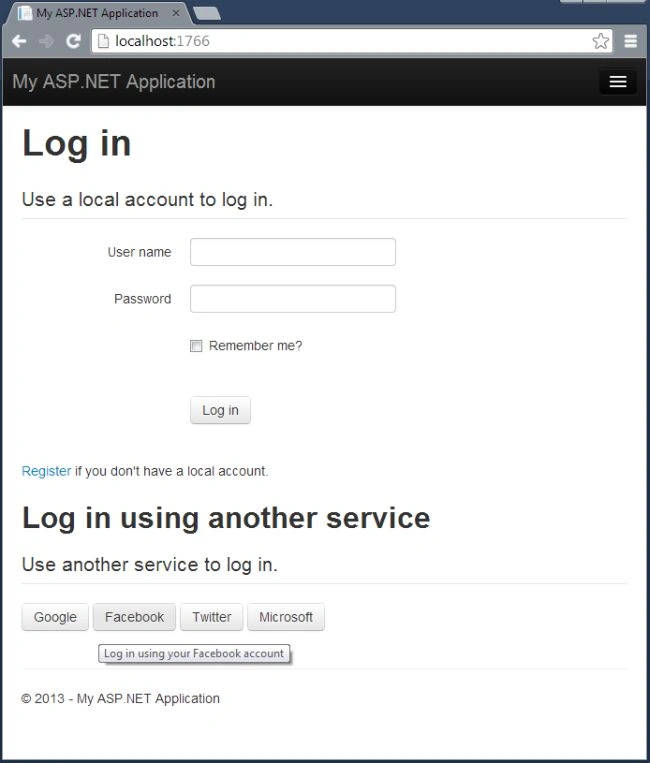
Step 3: Debug your application in your selected browser.

Jon DavisPosted Jan 12, 2014, 4:07 PM
This demonstrates how to run the template and log in. It doesn't demonstrate how to customize the template, which has coding conventions already baked in.