
Introduction
-
SqlDbType: It is used to set the SQL Server Datatypes for a given
parameter.
- ParameterName: It is used to specify a parameter name.
- Direction: It is used for setting the direction of a SqlParameter. It is Input or Output or both (InputOutput).
- Size: It is used to set the maximum size of the value of the parameter.
- Value: It is used for assigning or getting the value of the parameter.
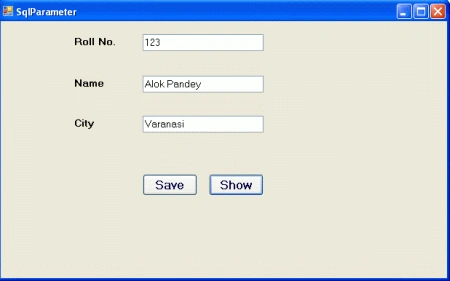
Now, take a Windows Forms application in Visual Studio 2010. Take some UI Controls and arrange them as shown in the figure below
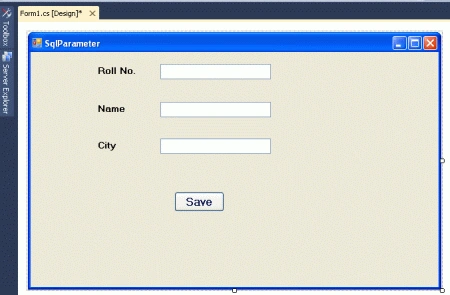 Write the following code for saving a record into the database.
- using System;
- using System.Collections.Generic;
- using System.ComponentModel;
- using System.Data;
- using System.Drawing;
- using System.Linq;
- using System.Text;
- using System.Windows.Forms;
- using System.Data.SqlClient;
- namespace WorkWithSqlParameterClass {
- public partial class Form1: Form {
- public Form1() {
- InitializeComponent();
- }
- SqlConnection conn;
- SqlCommand comm;
- string connstring = "database=student;server=.;user=sa;password=wintellect";
- private void btnsave_Click(object sender, EventArgs e) {
- conn = new SqlConnection(connstring);
- conn.Open();
- comm = new SqlCommand();
- comm.Connection = conn;
- //Creating instance of SqlParameter
- SqlParameter PmtrRollNo = new SqlParameter();
- PmtrRollNo.ParameterName = "@rn"; // Defining Name
- PmtrRollNo.SqlDbType = SqlDbType.Int; // Defining DataType
- PmtrRollNo.Direction = ParameterDirection.Input; // Setting the direction
- //Creating instance of SqlParameter
- SqlParameter PmtrName = new SqlParameter();
- PmtrName.ParameterName = "@nm"; // Defining Name
- PmtrName.SqlDbType = SqlDbType.VarChar; // Defining DataType
- PmtrName.Direction = ParameterDirection.Input; // Setting the direction
- //Creating instance of SqlParameter
- SqlParameter PmtrCity = new SqlParameter();
- PmtrCity.ParameterName = "@ct"; // Defining Name
- PmtrCity.SqlDbType = SqlDbType.VarChar; // Defining DataType
- PmtrCity.Direction = ParameterDirection.Input; // Setting the direction
- // Adding Parameter instances to sqlcommand
- comm.Parameters.Add(PmtrRollNo);
- comm.Parameters.Add(PmtrName);
- comm.Parameters.Add(PmtrCity);
- // Setting values of Parameter
- PmtrRollNo.Value = Convert.ToInt32(txtrollno.Text);
- PmtrName.Value = txtname.Text;
- PmtrCity.Value = txtcity.Text;
- comm.CommandText = "insert into student_detail values(@rn,@nm,@ct)";
- try {
- comm.ExecuteNonQuery();
- MessageBox.Show("Saved");
- } catch (Exception) {
- MessageBox.Show("Not Saved");
- } finally {
- conn.Close();
- }
- }
- }
- }
Run the application.
Output
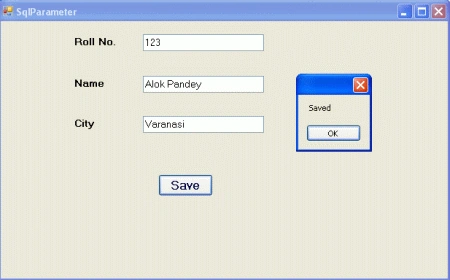
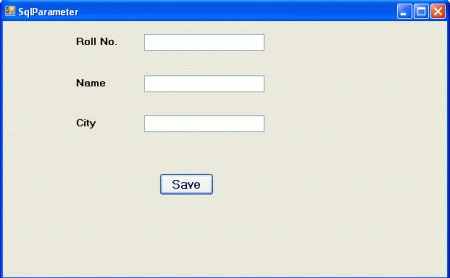 Fill in the form and click the "Save" button. The record will be saved to the database and a message box will be displayed with a confirmation message.
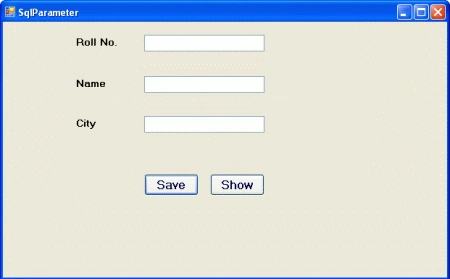
 Now we retrieve records from the database. Take another button and set its text property as "Show". Add the following code for the "Show" button.
- private void btnshow_Click(object sender, EventArgs e) {
- conn = new SqlConnection(connstring);
- conn.Open();
- comm = new SqlCommand();
- comm.Connection = conn;
- //Creating instance of SqlParameter
- SqlParameter PmtrRollNo = new SqlParameter();
- PmtrRollNo.ParameterName = "@rn"; // Defining Name
- PmtrRollNo.SqlDbType = SqlDbType.Int; // Defining DataType
- PmtrRollNo.Direction = ParameterDirection.Input; // Setting the direction
- //Creating instance of SqlParameter
- SqlParameter PmtrName = new SqlParameter();
- PmtrName.ParameterName = "@nm"; // Defining Name
- PmtrName.SqlDbType = SqlDbType.VarChar; // Defining DataType
- PmtrName.Size = 30;
- PmtrName.Direction = ParameterDirection.Output; // Setting the direction
- //Creating instance of SqlParameter
- SqlParameter PmtrCity = new SqlParameter("@ct", SqlDbType.VarChar, 20);
- PmtrCity.Direction = ParameterDirection.Output; // Setting the direction
- // Adding Parameter instances to sqlcommand
- comm.Parameters.Add(PmtrRollNo);
- comm.Parameters.Add(PmtrName);
- comm.Parameters.Add(PmtrCity);
- // Setting values of Parameter
- PmtrRollNo.Value = Convert.ToInt32(txtrollno.Text);
- PmtrName.Value = txtname.Text;
- PmtrCity.Value = txtcity.Text;
- comm.CommandText = "select @nm=name,@ct=city from student_detail where rollno=@rn";
- try {
- comm.ExecuteNonQuery();
- txtname.Text = PmtrName.Value.ToString();
- txtcity.Text = PmtrCity.Value.ToString();
- } catch (Exception) {
- MessageBox.Show("Not Found");
- } finally {
- conn.Close();
- }
- }
Here are some related resources.
Daneille MillerPosted Dec 1, 2021, 4:44 PM
Thank you, this worked for me.
Pradip PandeyPosted Jan 11, 2012, 11:21 PM
Good for the beginners.....
Aaron CronjePosted Jan 11, 2012, 6:44 AM
Good Work..........Alok