

Introduction
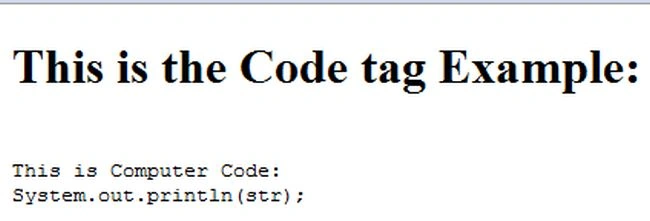
This article explains various HTML5 tags used to display text in various formats as we need and based on the type of the text. HTML5 provides us basically 7 types of tags that we can use to display text in various styles. These tags also support the Global Attributes in HTML5 and the Event Attributes in HTML5. These tags are supported in all major browsers. We will see how the rendering is done for emphasized text, defines an important text, defines a defined term, defines a piece of computer code, defines of sample output from a computer program, defines of keyboard input and defines a variable. To define these types of elements we use the HTML5 <em> <strong> <dfn> <code> <samp> <kbd> <var> tags. We will discuss each of these tags in a later section with their definitions and examples.
The <em> Tag
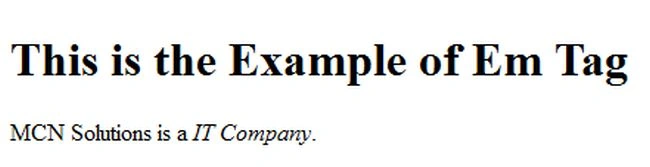
The HTML em element indicates an emphasis on its content. The em tag is used to add emphasis to a word or phrase. The emphasized text is rendered in italics in most browsers. Though the HTML em element and HTML "i" element both set the containing text to italics, "i" should be used only when you want to explicitly set the font style to italics. If you want to emphasize some text content, you must use the em element. It renders as emphasized text to the browsers.
Here is the Code
- <html >
- <head>
- <title></title>
- </head>
- <body>
- <h1>This is the Example of Em Tag</h1>
- MCN Solutions is a <em>IT Company</em>.
- </body>
- </html>
Output
The <strong> Tag
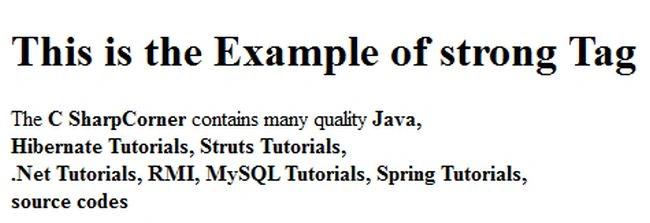
The HTML <strong> tag is used for indicating strong importance for its contents. The strong tag surrounds the emphasized word/phrase. It is used for showing important text in an article or within document. Basically the strong element represents strong importance for its contents.
Here is the Code
- <html>
- <head>
- <title></title>
- </head>
- <body>
- <h1>This is the Example of strong Tag</h1>
- The <strong>C SharpCorner</strong> contains many quality <strong>Java,<br>
- Hibernate Tutorials, Struts Tutorials,<br>
- .Net Tutorials, RMI, MySQL Tutorials, Spring Tutorials,<br>
- source codes</strong>
- </body>
- </html>
Output
The <dfn> Tag
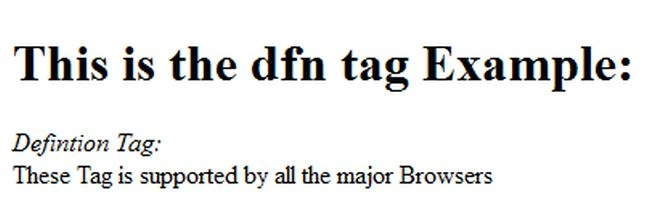
It is used to define a definition term. The <dfn> tag defines the term or word which is to be defined. The HTML <dfn> tag is used for indicating a definition. The <dfn> tag surrounds the word/term being defined. This tag is used only for indicating the definition term. We can't use the nested dfn tag. The <dfn> tag must have </dfn> tag.
Here is the Code

Join the conversation! Your thoughts help the community grow.