

This article demonstrates how to create and use a Label control in WPF using XAML and C#.
Creating a WPF Label
The Label element represents a WPF Label control in XAML.
<Label />
The Width and Height attributes of the Label element represent the width and the height of a Label. The Content property of the Label element sets the text of a Label. The Name attribute represents the name of the control, which is a unique identifier of a control.
The code snippet in Listing 1 creates a Label control and sets the name, height, width, and content of a Label control. The code also sets the font format for the text.
<Label Name="Label1"
       Content="Hello! I am Label Control"
       Width="200" Height="40"
       Canvas.Left="10" Canvas.Top="10"
       FontSize="14" FontFamily="Georgia"
       FontWeight="Bold"/>
Listing 1. The output looks like Figure 1.
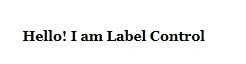
Figure 1
The Background and Foreground properties set the background and foreground colors of the Label control. The code snippet in Listing 2 sets the background, foreground, and alignment of a Label control.
<Label Name="Label1" Content="Hello! I am Label Control" Width="200" Height="30" Canvas.Left="10" Canvas.Top="10" FontSize="14" FontFamily="Georgia" FontWeight="Bold" Background="Black" Foreground="Orange" VerticalAlignment="Center" HorizontalAlignment="Center" />
Listing 2. The new output looks like Figure 2.

Figure 2
Adding Contents to a WPF Label
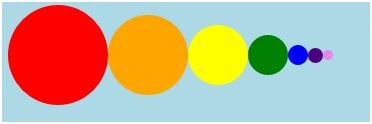
The Content property of the Label control allows you to set any other controls as the content of a Label control. The code snippet in Listing 3 adds some ellipse controls to a Label control.
<Label Canvas.Left="10" Canvas.Top="50">
    <StackPanel Orientation="Horizontal">
        <Ellipse Width="100" Height="100" Fill="Red" />
        <Ellipse Width="80" Height="80" Fill="Orange" />
        <Ellipse Width="60" Height="60" Fill="Yellow" />
        <Ellipse Width="40" Height="40" Fill="Green" />
        <Ellipse Width="20" Height="20" Fill="Blue" />
        <Ellipse Width="15" Height="15" Fill="Indigo" />
        <Ellipse Width="10" Height="10" Fill="Violet" />
    </StackPanel>
</Label>
AnilPosted Jan 5, 2019, 1:41 AM
Whats the difference between Textblock and Label?
Sandeep SharmaPosted May 12, 2014, 3:41 AM
how can hide the controls in wpf ?
AAnchal maheshwariPosted Dec 26, 2011, 1:55 AM
Can u please explain how to set image on left hand side of a label???
MiguelPosted Dec 23, 2011, 8:01 AM
I tried that in C#, but I can only change the properties of a label that already exists in the main window. I can't create a new Label in the code. Why and how can I do that?