

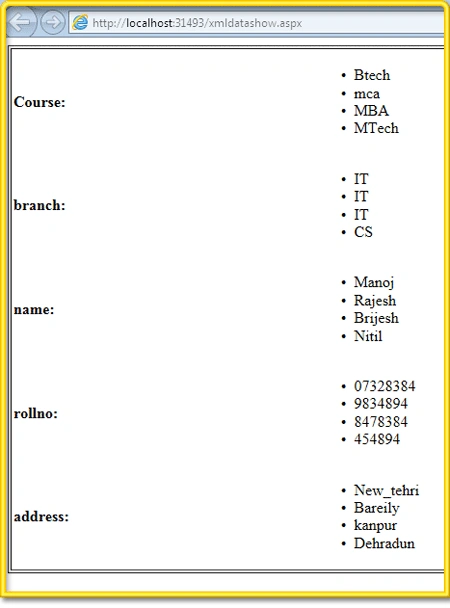
Hi Guys, In this article I will discuss how to create an XML file and show its content in a web page using Expression Web 4. Follow the steps below:
Creating the XML file first and then importing it.
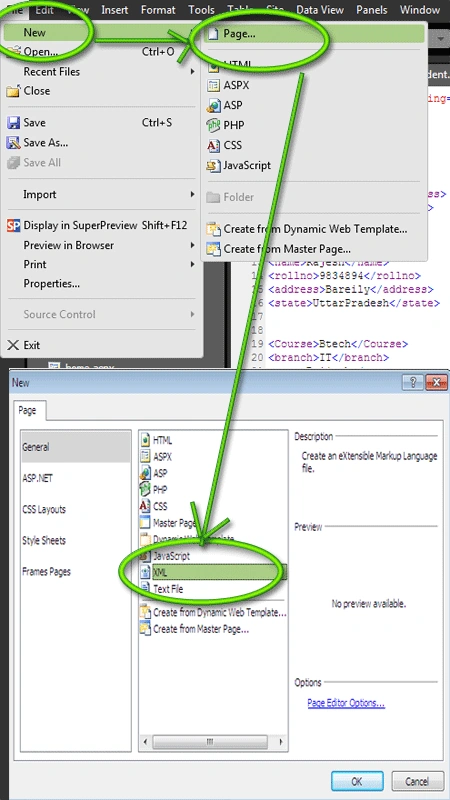
Step 1 : Go-to File-->New-->Page-->Select XML file.
Step 2 : Now a Xml page opens up and now write the data in the XML file so created. See the code below:
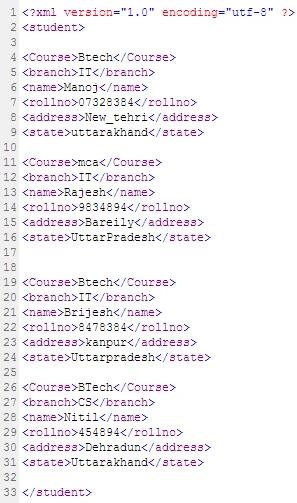
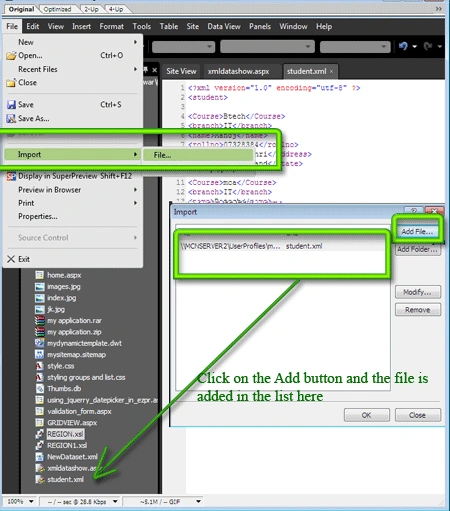
Step 3 : After writing the required data into the XML file save this file as "student.xml". After saving this file import this file into the application.
For this Go to File-->import-->filestudent.xml and the file appears in the folder list.
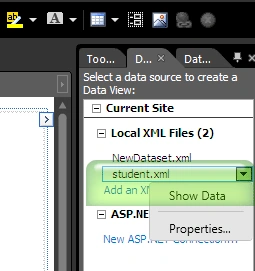
Step 4 : Now you can see the XML file also appears in the data source tab on alongside. Select the file here and on right clicking on it select the "Show" options and the content of the file is displayed in the data detail tab. If the content donot appear , check the XML file it may be not in correct format:
Using the XML data in a webpage.
Step 5 : Goto File-->New-->Page-->Add a ASPX page, name it as xmldata.aspx. The page opens up in a split view.
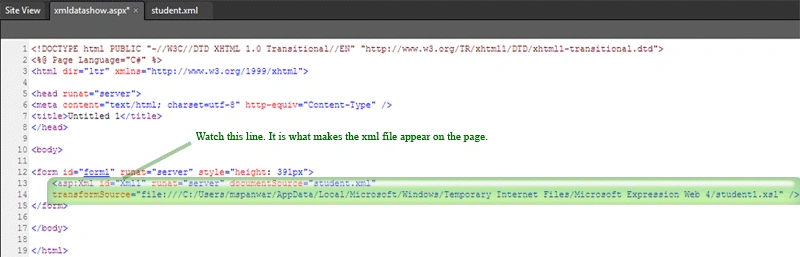
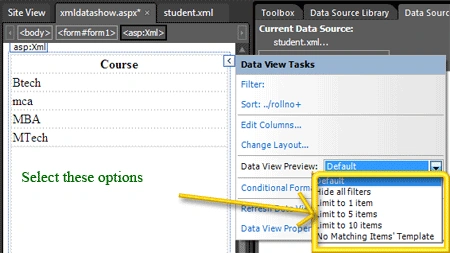
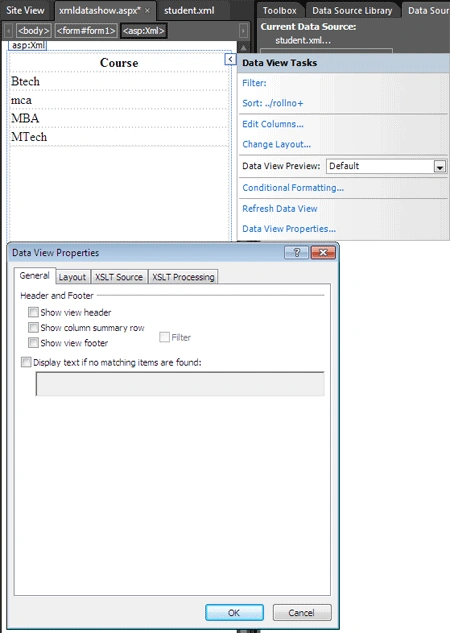
Step 6 : Now drag the so created xml file(student.xml) from the folder on the aspx page and see the changes in the HTML code view.
Join the conversation! Your thoughts help the community grow.