

Introduction
Xamarin.Forms code runs on multiple platforms - each of which has its own filesystem. This means that reading and writing files are the most easily done tasks using native file APIs on each platform. Alternatively, embedded resources are also a simpler solution to distribute the data files with an app.
Xamarin.Forms code runs on multiple platforms - each of which has its own filesystem. This means that reading and writing files are the most easily done tasks using native file APIs on each platform. Alternatively, embedded resources are also a simpler solution to distribute the data files with an app.

DependencyService
DependencyService allows apps to call into platform-specific functionality from shared code. This functionality enables Xamarin.Forms apps to do anything that a native app can do.
DependencyService is a dependency resolver. In practice, an interface is defined and DependencyService finds the correct implementation of that interface from the various platform projects.
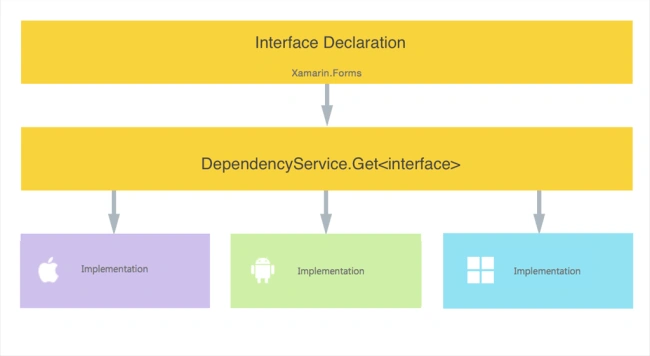
Xamarin.Forms apps need three components to use DependencyService
- Interface – The required functionality is defined by an interface in shared code.
- Implementation Per Platform – Classes that implement the interface must be added to each platform project.
- Registration – Each implementing class must be registered with DependencyService via a metadata attribute. Registration enables DependencyService to find the implementing class and supply it in place of the interface at runtime.
- Call to DependencyService – Shared code needs to explicitly call DependencyService to ask for implementations of the interface.
Prerequisites
- Visual Studio 2017 (Windows or Mac)
Setting up a Xamarin.Forms Project
Start by creating a new Xamarin.Forms project. You’ll learn more by going through the steps yourself.
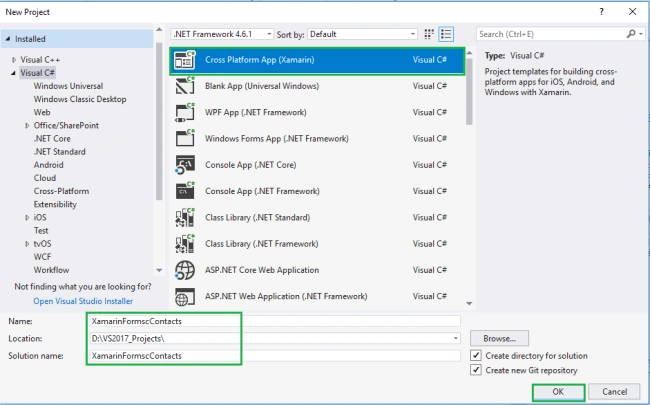
Choose the Cross-platform App project under Visual C#-->Cross-platform in the New Project dialog.
Start by creating a new Xamarin.Forms project. You’ll learn more by going through the steps yourself.
Choose the Cross-platform App project under Visual C#-->Cross-platform in the New Project dialog.
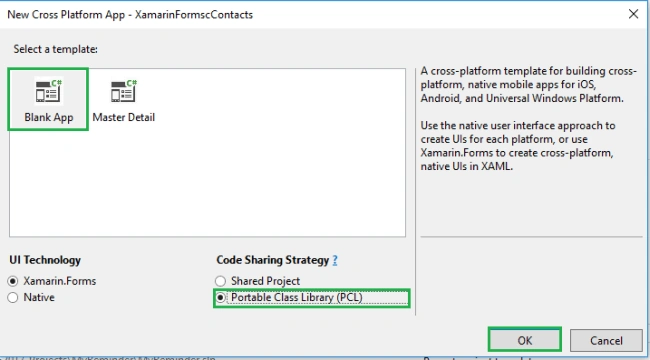
Now Select the Blank App and Choose Portable Class Library (PCL).
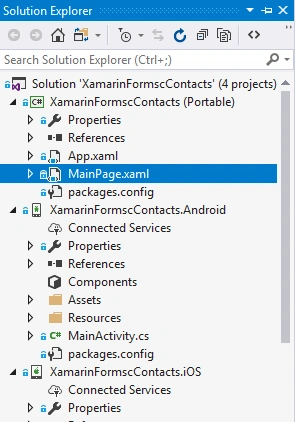
You now have a basic Xamarin.Forms app. Click the Play button to try it out.
Creating Interface
Create - interface in Xamarin.Forms PCL.
Go to Solution—>PCL—>Right click—>New—>Interface—>IContacts.cs.
Create - interface in Xamarin.Forms PCL.
Go to Solution—>PCL—>Right click—>New—>Interface—>IContacts.cs.
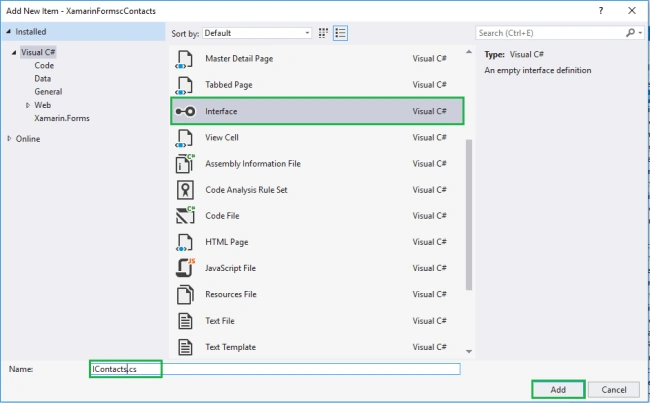
Now, write the following code.
IContacts.cs
IContacts.cs
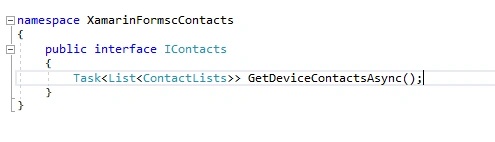
- namespace XamarinFormscContacts
- {
- public interface IContacts
- {
- Task<List<ContactLists>> GetDeviceContactsAsync();
- }
- }
Creating Model
Go to Solution—>PCL—>Right click—>New—>Class—>ContactLists.cs.
Go to Solution—>PCL—>Right click—>New—>Class—>ContactLists.cs.
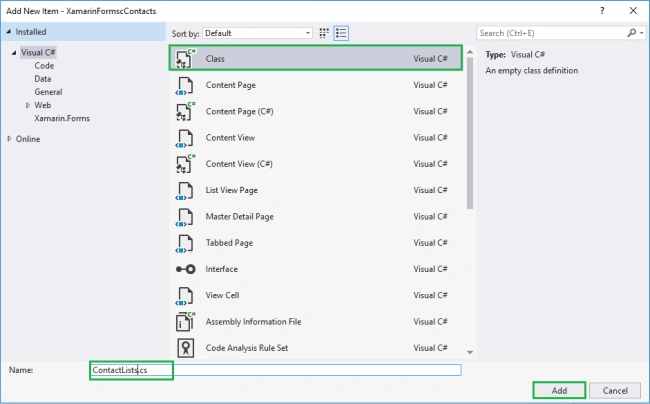
Now, write the following code for holding Contacts.
ContactLists.cs
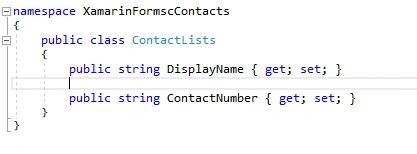
- namespace XamarinFormscContacts {
- public class ContactLists {
- public string DisplayName {
- get;
- set;
- }
- public string ContactNumber {
- get;
- set;
- }
- }
- }
Implementation per platform-Android Implementation
Go to Solution—>Android —>Right click—>New—>Class—> ContactHelper.cs
Go to Solution—>Android —>Right click—>New—>Class—> ContactHelper.cs
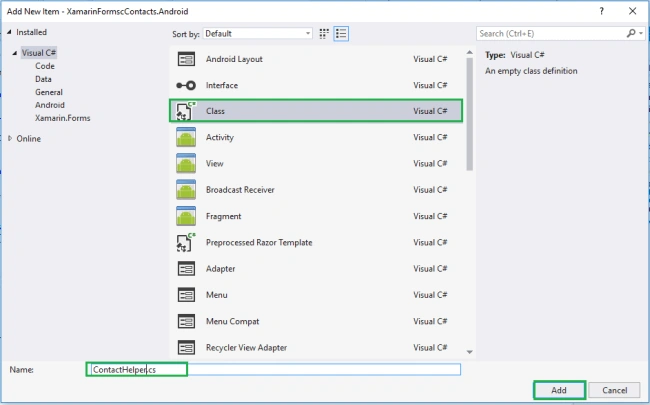
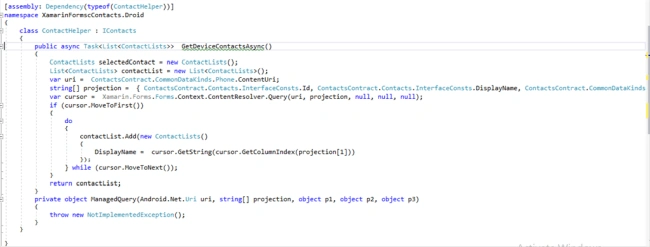
Now, write the following code for Picking Contacts.
ContactHelper.cs
ContactHelper.cs
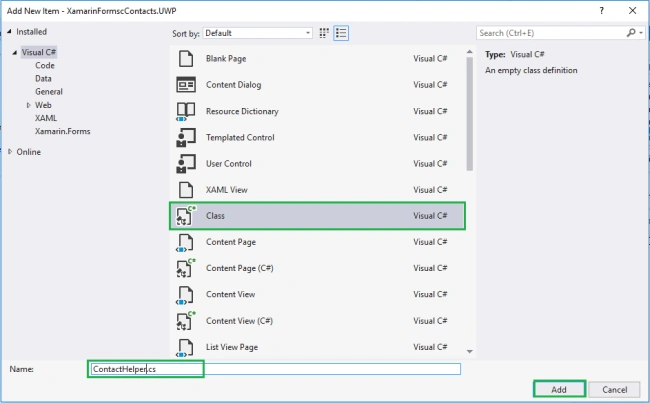
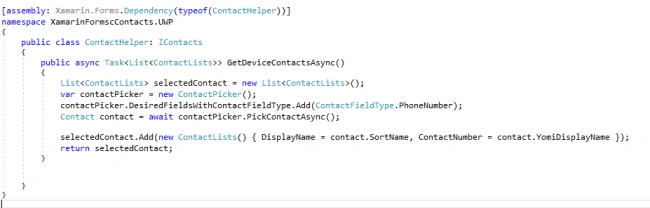


uday garlapatiPosted Apr 26, 2018, 12:38 AM
For ios how to implement???
Sagar Pandurang KapPosted Mar 4, 2018, 11:38 PM
Great ork.Keep sharing.....