

Introduction
Xamarin.Forms code runs on multiple platforms, each of which has its own filesystem. This means that reading and writing files are most easily done using the native file APIs on each platform. Alternatively, embedded resources are a simpler solution to distribute data files with an app.
Debugging Webview
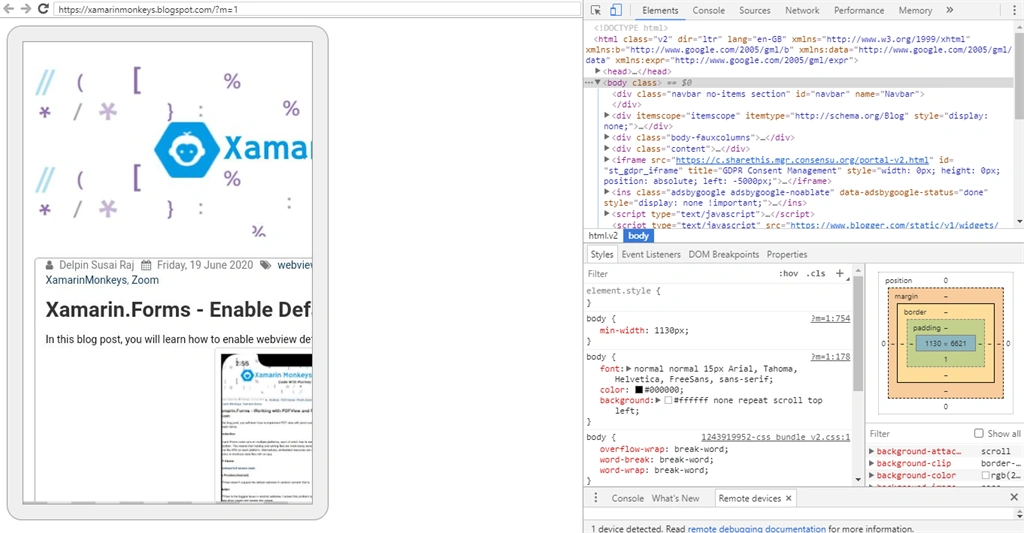
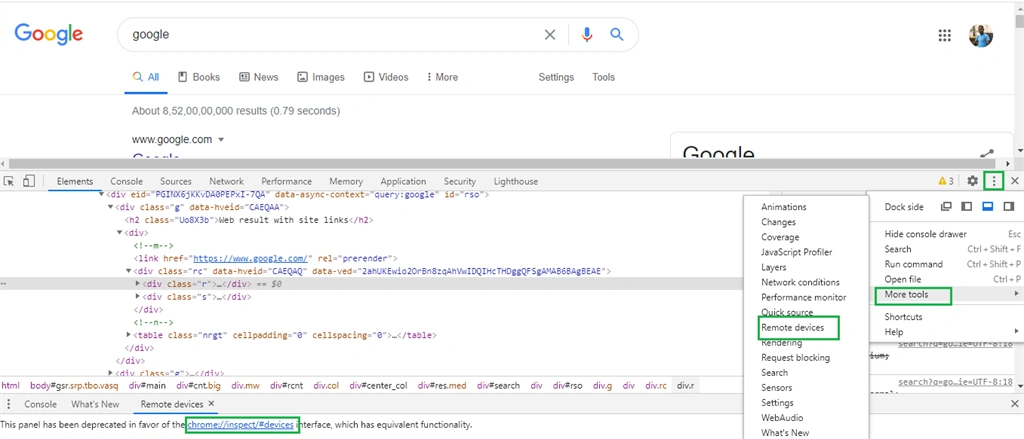
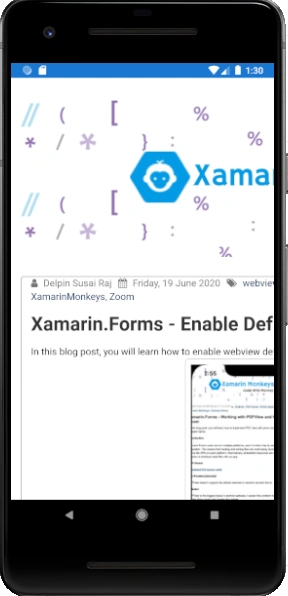
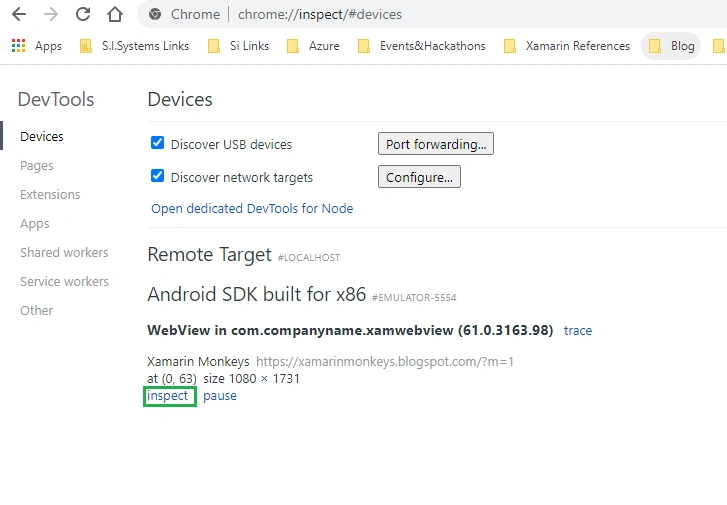
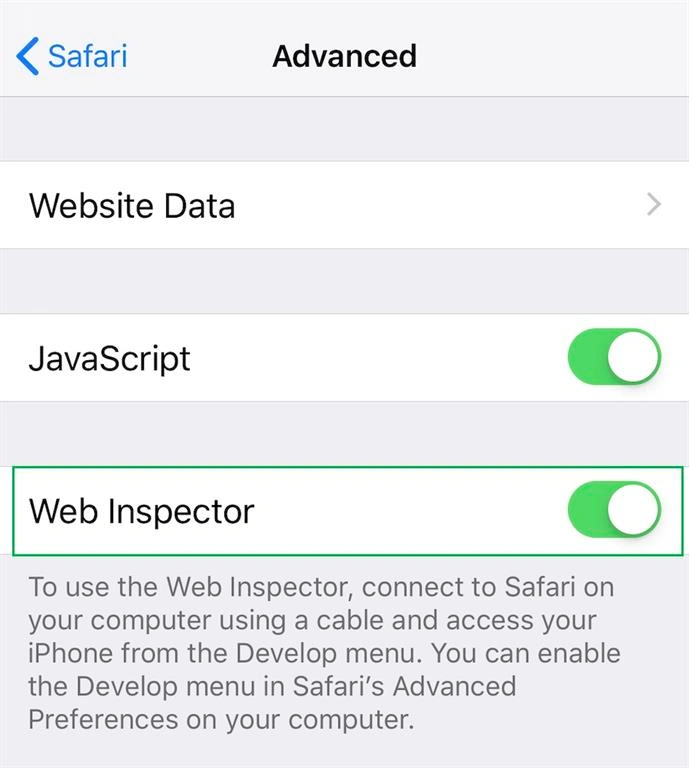
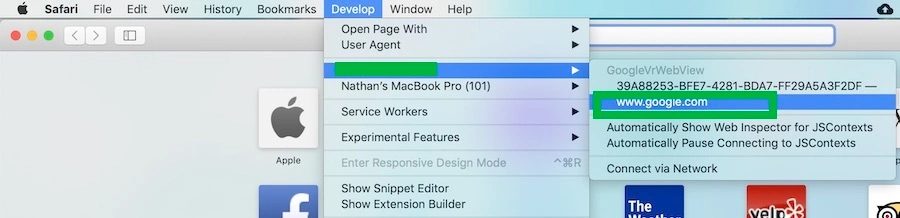
Mobile developers are facing major difficulties for debugging the web URLs. I am going explain how to debug your xamarin.forms webview in Emulator or Simulator.
Prerequisites
- Visual Studio 2017 or later (Windows or Mac)
Setting up a Xamarin.Forms Project
Start by creating a new Xamarin.Forms project. You will learn more by going through the steps yourself.
Create a new or existing Xamarin forms (.Net standard) project with Android and iOS Platform.
Choose the Mobile App (Xamarin. forms) project under C# and Mobile.
Name your app. You probably want your project and solution to use the same name as your app. Put it on your preferred location for projects and click "Create".
Now, select the blank app and target platforms - Android, iOS and Windows (UWP).
Subsequently, go to the solution. In there, you get all the files and sources of your project (.NET Standard). Now, select the XAML page and double-click to open the MainPage.Xaml page.
You now have a basic Xamarin.Forms app. Click the Play button to try it out.
Create a Custom Webview
Here I am going to create a custom webview inherited from webview for debugging webview.
CustomWebView.cs
- public class CustomWebView : WebView
- {
- }
Android Implementation
Here, create a custom renderer for enabling debugging in Android.
CustomWebViewRenderer.cs
- [assembly: ExportRenderer(typeof(CustomWebView), typeof(CustomWebViewRenderer))]
- namespace XamWebView.Droid
- {
- public class CustomWebViewRenderer:WebViewRenderer
- {
- public CustomWebViewRenderer(Context context) : base(context)
- {
- }
- protected override void OnElementChanged(ElementChangedEventArgs<WebView> e)
- {
- base.OnElementChanged(e);
- global::Android.Webkit.WebView.SetWebContentsDebuggingEnabled(true);
- }
- }
- }
iOS Implementation
Here, create a custom renderer for enabling the Debugging in Webview.
CustomWebViewRenderer.cs
- [assembly: ExportRenderer(typeof(CustomWebView), typeof(CustomWebViewRenderer))]
- namespace PDFPOC.iOS
- {
- public class CustomWebViewRenderer : WebViewRenderer
- {
- protected override void OnElementChanged(VisualElementChangedEventArgs e)
- {
- base.OnElementChanged(e);
- if (NativeView != null && e.NewElement != null)
- {
- var webView = NativeView as UIWebView;
- if (webView == null)
- return;
- webView.ScalesPageToFit = true;
- }
- }
- }
- }
TimiPosted Nov 18, 2020, 10:48 AM
Great writeup, thank you!