

Introduction
Xamarin.Forms code runs on multiple platforms, each of which has its own filesystem. This means that reading and writing files is most easily done using the native file APIs on each platform. Alternatively, embedded resources are a simpler solution to distribute data files with an app.
Network Speed Monitor
Network speed monitor is one of the most important things in mobile apps because avoiding the app crashes and slowness.
Prerequisites
- Visual Studio 2017 or later (Windows or Mac)
Setting up a Xamarin.Forms Project
Start by creating a new Xamarin.Forms project. You wíll learn more by going through the steps yourself.
Create a new or existing Xamarin forms (.Net standard) Project with Android and iOS Platform.

Network Monitor
Now, create a network helper class for checking network connectivity in Xamarin.froms. You will use the http url ( http://google.com).
NetworkHelper.cs
- public class NetworkHelper
- {
- public async Task<string> CheckInternetSpeed()
- {
- DateTime dt1 = DateTime.Now;
- string internetSpeed;
- try
- {
- var client = new HttpClient();
- byte[] data = await client.GetByteArrayAsync("http://xamarinmonkeys.blogspot.com/");
- DateTime dt2 = DateTime.Now; Console.WriteLine("ConnectionSpeed: DataSize (kb) " + data.Length / 1024);
- Console.WriteLine("ConnectionSpeed: ElapsedTime (secs) " + (dt2 - dt1).TotalSeconds);
- internetSpeed = "ConnectionSpeed: (kb/s) " + Math.Round((data.Length / 1024) / (dt2 - dt1).TotalSeconds, 2);
- }
- catch (Exception ex)
- {
- internetSpeed = "ConnectionSpeed:Unknown Exception-" + ex.Message;
- }
- Console.WriteLine(internetSpeed);
- return internetSpeed;
- }
- }
Consuming Network helper
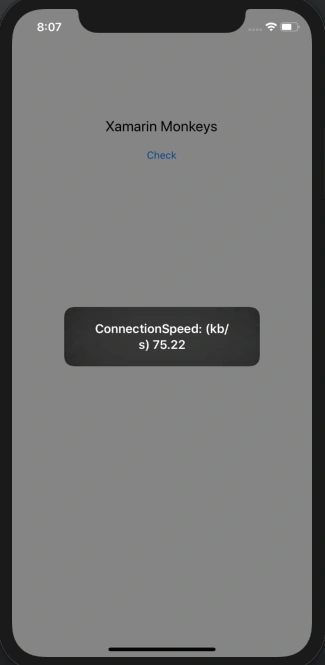
Here, you will call the Network helper class and you will get the network speed.
MainPage.Xaml

Ro KPosted Jan 28, 2021, 10:03 AM
Hi, Very informative articles. Need your advise can you please help? We are using Xamarin forms with Firebase for our app however the login is taking about 12 secs on wifi and the fetch query is very slow and in the app when we enter data it is taking upto 55 secs for data entry ( Name ,Place,etc..) we are unable to identify why the app is slow please help. we are considering to rebuild the whole thing if we dont find a solution can you please help or guide?