

Introduction
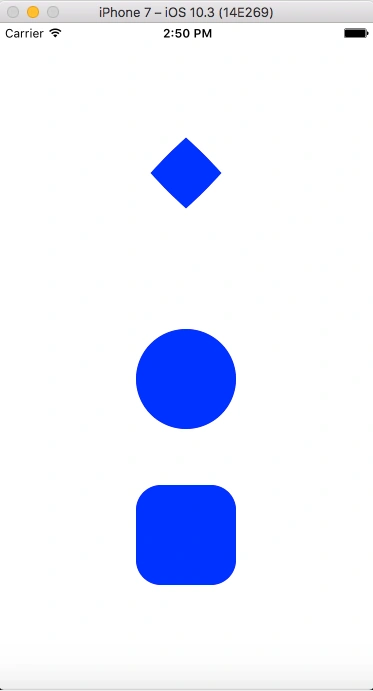
BoxView renders a simple rectangle of a specified width, height, and color. You can use BoxView for decoration, rudimentary graphics, and for interaction with the user through touch.
Because Xamarin.Forms does not have a built-in vector graphics system, the BoxView helps to compensate. Some of the sample programs described in this article use BoxView for rendering graphics. The BoxView can be sized to resemble a line of a specific width and thickness, and then rotated by any angle using the Rotation property.
Custom Renderers
Xamarin.Forms user interfaces are rendered using the native controls of the target platform, allowing Xamarin.Forms applications to retain the appropriate look and feel for each platform. Custom Renderers let developers override this process to customize the appearance and behavior of Xamarin.Forms controls on each platform.
BoxView renders a simple rectangle of a specified width, height, and color. You can use BoxView for decoration, rudimentary graphics, and for interaction with the user through touch.
Because Xamarin.Forms does not have a built-in vector graphics system, the BoxView helps to compensate. Some of the sample programs described in this article use BoxView for rendering graphics. The BoxView can be sized to resemble a line of a specific width and thickness, and then rotated by any angle using the Rotation property.
Custom Renderers
Xamarin.Forms user interfaces are rendered using the native controls of the target platform, allowing Xamarin.Forms applications to retain the appropriate look and feel for each platform. Custom Renderers let developers override this process to customize the appearance and behavior of Xamarin.Forms controls on each platform.
Prerequisites
- Visual Studio 2017(Windows or Mac)
The steps given below are required to be followed in order to Create Rounded BoxView Using BoxRenderer in your controls in Xamarin.Forms, using Visual Studio.
Setting up a Xamarin.Forms Project
Start by creating a new Xamarin.Forms project. You’ll learn more by going through the steps yourself.
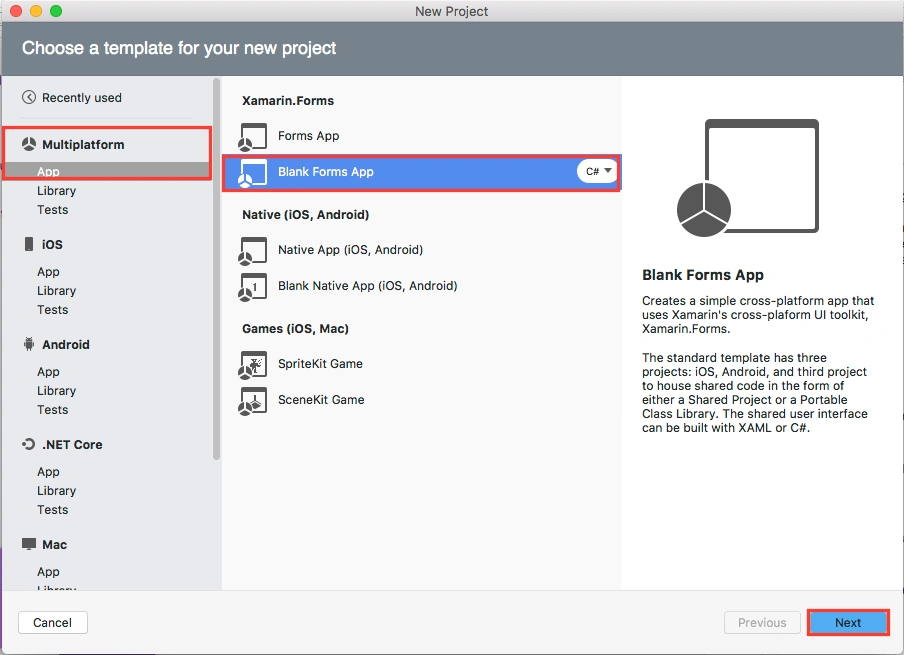
Choose the Xamarin.Forms App Project type under Cross-platform/App in the New Project dialog.
Setting up a Xamarin.Forms Project
Start by creating a new Xamarin.Forms project. You’ll learn more by going through the steps yourself.
Choose the Xamarin.Forms App Project type under Cross-platform/App in the New Project dialog.
Name your app, select “Use Portable Class Library” for shared code, and target both Android and iOS.
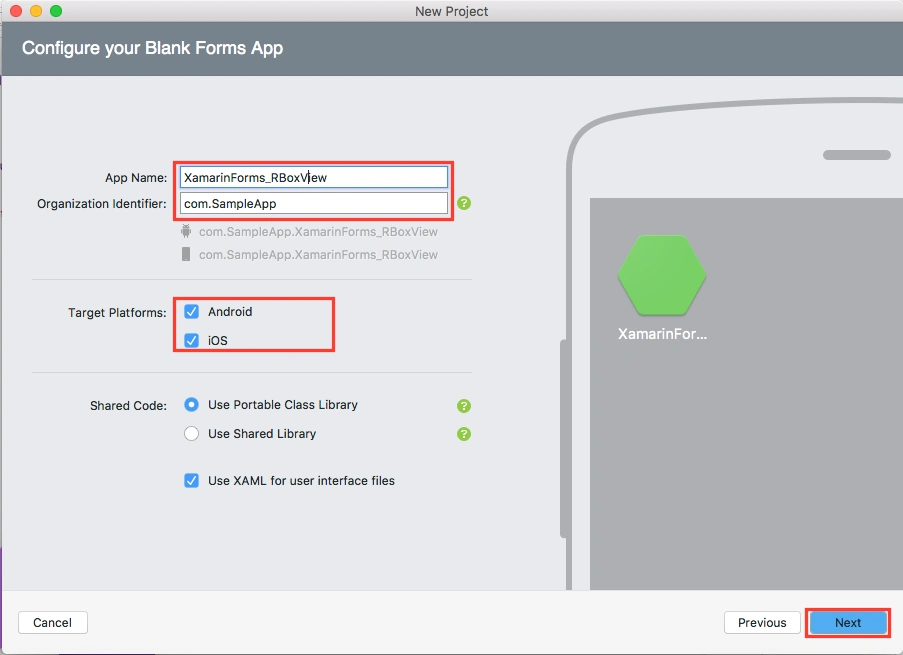
You probably want your project and solution to use the same name as your app. Put it in your preferred folder for projects and click Create.
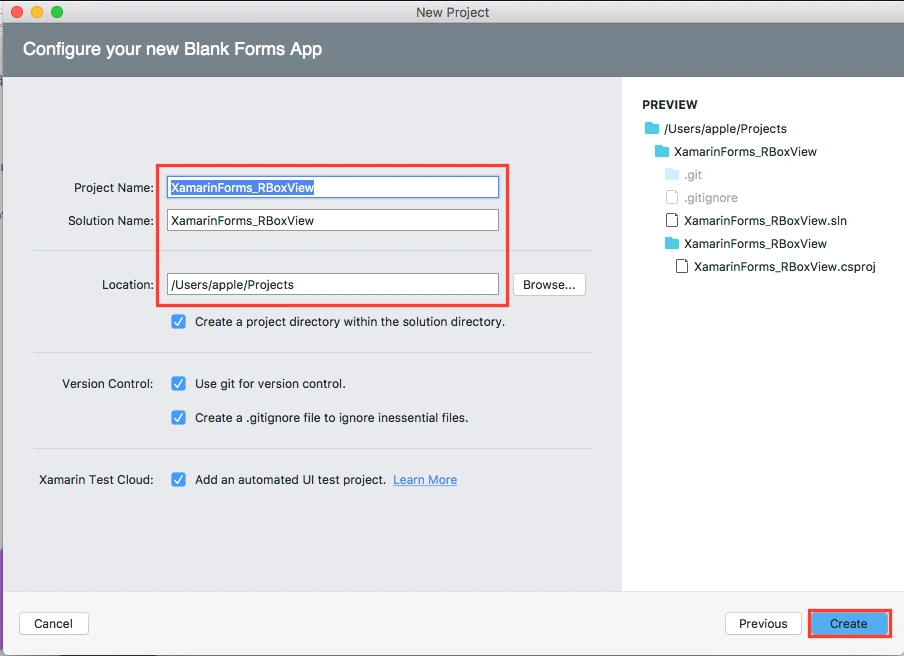
You now have a basic Xamarin.Forms app. Click the play button to try it out.
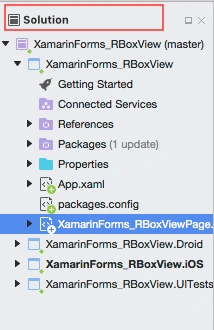
You probably want your project and solution to use the same name as your app. Put it in your preferred folder for projects and click Create.
You now have a basic Xamarin.Forms app. Click the play button to try it out.
Create a Custom BoxView
Now, Create an Inherit class form BoxView for Customizing BoxView control.
Go to Solution—>Empty Class—> filename
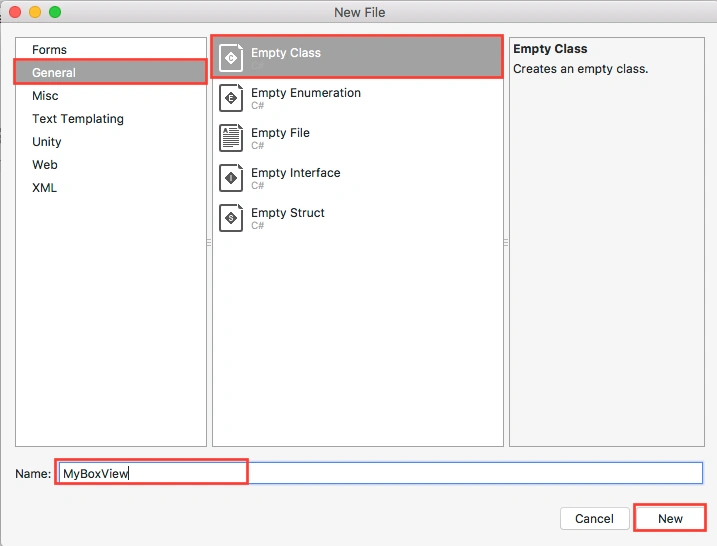
Now, Create an Inherit class form BoxView for Customizing BoxView control.
Go to Solution—>Empty Class—> filename
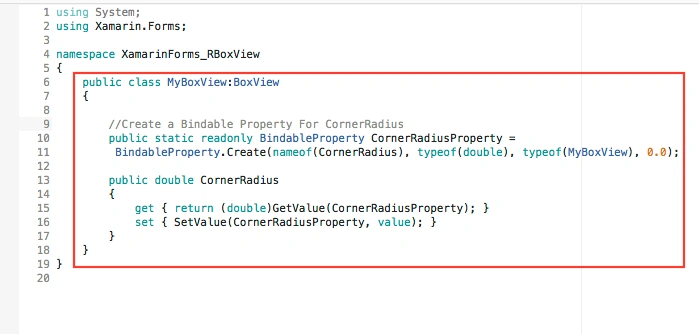
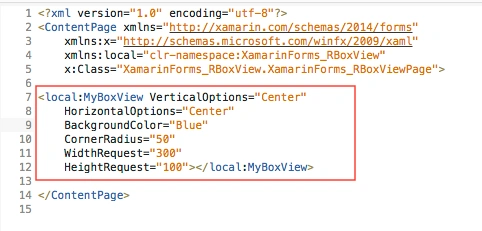
Now, write the following code
MyBoxView.cs
- using System;
- using Xamarin.Forms;
- namespace XamarinForms_RBoxView {
- public class MyBoxView: BoxView {
- //Create a Bindable Property For CornerRadius
- public static readonly BindableProperty CornerRadiusProperty = BindableProperty.Create(nameof(CornerRadius), typeof(double), typeof(MyBoxView), 0.0);
- public double CornerRadius {
- get {
- return (double) GetValue(CornerRadiusProperty);
- }
- set {
- SetValue(CornerRadiusProperty, value);
- }
- }
- }
- }
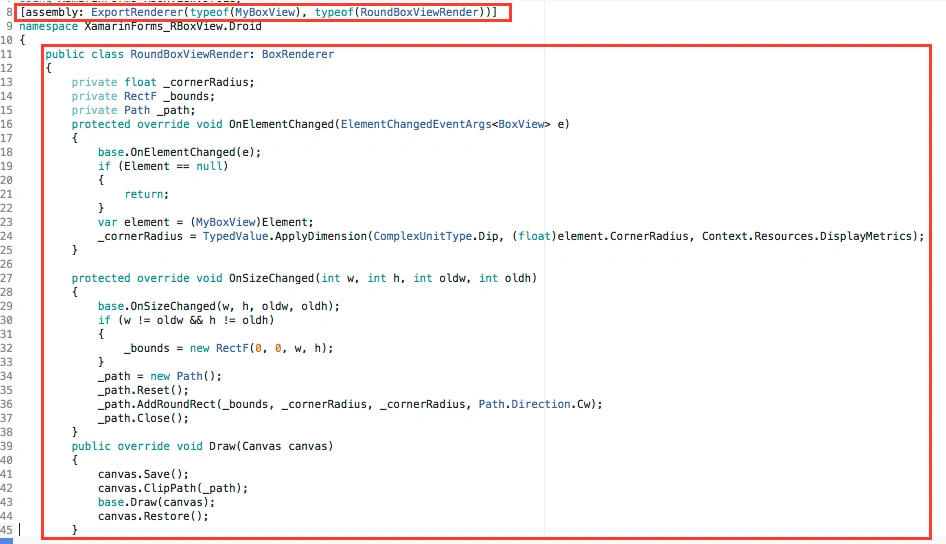
Making Your Android Implementation
In this step create an inherit Class form, BoxRenderer, for customizing BoxView control
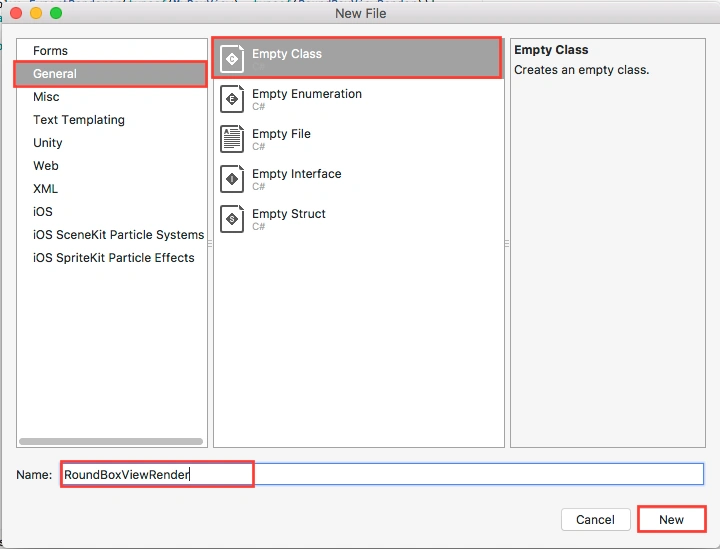
Go to Solution.Droid—>Empty Class—> RoundBoxViewRender
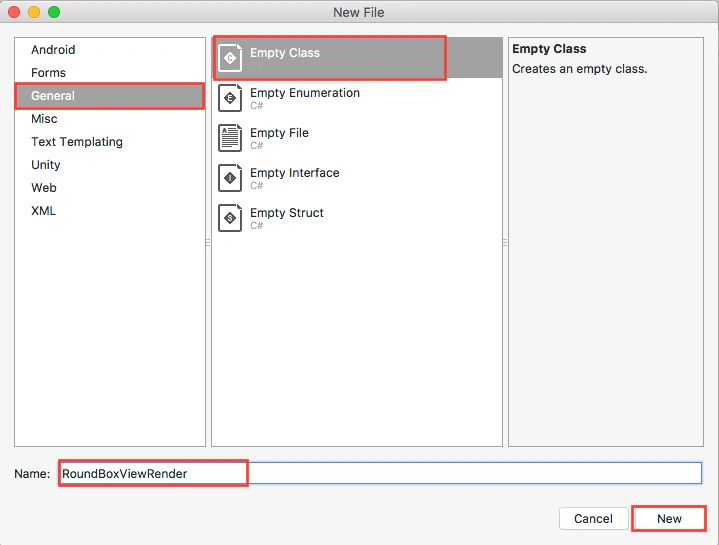
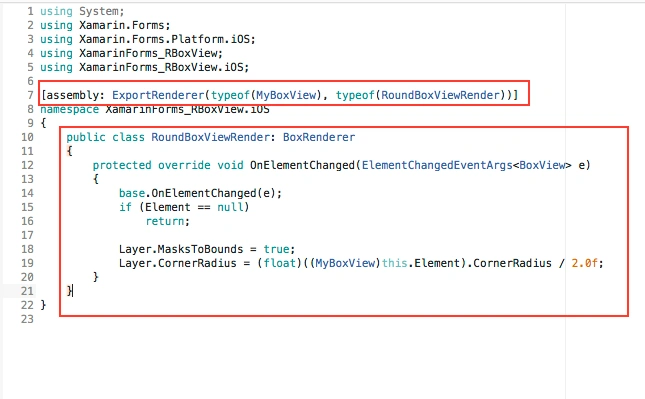
Now, write the code given below.
RoundBoxViewRender.cs
RoundBoxViewRender.cs
Khaled AlShaibaniPosted May 29, 2019, 2:04 PM
If you want to make only the top corner rounded ? How i can Implement this ?
crish espesoPosted Sep 10, 2018, 2:21 AM
How can I add StrokeColor outside the shape? I made a bindable property for StrokColor, But I don't know how to implement it on the BoxViewRenderer Class.