

Introduction
Xamarin.Forms code runs on multiple platforms - each of which has its own filesystem. This means that reading and writing files are most easily done using the native file APIs on each platform. Alternatively, embedded resources are a simpler solution to distribute data files with an app.
SMTP (Simple Mail Transfer Protocol)

Use SMTP to send and receive mail messages. SMTP provides a set of protocols that simplifies the communication of email messages between email servers. It is an Internet standard for electronic mail (email) transmission. SMTP is a part of the application layer of the TCP/IP protocol. The default TCP port used by SMTP is 25 and the SMTP connections secured by SSL, known as SMTPS, uses the default to port 465. Most SMTP server names are written in the form "smtp.domain.com" or "mail.domain.com": for example, a Gmail account will refer to smtp.gmail.com the Gmail port number is 587.
Prerequisites
- Visual Studio 2017(Windows or Mac)
Setting up a Xamarin.Forms Project
Start by creating a new Xamarin.Forms project. You’ll learn more by going through the steps yourself.
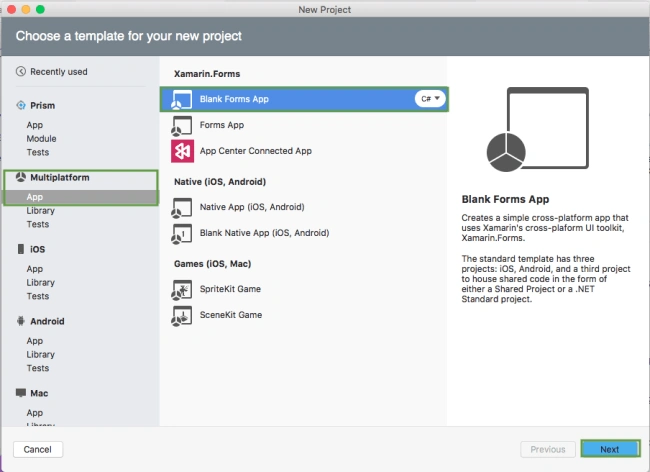
Choose the Xamarin.Forms App Project type under Cross-platform/App in the New Project dialog.
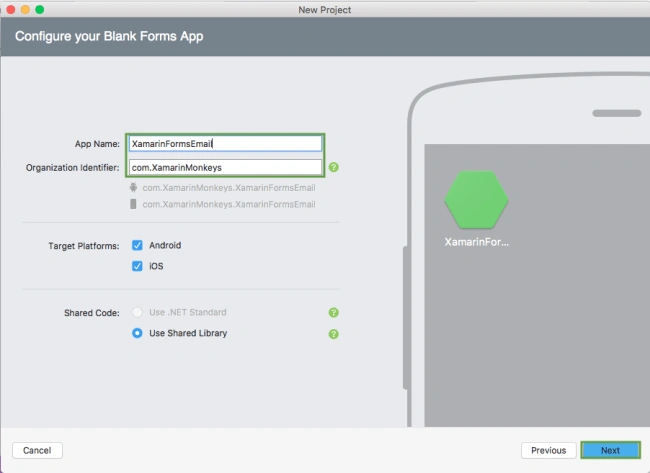
Name your app, select “Use Shared Library” for shared code, and target both Android and iOS.
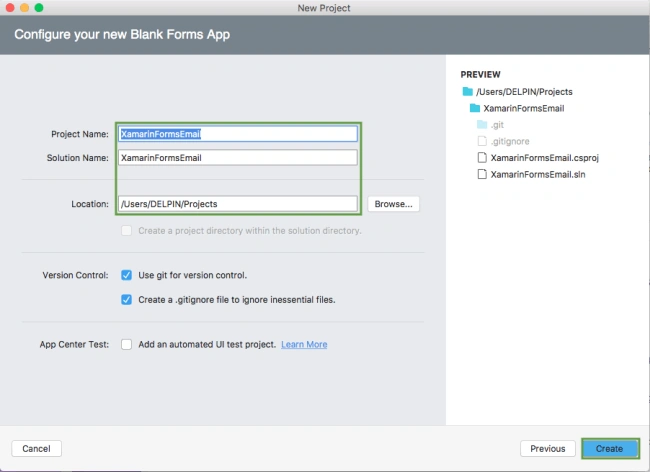
You probably want your project and solution to use the same name as your app. Put it in your preferred folder for projects and click Create.
You now have a basic Xamarin.Forms app. Click the play button to try it out.
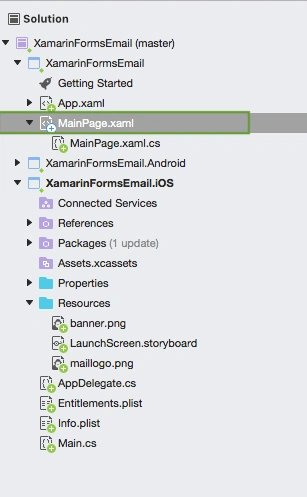
Setting up the User Interface
Go to MainPage.Xaml and write the following code.
MainPage.xaml
- <?xml version="1.0" encoding="utf-8"?>
- <ContentPage xmlns="http://xamarin.com/schemas/2014/forms" xmlns:x="http://schemas.microsoft.com/winfx/2009/xaml" xmlns:local="clr-namespace:XamarinFormsEmail" x:Class="XamarinFormsEmail.MainPage">
- <StackLayout>
- <StackLayout HorizontalOptions="Center" VerticalOptions="Start">
- <Image Margin="0,50,0,0" x:Name="imgBanner" Source="banner.png" ></Image>
- <Image Margin="0,0,0,10" x:Name="imgEmail" HeightRequest="150" Source="maillogo.png" ></Image>
- <Label Margin="0,0,0,10" Text="Email with SMTP" FontAttributes="Bold" FontSize="Large" TextColor="#CA6F1E" HorizontalTextAlignment="Center" ></Label>
- <Entry x:Name="txtTo" Placeholder="[email protected]"> </Entry>
- <Entry x:Name="txtSubject" Placeholder="Subject"> </Entry>
- <Editor x:Name="txtBody" HeightRequest="50" > </Editor>
- <Button x:Name="btnSend" Text="Send" Clicked="btnSend_Clicked" />
- </StackLayout>
- </StackLayout>
- </ContentPage>
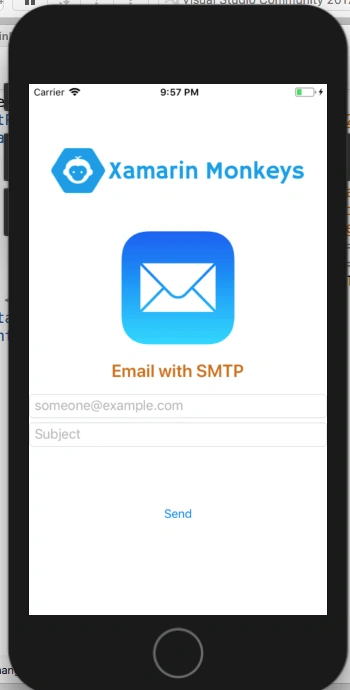
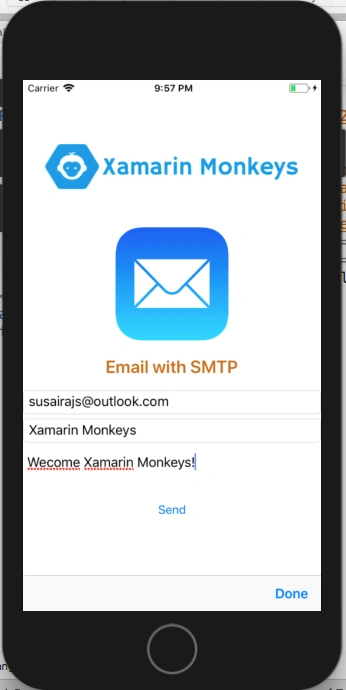
Click the play button to try it out.
Troubleshooting
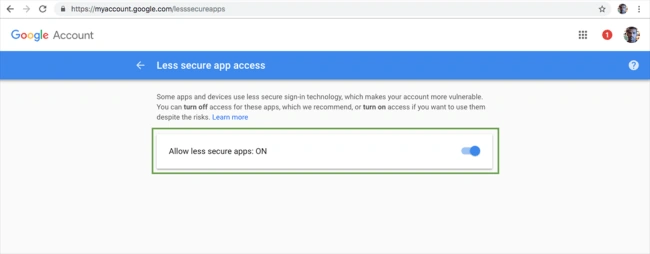
Allow less secure apps
Go to the following link. You must enable less secure app access.
https://myaccount.google.com/lesssecureapps
Now, you can turn on less secure app access.
| Host | smtp.gmail.com |
| Port | 587 |
Send Mail
In this step, write the following code to send an email.
MainPage.xaml.cs
- using System.Net.Mail;
- using Xamarin.Forms;
- namespace XamarinFormsEmail
- {
- public partial class MainPage : ContentPage
- {
- public MainPage()
- {
- InitializeComponent();
- }
- void btnSend_Clicked(object sender, System.EventArgs e)
- {
- try{
- MailMessage mail = new MailMessage();
- SmtpClient SmtpServer = new SmtpClient("smtp.gmail.com");
- mail.From = new MailAddress("[email protected]");
- mail.To.Add(txtTo.Text);
- mail.Subject = txtSubject.Text;
- mail.Body = txtBody.Text;
- SmtpServer.Port = 587;
- SmtpServer.Host = "smtp.gmail.com";
- SmtpServer.EnableSsl = true;
- SmtpServer.UseDefaultCredentials = false;
- SmtpServer.Credentials = new System.Net.NetworkCredential("[email protected]", "***********");
- SmtpServer.Send(mail);
- }
- catch(Exception ex)
- {
- DisplayAlert("Faild", ex.Message, "OK");
- }
- }
- }
- }
Click the play button to try it out.
Check your inbox
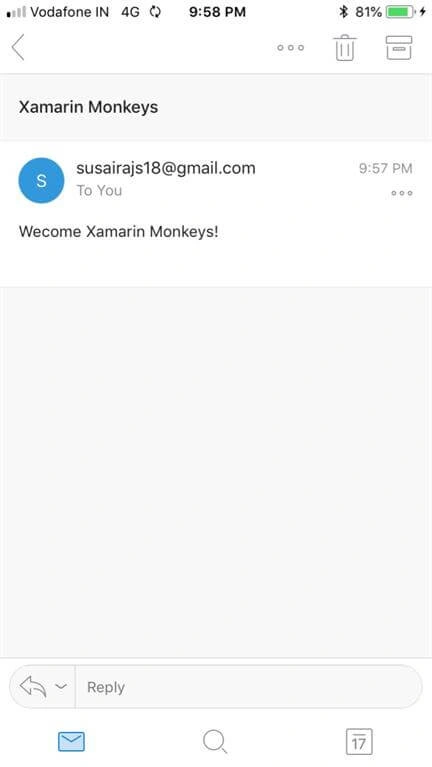
I hope you have understood how to send background Email with SMTP in Xamarin.Forms.
Thanks for reading. Please share comments and feedback.
ThibaultPosted Jun 27, 2019, 10:53 AM
Hello,I would like to know how to modify the code, because there is an error.In fact, the address that we defined in the "MailFrom" is ours and due to that, the "MailTo" (the person who will receive the message is the email address that was entered by the user . So it's not me who receives the mail but the user of the app. If you do not understand my problem, I could explain it to you again. Thank you cordially Thibault
Arvind ChourasiyaPosted Nov 21, 2018, 6:52 AM
How many mails we can send without any cost?