

Introduction
Xamarin.Forms code runs on multiple platforms - each of which has its own filesystem. This means that reading and writing files is most easily done using the native file APIs on each platform. Alternatively, embedded resources are a simpler solution to distribute data files with an app.
Behaviors
Behaviors let you add functionality to user interface controls without having to subclass them. Behaviors are written in code and added to controls in XAML or code.
Behaviors are the best way to validate the user inputs such as email, phone number, etc.
Prerequisites
- Visual Studio 2017 or later (Windows or Mac)
Let's Start,
Setting up a Xamarin.Forms Project
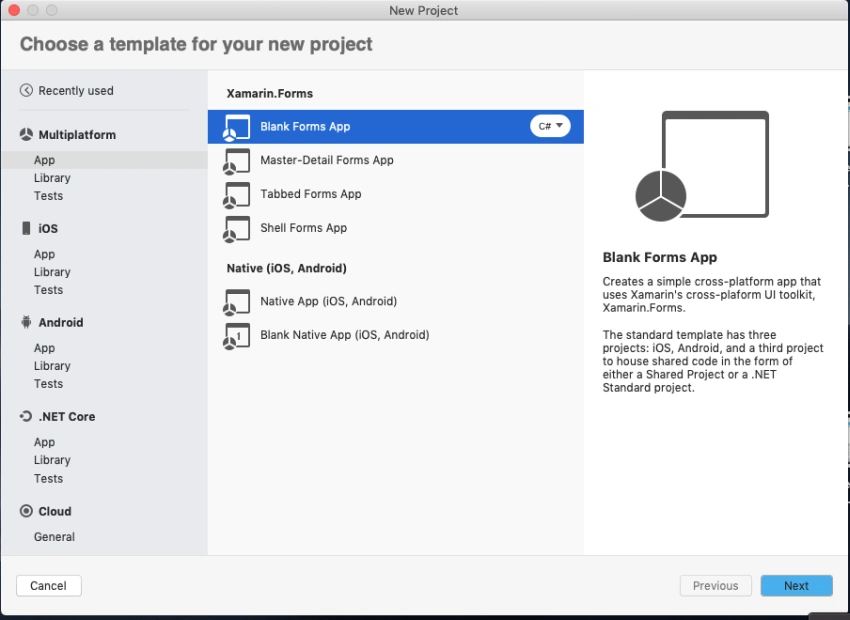
Start by creating a new Xamarin.Forms project. You will learn more by going through the steps yourself.
Create a new or existing Xamarin forms(.Net standard) Project. With Android and iOS Platform.
Setup UI
Now, create a UI for your requirement. I just created a simple entry for validation purposes.
MainPage.xaml
<?xml version="1.0" encoding="utf-8"?>
<ContentPage xmlns="http://xamarin.com/schemas/2014/forms"
             xmlns:x="http://schemas.microsoft.com/winfx/2009/xaml"
             xmlns:d="http://xamarin.com/schemas/2014/forms/design"
             xmlns:mc="http://schemas.openxmlformats.org/markup-compatibility/2006"
             xmlns:TitleView="clr-namespace:XamarinApp.CustomView"
             xmlns:xct="http://xamarin.com/schemas/2020/toolkit"
             mc:Ignorable="d" x:Class="XamarinApp.MainPage">

    <NavigationPage.TitleView>
      <TitleView:TitleView/>
    </NavigationPage.TitleView>

    <StackLayout Margin="0,50,0,0" VerticalOptions="StartAndExpand">
        <Image VerticalOptions="Center" Source="xamarinmonkeysbanner.png"/>

        <Entry AutomationId="EntryPhoneNumber" Placeholder="Enter Phone Number" x:Name="entryPhoneNumber">
        </Entry>

    </StackLayout>
</ContentPage>
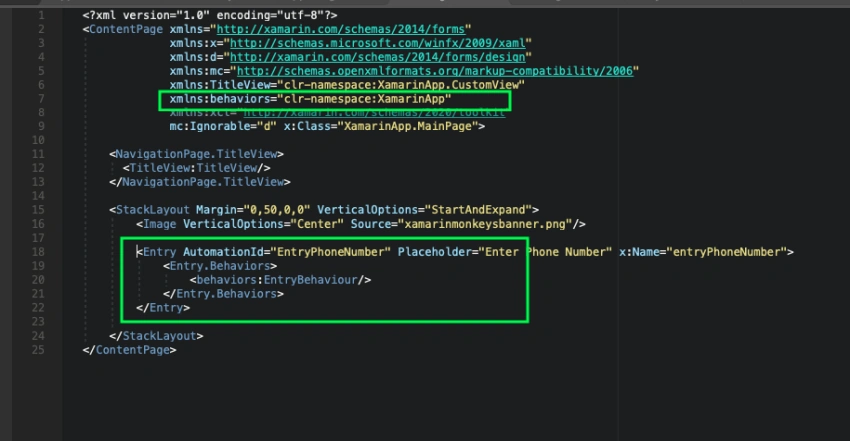
Add Behaviors
Create a new class and inherit from Behavior<T> into the class. Now I'm going to write Behavior to Entry for simple mobile number validation.
Need to implement OnAttachedTo and OnDetachingFrom from Behavior<T>.
protected override void OnAttachedTo(Entry bindable)
        {
            base.OnAttachedTo(bindable);

        }

 protected override void OnDetachingFrom(Entry bindable)
        {
            base.OnDetachingFrom(bindable);
        }
Below code for simple mobile number validation to Entry. You can customize your validation here.
EntryBehaviour.cs
Manikandan MPosted Jul 13, 2021, 2:07 PM
Good example and please upload the sample source code.