

Data.xml
<?xml version="1.0" encoding="utf-8" ?>
<Data>
<Topic>
<Title>XSD</Title>
<Description>An XML Schema describes the structure of an XML document.</Description>
<Link>http://www.w3schools.com/schema/default.asp</Link>
<Keywords>xsd</Keywords>
<Keywords>Validation</Keywords>
<Keywords>Schema</Keywords>
<Keywords>Defination</Keywords>
<Keywords>document</Keywords>
</Topic>
<Topic>
<Title>DTD</Title>
<Description>A DTD defines the document structure with a list of legal elements and attributes</Description>
<Link>http://www.w3schools.com/dtd/default.asp</Link>
<Keywords>DTD</Keywords>
<Keywords>Validation</Keywords>
<Keywords>document</Keywords>
<Keywords>Data type defination</Keywords>
<Keywords>document</Keywords>
</Topic>
<Topic>
<Title>XPath</Title>
<Description>XPath is used to navigate through elements and attributes in an XML document.</Description>
<Link>http://www.w3schools.com/Xpath/default.asp</Link>
<Keywords>XPath</Keywords>
<Keywords>Quering</Keywords>
<Keywords>Searching</Keywords>
<Keywords>Calculating XML File</Keywords>
<Keywords>Xml XPath</Keywords>
<Keywords>document</Keywords>
</Topic>
</Data>
Here is the source code of our xsl file Searching.xsl:
<?xml version="1.0" encoding="utf-8"?>
<xsl:stylesheet version="1.0" xmlns:xsl="http://www.w3.org/1999/XSL/Transform">
<xsl:template match="Topic">
<font size="5"><xsl:value-of select="Title"/>
</font>
<br/>
<font size="3">
<xsl:value-of select="Description"/>
</font>
<br/>
<a>
<xsl:attribute name="href">
<xsl:value-of select="Link"/>
</xsl:attribute>
<xsl:value-of select="Link"/>
</a>
<br/>
<br/>
</xsl:template>
</xsl:stylesheet>
In our default.aspx page add code to the button click event to search the keyword you entered in the textbox. So here is the source code of your default.aspx page.
<%@ Page Language="VB" AutoEventWireup="false" CodeFile="Default.aspx.vb" Inherits="_Default" %>
<!DOCTYPE html PUBLIC "-//W3C//DTD XHTML 1.0 Transitional//EN" "http://www.w3.org/TR/xhtml1/DTD/xhtml1-transitional.dtd">
<html xmlns="http://www.w3.org/1999/xhtml" >
<head runat="server">
<title>Untitled Page</title>
<script type="text/javascript">
try
{
var xmldoc=new ActiveXObject("Msxml2.DOMDocument.6.0");
xmldoc.async=false;
xmldoc.load("Data.xml");
var xsldoc=new ActiveXObject("Msxml2.DOMDocument.6.0");
xsldoc.async=false;
xsldoc.load("Searching.xsl")
}
catch(ex)
{
alert(ex.Message);
}
function RunQuery()
{
var query=document.f1.txtSearch.value;
//alert(query);
var output=xmldoc.selectNodes('//Topic[Keywords="'+query +'"]');
var s="";
var i;
for (i=0;i<output.length;i++)
{
s+=output[i].transformNode(xsldoc);
}
document.getElementById("disp").innerHTML=s;
}
</script>
</head>
<body style="width: 120px">
<form id="f1" runat="server">
<div>
<!--<asp:Xml ID="Xml1" runat="server" DocumentSource="~/Data.xml" TransformSource="~/Searching.xsl"></asp:Xml>-->
<asp:Image ID="Image1" runat="server" Height="126px" ImageUrl="~/images.bmp" Width="140px" />
<br />
<asp:Label ID="Label1" runat="server" Text="Enter your Query to Search : " Font-Bold="False" Font-Names="Times New Roman" Font-Size="X-Large" Width="279px"></asp:Label>
<input id="Text1" name="txtSearch" type="text" style="width:220px;" />
<br />
<br />
<input id="Button1" type="button" value="Search" onclick="RunQuery()" /><br />
<br />
<hr style="width: 123%" />
<div style="width: 100%; border-left-color: red; border-bottom-color: red; border-top-color: red; position: static; border-right-color: red;" id="disp">
</div>
<br /><br />
</div>
</form>
</body>
</html>
Now test your application by pressing F5. Here are the snapshots of my application.
You'll get a front end for entering into a textbox the keyword from your xml file.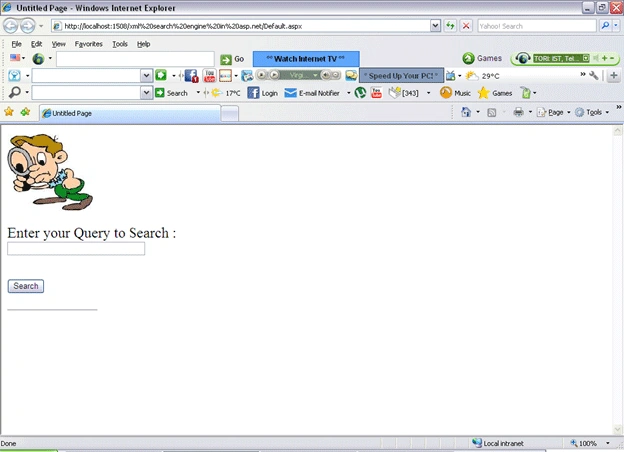
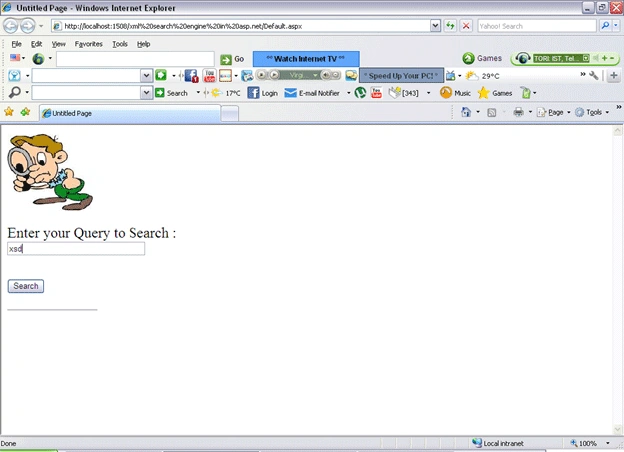
And you'll get the result in the formatted manner that you specified in your xslt.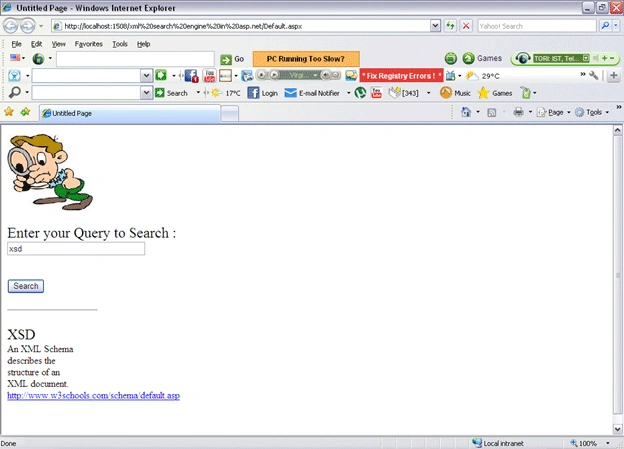
rimjhim bothraPosted Feb 15, 2014, 12:06 PM
it is not running in asp.net 4.0 so please provide code for asp.net 4.0
sandeep kumareditedPosted Dec 3, 2012, 2:32 AMEdited Dec 3, 2012, 2:34 AM
How can we search Multiple Keywords in this? by simpling using javascript. example we want search:- DTD,xsd,xml Show multiple result
sandeep kumarPosted Oct 30, 2012, 2:30 AM
var query=document.f1.txtSearch.value; this line showing error that txtSearch is "Unable to get value of the property 'txtSearch': object is null or undefined"
sarika jainPosted May 10, 2011, 7:46 AM
This application is not running in asp.net 2.0.
Abhimanyu K VatsaeditedPosted Apr 19, 2011, 4:07 AMEdited Oct 30, 2012, 7:42 AM
...