

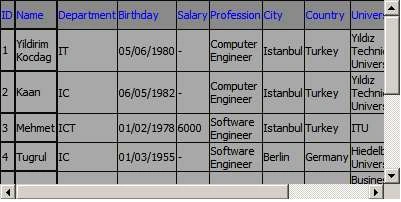
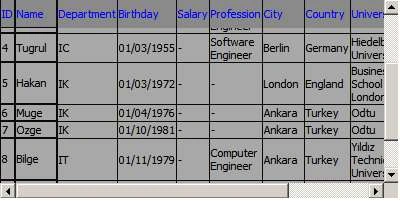
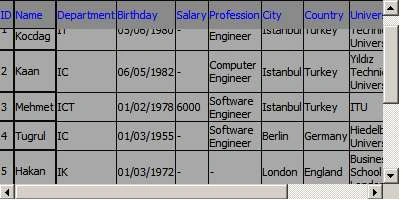
Figure 1: XYDataGrid is a web datagrid control which helps to
developers to put fix headers and fix columns.
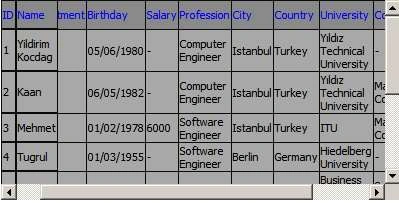
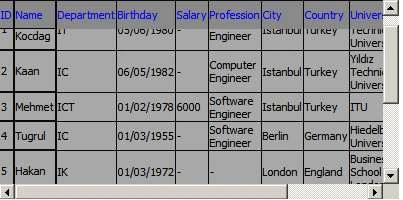
One of the important business need is fixed headers and fixed columns for a datagrid component. However, it is not so easy for a web development team to add these functionalities to current datagrid control.
XYDatagrid offers you these methods to add and remove fixed columns and headers easily.
Using the code
Please add the below code after you add XYDataGrid as a reference to your project.
Dim constr As String
Dim dt As New System.Data.DataTable
Dim sql As String
constr =
"Provider=Microsoft.Jet.OLEDB.4.0;
Data Source=c:\XYDataGridTestData.mdb;User Id=admin;Password=;"
Dim cn As New OleDbConnection(constr)
cn.Open()
sql = "Select * from XYDataGridTestTable"
Dim cmd As New OleDbCommand(sql, cn)
Dim da As New OleDbDataAdapter(cmd)
da.Fill(dt)
XYDataGrid1.DataSource = dt
XYDataGrid1.DataBind()
Another important code snippet is the code which should be added to design side.
<form id="form1" runat="server">
<div>

Join the conversation! Your thoughts help the community grow.