

Setting up a custom domain for your Dynamics 365 Customer Insights Marketing Modern Driven App enhances your brand identity and ensures a seamless customer experience. In this blog, we'll walk you through the steps to configure a custom domain for your Dynamics 365 Marketing app.
Why Use a Custom Domain?
Using a custom domain for your Dynamics 365 Marketing app has several advantages.
- Brand Consistency: Reinforce your brand identity by using your own domain.
- Customer Trust: Improve customer trust and recognition with a familiar domain.
- Professionalism: Present a professional image to your customers and partners.
- Improved Deliverability: Increase the deliverability of your marketing emails by using a custom domain.
Prerequisites
Before you begin, ensure you have the following.
- Access to Dynamics 365 Marketing: Ensure you have admin access to Dynamics 365 Marketing.
- Domain Name: A domain name that you own and can configure DNS settings for.
- DNS Management Access: Access to your domain's DNS settings through your domain registrar or hosting provider.
- Registered Domain: Ensure your domain is registered with a domain provider like GoDaddy, Namecheap, or any other registrar.
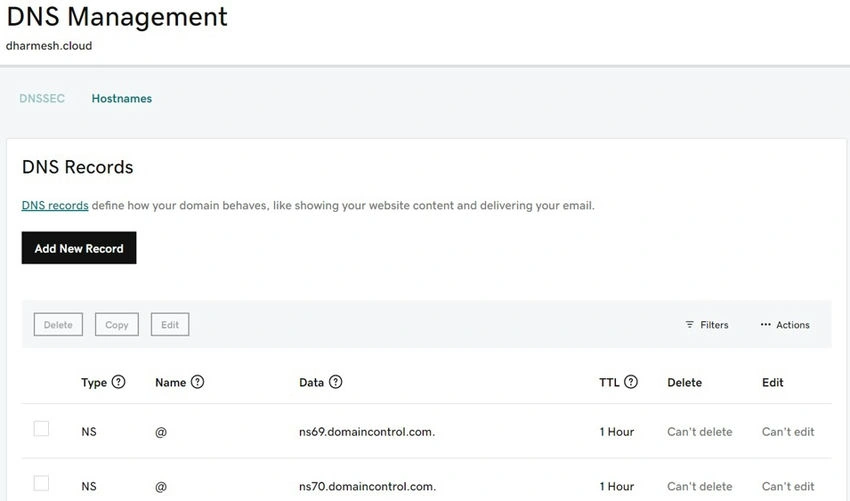
I have registered my Domain in GoDaddy.
Step-by-step guide to adding a custom domain
Step 1. Verify your domain
- Log in to Dynamics 365 Marketing: Go to the Dynamics 365 Marketing portal and log in with your admin credentials.
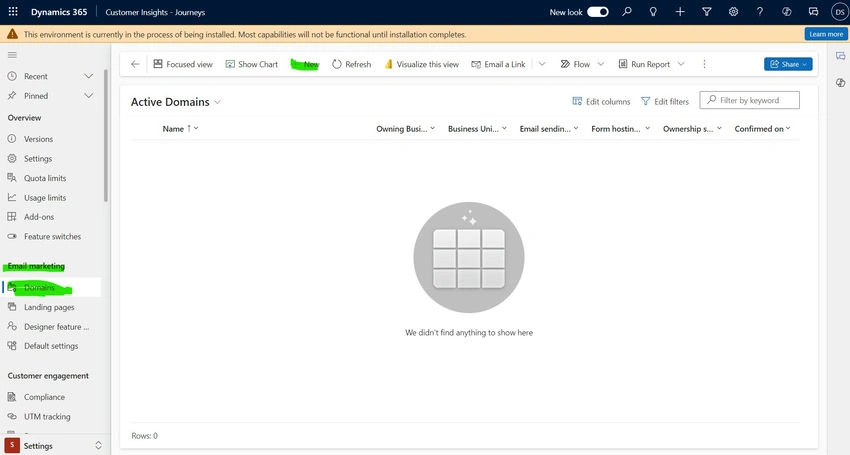
- Navigate to Customer Insights Modern Driven App: In the Marketing app, go to the Settings Area -> Email Marketing -> Domains -> New
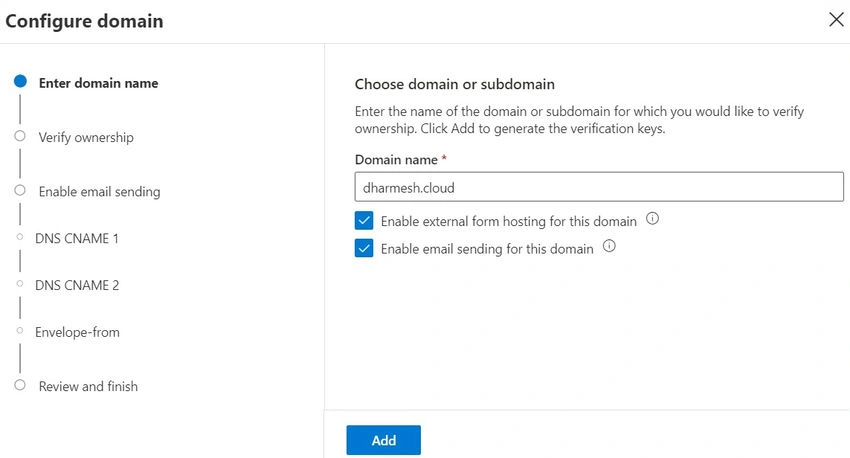
- Configure Domain: Go through the Configuration Settings.
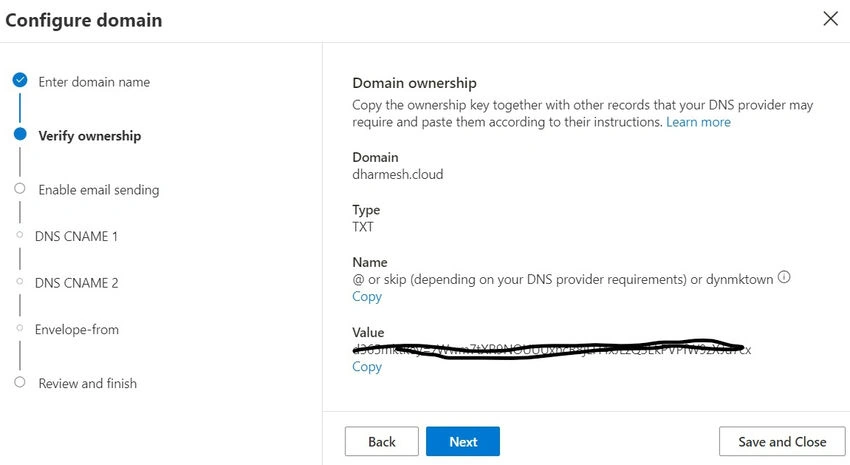
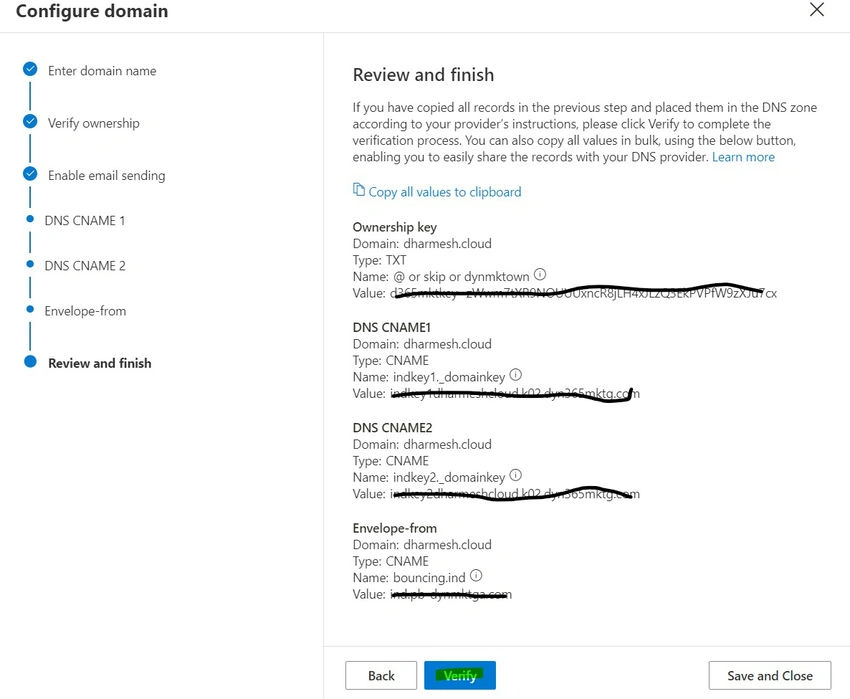
- DNS Configuration: You'll receive a TXT record in DNS CNAME1 and CNAME2 that needs to be added to your domain's DNS settings. This record is used to verify that you own the domain.
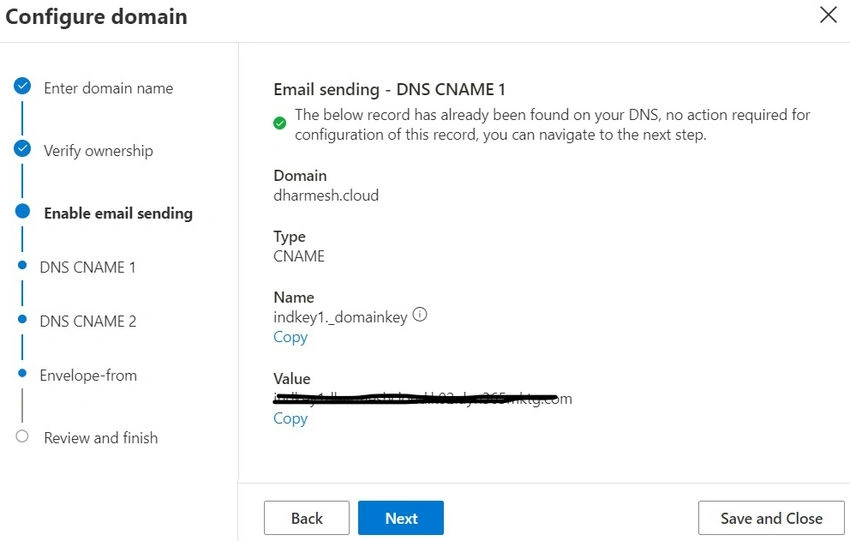
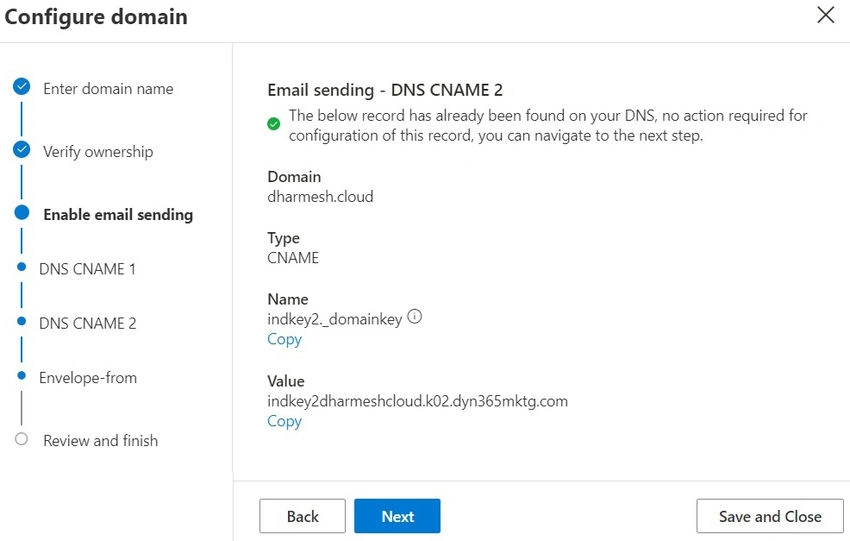
- Log in to your domain registrar's website (e.g., GoDaddy) and navigate to the DNS settings.
- Add a new TXT record with the details provided by Dynamics 365.
- Save the changes and wait for the DNS changes to propagate (this may take up time).
- Confirm Verification: Once the DNS record is propagated, return to Dynamics 365 Marketing and click Verify to confirm the domain ownership.
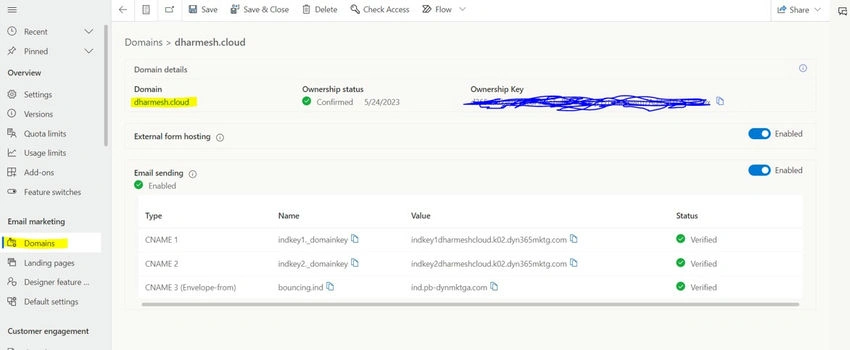
- The Domain should be Validated.
Adding a custom domain to your Dynamics 365 Customer Insights Marketing Modern Driven App is a straightforward process that significantly enhances your brand’s online presence. By following these steps, you can ensure a seamless integration of your custom domain, providing a consistent and professional experience for your customers.
Setting up a custom domain not only improves brand consistency but also increases customer trust and email deliverability. Start leveraging the power of a custom domain in your Dynamics 365 Marketing today and take your marketing efforts to the next level.
Join the conversation! Your thoughts help the community grow.