

Introduction
In this blog you will learn about the Office 365 video portal. From this portal, users can manage their videos and categorize the videos using channels.
Video Portal
Microsoft has introduced a new video portal for Office 365. Office 365 creates separate site collections for portal (/portals/hub). The point publishing page present on the hub site collection will be used to create/upload, view or edit the videos on the portal. The videos on the portal can be categorized using channels. Users can view their own videos or the videos uploaded by other portal users.
Channel
The channel acts as a category for videos uploaded to the video portal. Users can create new channels from the point publishing page.
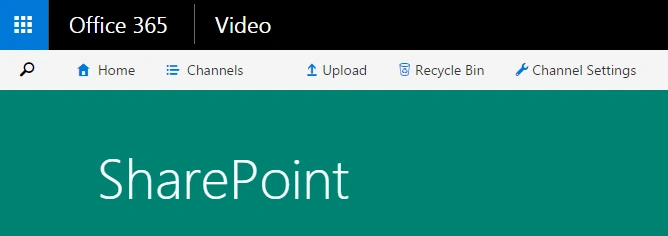
- Once the channel is created, the user can upload videos to the channel.
- Click on upload button on the top, and select the target channel to upload the video. Set the title and description, then save it.
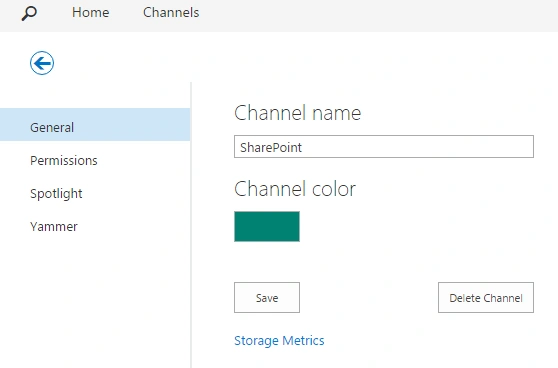
- Channel settings helps to modify the settings and information of the video channel.
- Title or color can be changed for the channel.
- Permissions can be set for special sets of groups.
- Spotlight – Promoting videos on the channel page.
- Yammer – Platform to discuss about the channel on yammer.
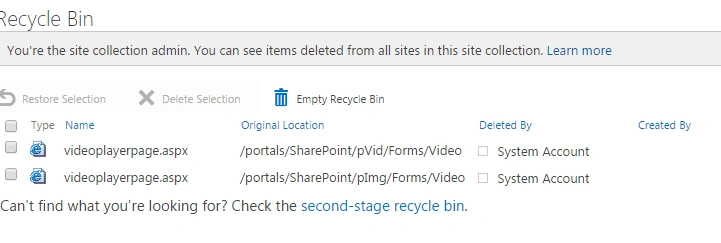
- Recycle bin - The component shows all the deleted content on the video portal. Users can restore the deleted content from the recycle bin.
Once users go back to the respective channel, they can view the videos they have uploaded to the channel. They can view three tabs,
- Trending – Shows videos based on user view count
- All Videos – Videos from all portal users
- My Videos – Videos uploaded by logged in user.
- Video quality can be changed before playing.
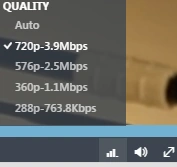
- Video can be played with full screen mode.
- Manage section helps user to edit/delete the video.
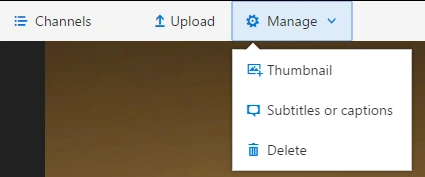
- The existing thumbnails of video can be viewed and users can update it as a new thumbnail for video (Several thumbnails will be generated once a video is uploaded to video portal.) Or users can also upload new thumbnails for any video.
- Subtitles or captions option will help users to upload subtitles for a video. The subtitles can be uploaded using this option. Subtitles are of .vtt file extensions.
- Delete option is used to delete the video from portal.
Summary
Thus, you have learned about Office 365 video portal where users can create channels and upload or view videos on the portal.
Join the conversation! Your thoughts help the community grow.