

In Angular v2, “everything is a component.” Components are the main way in which we build and specify elements and logic on the page, through both custom elements and attributes that add functionality to our existing components.
Angular applications are made up of components.
A component is the combination of an HTML template and a component class that controls a portion of the screen. Every component begins with an @Component decorator function that takes a metadata object. The metadata object describes how the HTML template and component class work together. Basically, a component is anything that is visible to the end user and which can be reused many times within an application.
A component is the combination of an HTML template and a component class that controls a portion of the screen. Every component begins with an @Component decorator function that takes a metadata object. The metadata object describes how the HTML template and component class work together. Basically, a component is anything that is visible to the end user and which can be reused many times within an application.
We attach @Component, a TypeScript decorator, which allows us to modify a class or function definition and add metadata to properties and function arguments.
- selector -is the element property that we use to tell Angular to create and insert an instance of this component.
- Template -is a form of HTML that tells Angular what needs to be to rendered in the DOM.
- MetaData-This is extra data defined for the Angular class.It's defined with a decorator
Now, let's open the app.components.ts page; This is an example of component
- import {
- Component
- } from '@angular/core';
- @Component({
- selector: 'my-app',
- template: `<h1>My first {{name}}</h1>`,
- })
- export class AppComponent {
- name = 'Angular2 Application';
- }
- export class AppComponent { name = 'Angular2 Application'; }
We are defining a class called AppComponent.
- The export keyword is used so that the component can be used in other modules in the AngularJS application.
- name is the property.
- The property is given the type of string.
- The property is given a value of ‘Angular2 Application’.
Template defines the user interface, contains the HTML, directives, and data bindings.
Example
- template: `<h1>My first {{name}}</h1>`
In this example, the following things need to be noted.
- We are defining the HTML code which will be rendered in our application.
- We are also referencing the appTitle property from our class.
Metadata is used to decorate AngularJS class with additional information.
Let’s take a look at the completed code with our class, template, and metadata.
- import {
- Component
- } from '@angular/core';
- @Component({
- selector: 'my-app',
- template: `<h1>My first {{name}}</h1>`,
- })
- export class AppComponent {
- name = 'Angular2 Application';
- }
- We are using the import keyword to import the ‘Component’ decorator from the angular/core module.
- We are then using the decorator to define a component.
- The component has a selector called ‘my-app’. This is nothing but our custom HTML tag which can be used in our main HTML page.
Now, let's look into index.html page.
The <body> tag now contains a reference to our custom tag in the component. Thus, in the above case, we need to make sure that the body tag contains the following code.
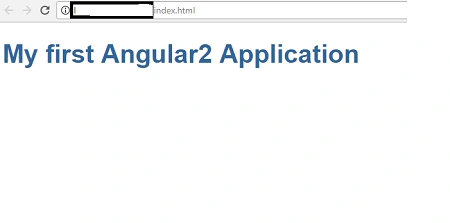
Now, run the application if we got to browser and see the output.
- <!DOCTYPE html>
- <html>
- <head>
- <title>Angular QuickStart</title>
- <base href="/src/">
- <meta charset="UTF-8">
- <meta name="viewport" content="width=device-width, initial-scale=1">
- <link rel="stylesheet" href="styles.css">
- <!-- Polyfill(s) for older browsers -->
- <script src="/node_modules/core-js/client/shim.min.js"></script>
- <script src="/node_modules/zone.js/dist/zone.js"></script>
- <script src="/node_modules/systemjs/dist/system.src.js"></script>
- <script src="systemjs.config.js"></script>
- <script>
- System.import('main.js').catch(function(err) {
- console.error(err);
- });
- </script>
- </head>
- <body>
- <my-app>Loading AppComponent content here ...</my-app>
- </body>
- </html>
- <body>
- <my-app>Loading AppComponent content here ...</my-app>
- </body> lt;/html>
Join the conversation! Your thoughts help the community grow.