
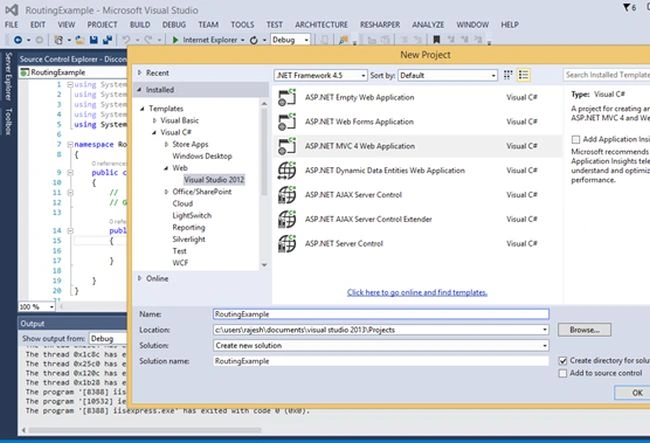
Step1: Create an ASP.net MVC project.

Choose ASP.Net MVC project from template and Press Next, then name the empty project as RoutingExample and click ok.
Step 2: Add two controllers. I have added Home and Second in this example.

Step 3: Add this snippet in Index action of Home Controller to redirect to Second Controller action Index.

Step 4: Choose default controller Home and default action Index in route config file.

Step 5: Create a view for Index action of Second Controller by right clicking inside method.

And add your custom message inside view. In this example I have added “This is second controller.”.

Step 6: Press F5 to run the solution.


ASP.NET MVC: Redirect from One Controller Action to Another
Join the conversation! Your thoughts help the community grow.
Sign in to leave a comment
It is the same account you read, post and publish with — and you will come straight back to this page.
bishoe nbPosted Jan 19, 2018, 2:25 PM
Thanks...............
Mohammad KhalidPosted Jun 9, 2015, 2:07 AM
Keep sharing your knowledge !