

Background
In this blog I have explained how to convert the any number into the string. This requirement was comes when I was working on the of the project which Print Bill in which amount entered into the textbox should be converted into the String on a Reports.
This blog is useful when same type of requirement or other requirement needed related to number to string conversion as you wish
the .aspx page is
<%@ Page Language="C#" AutoEventWireup="true" CodeFile="Default.aspx.cs" Inherits="_Default" %>
<!DOCTYPE html PUBLIC "-//W3C//DTD XHTML 1.0 Transitional//EN" "http://www.w3.org/TR/xhtml1/DTD/xhtml1-transitional.dtd">
<html xmlns="http://www.w3.org/1999/xhtml">
<head runat="server">
<title></title>
<style type="text/css">
.divclr
{
background-color:Gray;
width: 222px;
height:130px;
}
</style>
</head>
<body bgcolor="#0066cc">
<form id="form1" runat="server">
<br /> <br /> <br /> <br /> <br /> <br />
<div align="center" class="divclr" >
<br />
<table>
<tr>
<td>Enter Amount</td>
</tr>
<tr>
<td>
<asp:TextBox ID="TextBox1" runat="server"></asp:TextBox>
</td>
</tr>
<tr>
<td>
<asp:Label ID="Label1" runat="server" Text="Label" BackColor="Gray"
Font-Bold="True" Font-Italic="False" ForeColor="#CC3300"></asp:Label>
</td>
</tr>
<tr>
<td align="center" >
<asp:Button ID="Button1" runat="server" Text="Convert" onclick="Button1_Click" />
</td>
</tr>
</table>
</div>
</form>
</body>
</html>
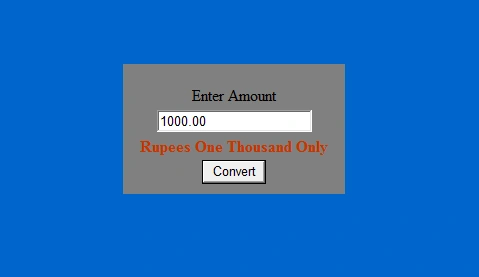
- Sample Screen
Note
Download the sample Application from Zip file
When you Enter the Value into the textbox,Enter with Decimal Ponits,if the decimal is not in your number then at .00 after whole Integer Number
e.g
100.00
SubashPosted Sep 15, 2016, 8:51 AM
Good one