
Today let’s see how to convert VDHX to VHD. I faced this issue while uploading the virtual hard disk to Azure for creating VM out of it. The major difference between VHDX and VHD is that VHDX supports dynamic size, that means it can be changed. But VHD are fixed size virtual disks. Microsoft Azure does not support Dynamic size virtual disk that’s why it needs to be converted to VHD.
Converting VHDX to VHD
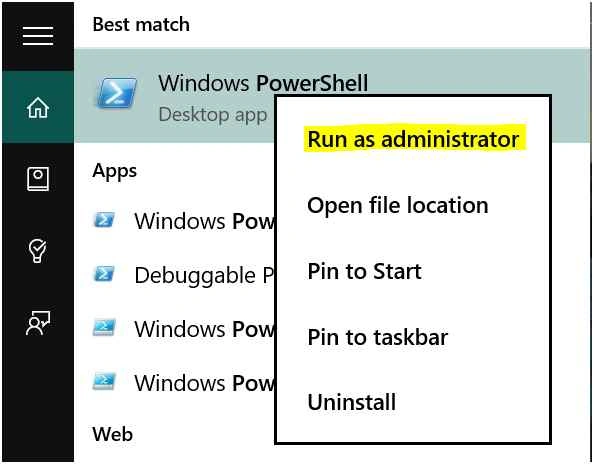
Step 1: Run PowerShell
Step 2: Run the following commands to convert your VHDX to VHD.
Convert-VHD -Path <Path for your VHDX> -DestinationPath <Destination Path for your VHD>
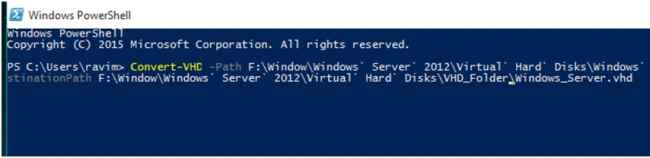
Note: Is used for space in the name and path.

Converting VHDX to VHD in PowerShell
Join the conversation! Your thoughts help the community grow.
Sign in to leave a comment
It is the same account you read, post and publish with — and you will come straight back to this page.
Nairisha ShresthaPosted Sep 26, 2015, 10:28 PM
Nice one Ravi. Keep it up.