

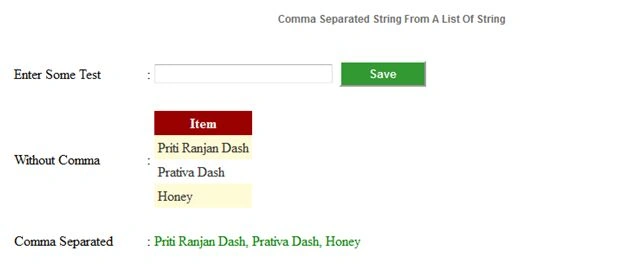
.cs File Code:
- using System;
- using System.Collections.Generic;
- using System.Linq;
- using System.Web;
- using System.Web.UI;
- using System.Web.UI.WebControls;
- public partial class UserControls_CommaSeparatedControl: System.Web.UI.UserControl {
- // Declaring List as static
- static List < string > strList = new List < string > ();
- protected void Page_Load(object sender, EventArgs e)
- {
- if (!IsPostBack) {
- // Clearing the List ob its first load
- strList.Clear();
- }
- }
- protected void BtnSave_Click(object sender, EventArgs e)
- {
- CreateListOfString();
- }
- private void CreateListOfString()
- {#region--Create list of string--
- try
- {
- if (txtSomeText.Text != "")
- {
- strList.Add(txtSomeText.Text);
- txtSomeText.Text = "";
- }
- GridView1.DataSource = strList;
- GridView1.DataBind();
- string Result = GetSeparateTheString(strList, ", ");
- LblResult.Text = Result;
- }
- catch (Exception Exc)
- {
- LblMessage.Text = "Application Error : " + Exc.Message;
- }
- #endregion
- }
- private string GetSeparateTheString(List < string > strList, string comma)
- {#region--Create a Comaa Separated string--
- try
- {
- System.Text.StringBuilder sb = new System.Text.StringBuilder();
- foreach(string str in strList)
- {
- // If this statement found any value in the String Builder Object, it will add comma one after another.
- if (sb.Length > 0)
- {
- sb.Append(comma);
- }
- // in its first pass it will take the first string , then others string: because this line must execute
- sb.Append(str);
- }
- return sb.ToString();
- } catch (Exception Exc)
- {
- LblMessage.Text = "Application Error : " + Exc.Message;
- return "";
- }
- #endregion
- }
- }
Ankur MistryPosted Nov 29, 2015, 4:36 AM
Nice